Flickering or banding on the Razer Kiyo Pro Ultra is possibly caused by the capture frequency or frame rate that does not match the power line frequency of the light source. Adjust the power line frequency of the Razer Kiyo to resolve this issue.
Here is a step-by-step process on how to prevent flickering on your Razer Kiyo Pro Ultra.
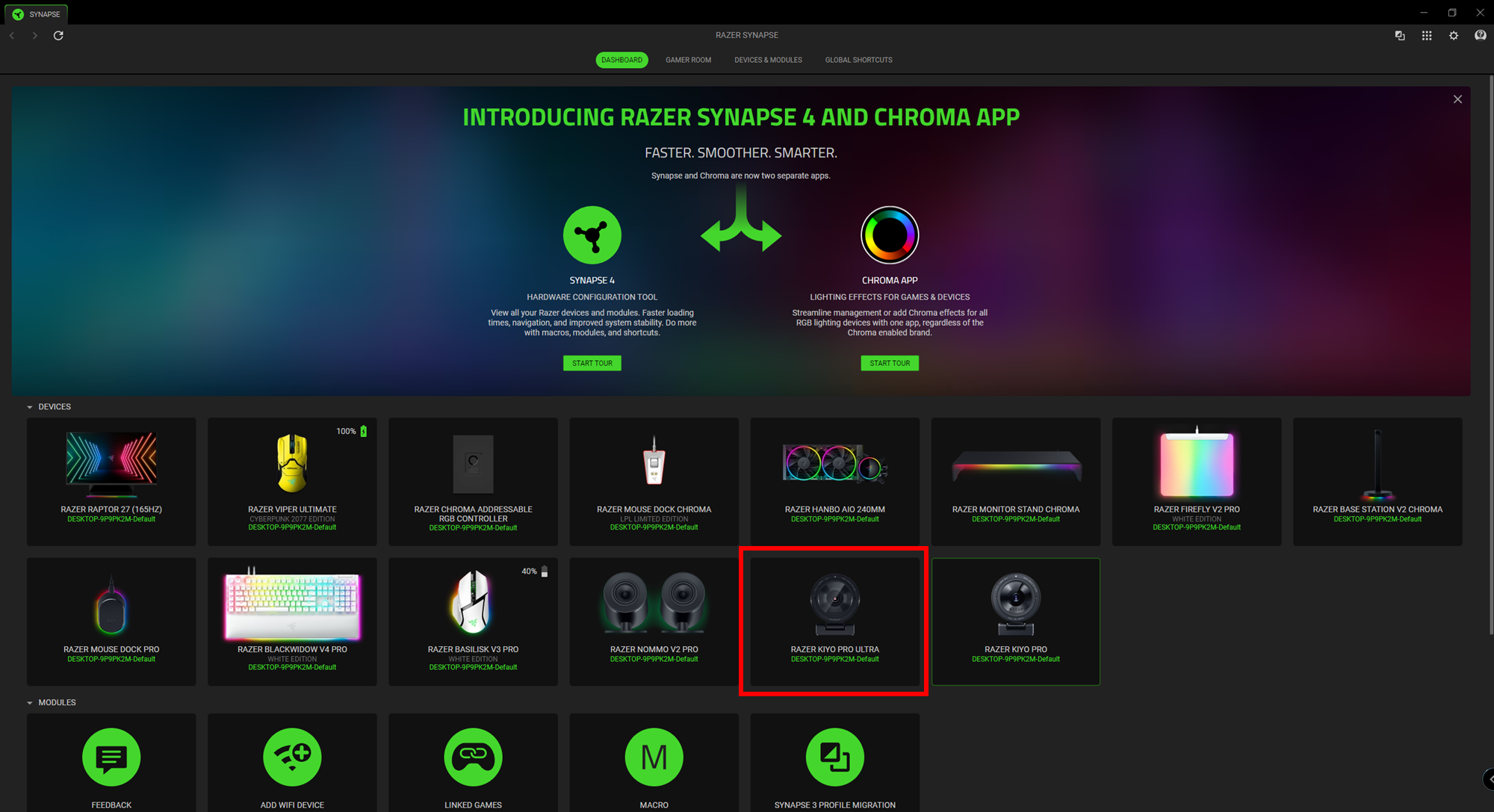
- Launch the Razer Synapse.
- Select “KIYO PRO ULTRA” from the DASHBOARD.
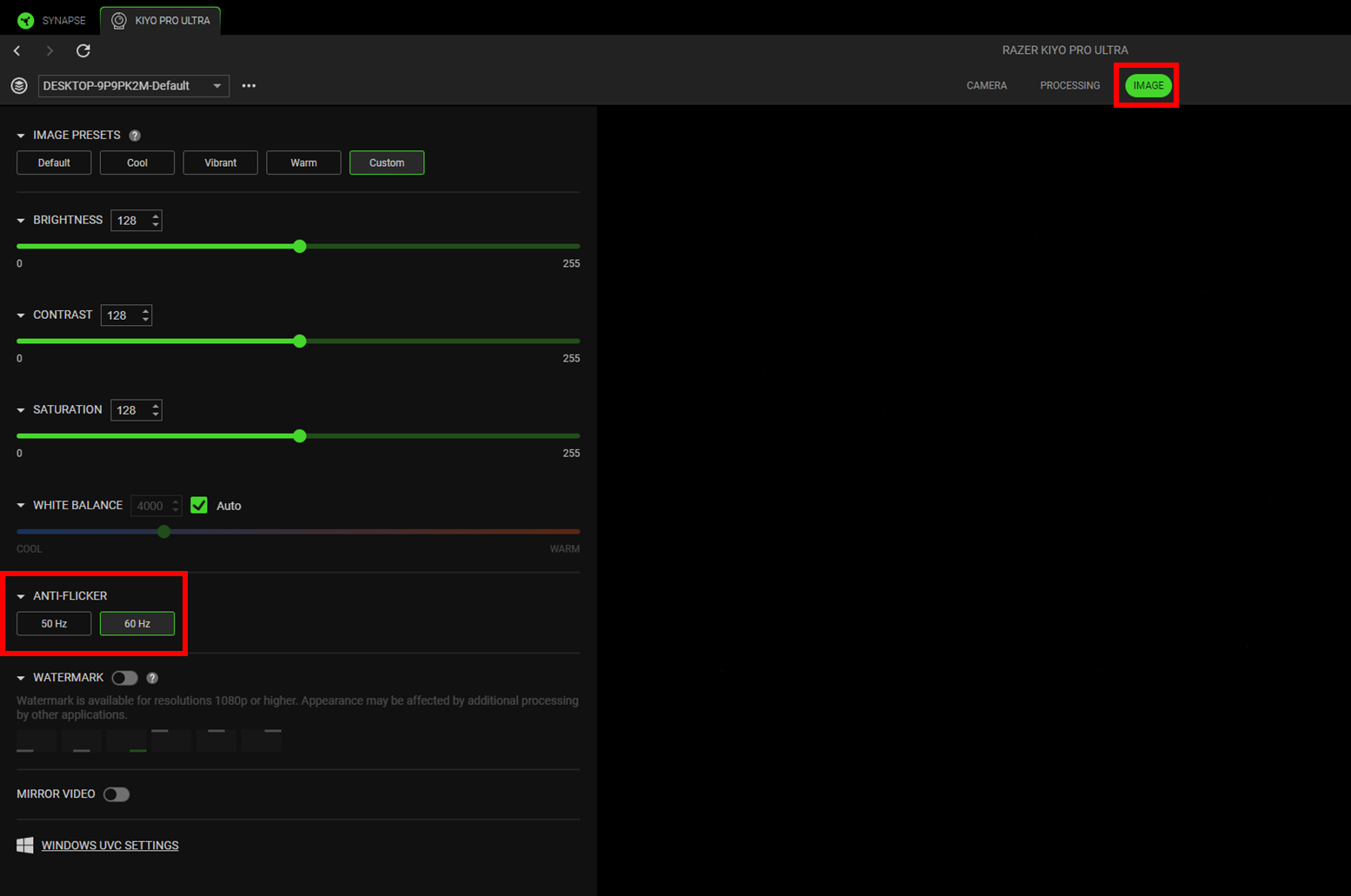
- Navigate to the “IMAGE” tab.
- Expand the “ANTI-FLICKER” drop-down menu.
- Select the setting according to your region’s power line frequency.
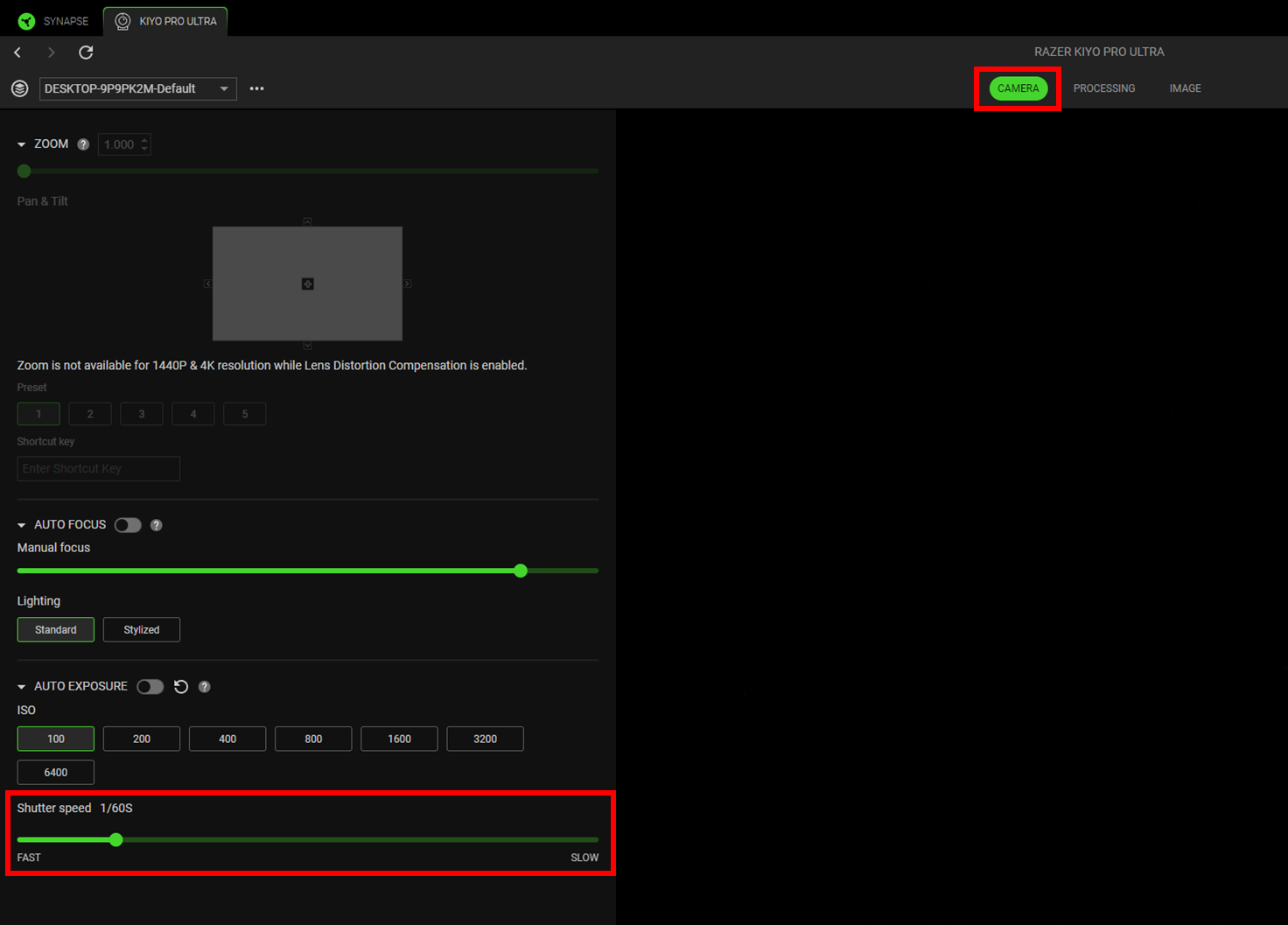
- Navigate to the “CAMERA” tab.
- Expand the “AUTO EXPOSURE” drop-down menu.
- Use the slider to adjust the shutter speed to prevent flickering.