Applicable models:
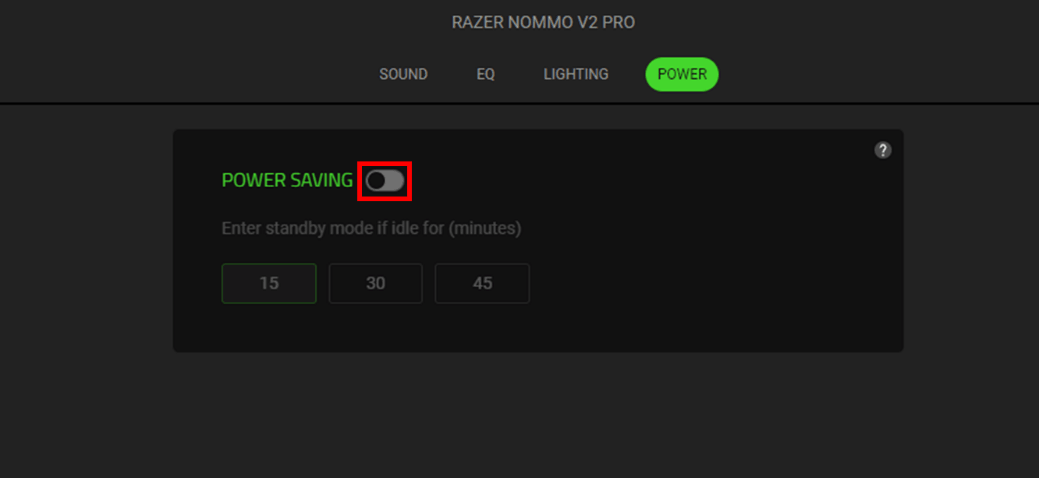
Disable the Power Saving setting of your Razer speaker or soundbar if it sleeps or shuts down by itself after 15 minutes.
See the step-by-step instructions below on how to disable power saving mode for Razer speakers and soundbars.
-
Open Razer Synapse.
-
Click on your speaker and go to the "POWER" tab.
-
Click on the toggle to turn off "POWER SAVING".