
Applicable models:
Firmware v1.02.00_r1
- https://rzr.to/hCjNDN | April 3, 2024
- Add Windows Dynamic Lighting support
Step-by-step Process
-
Make sure the laptop is plugged into a wall outlet and not just running on battery before proceeding.
-
Save all files and close all programs.
-
Download the latest firmware updater.
-
Run the downloaded firmware then click "NEXT" to proceed.
Note: Clicking “NEXT” will shut down all running Razer applications.

-
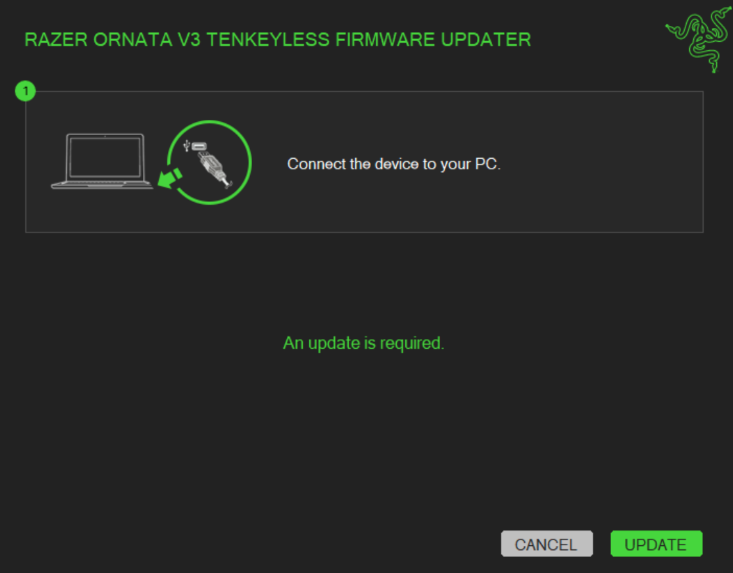
Connect the Razer Ornata V3 Tenkeyless and click “UPDATE”.
-
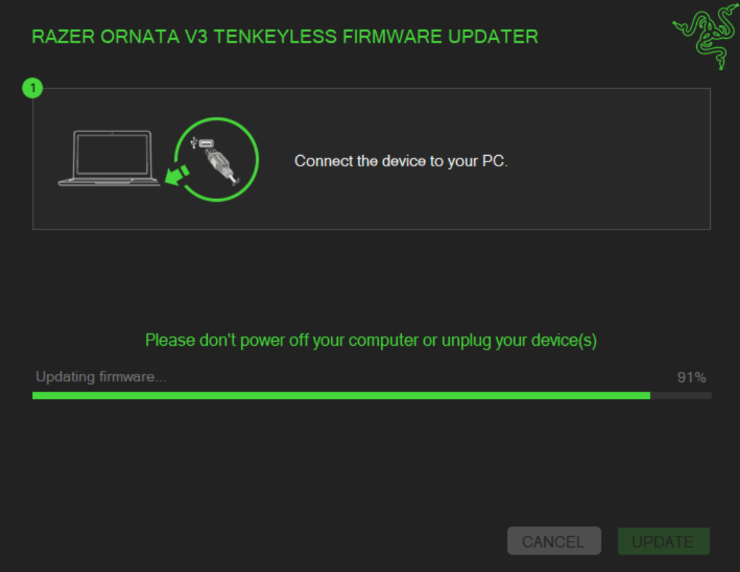
Wait for the update to complete.
-
Once the firmware has been successfully updated, click "CLOSE" to exit the updater.


