Applicable devices:
The following are the steps on how to route your application audio to the input channel:
-
On your taskbar, right-click on the Audio icon and select "Sound settings".
-
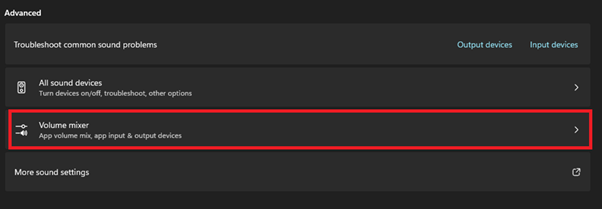
Select "Volume mixer".
-
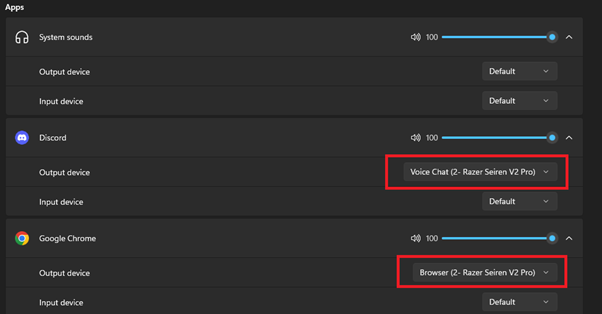
Under Apps, select the corresponding channel based on the application.
-
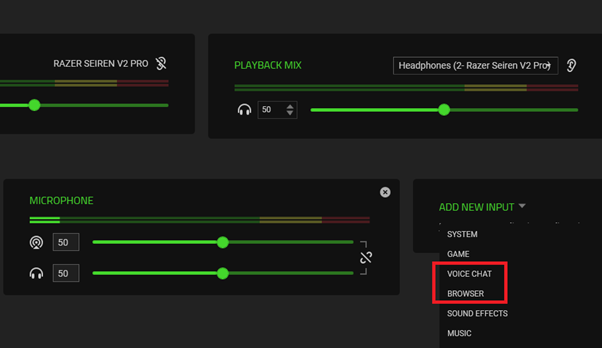
In Razer Synapse, add the source you want to control and mix.