
Applicable models:
Properly disassemble your Razer Iskur V2 to prevent damage while being stored or transported.
Tools needed:
-
Rubber mallet
-
Hex key “L”
-
Microfiber cloth
-
Penetrating lubricant
Step-by-step process on how to disassemble the Razer Iskur V2
Important: Put the chair over a smooth work surface to protect it from scratch and any other types of damage during the process.
-
Unclasp the belt at the back of the headrest.

-
Remove the headrest from the backrest.

-
Remove the plastic screw caps “M” using a penknife.

-
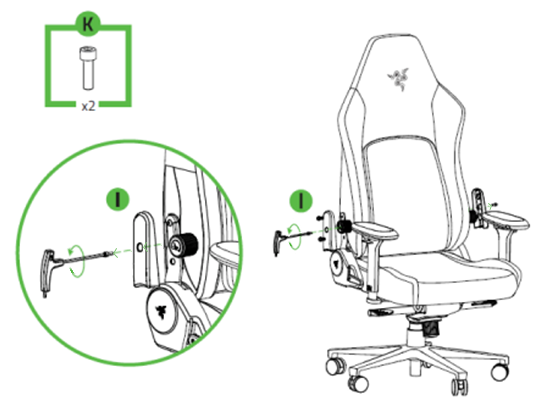
Unfasten the screws “K” on the support brackets “I” using the hex key.
-
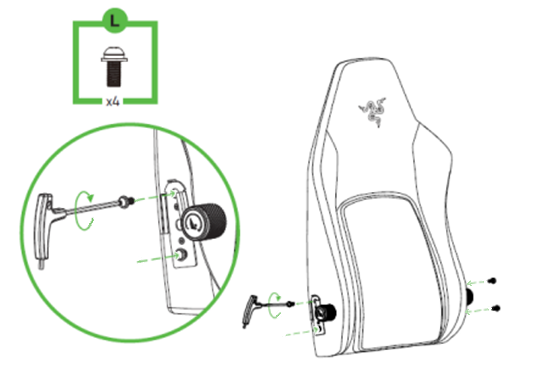
Unfasten the screws “L” that connect the backrest to the seat.

-
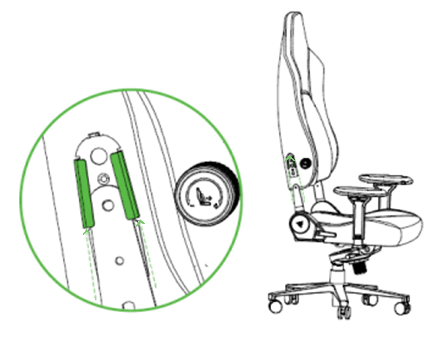
Detach the backrest from the seat.
-
Fasten the screws into the backrest.
-
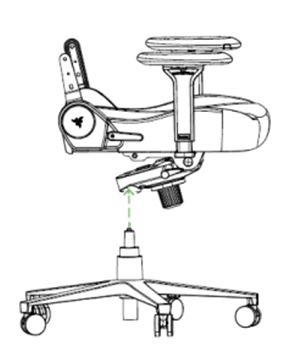
Remove the piston and starbase from the seat.
-
Unfasten the screws “L” using the hex key to detach the tilt mechanism.
-
Remove the tilt mechanism from the seat base.
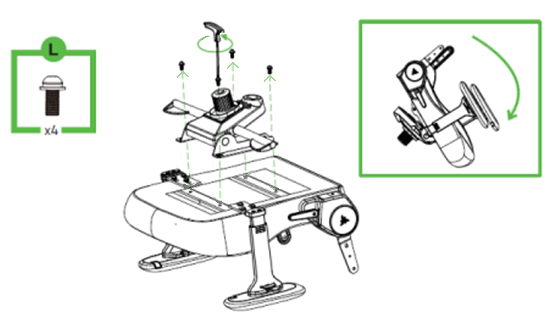
-
Fasten the screws into the seat base.
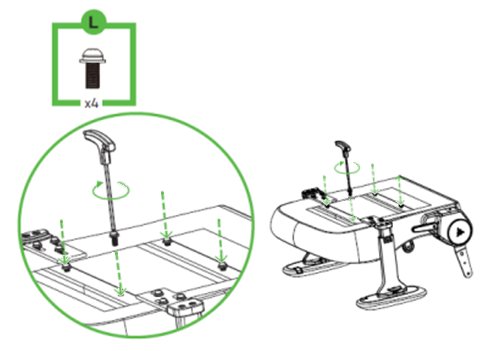
-
Apply some penetrating lubricant between the gas lift cylinder “H” and the tilt mechanism and leave it for five minutes.
-
Remove the gas lift cylinder “H” from the tilt mechanism by gripping it firmly and hitting the tilt mechanism with the rubber mallet wrapped in a microfiber cloth. Then, separate the cylinder cover “G” from the cylinder “H”.
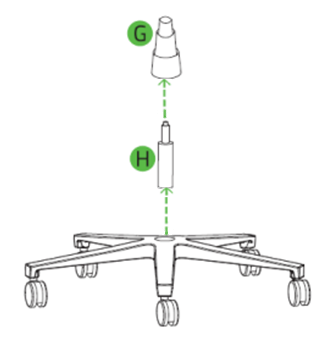
-
Grab the base “C” then pull out the caster wheels “E”.
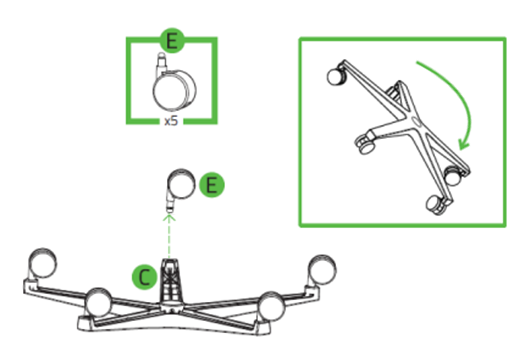
Note: Apply some penetrating lubricant between the wheel and wheelbase if the caster wheels are difficult to pull out.
-
Put all the disassembled parts inside the box accordingly.

