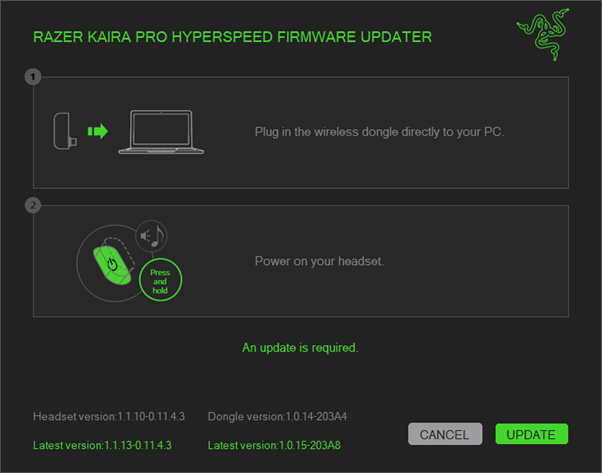
Razer Kaira Pro HyperSpeed (PS5) Firmware Updater | RZ04-040302

| Answer ID: 13856
This answer provides the latest firmware version for the Razer Kaira Pro HyperSpeed (PS5) | RZ04-040302 and steps to install it successfully.

Applicable Products:


Firmware update v1.1.13_r3


STEP-BY-STEP PROCESS

  1. Download the latest firmware update.

  2. Run the downloaded updater.

  3. Click "NEXT" to proceed. The updater will close all running Razer applications.

    Updater window showing the NEXT button

  4. Plug in the wireless dongle and power on your headset.
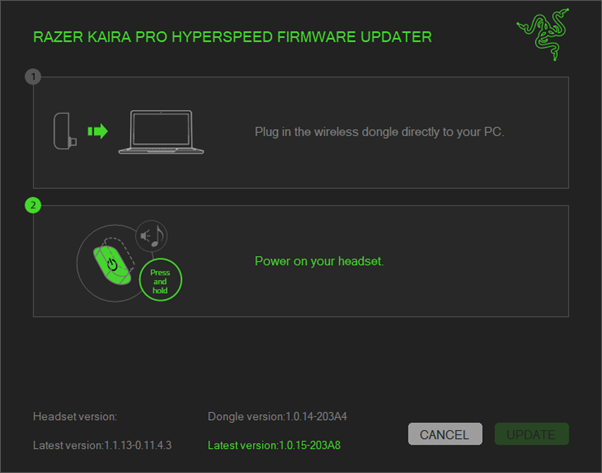
    Updater window showing the NEXT button

  5. Click "UPDATE".

    Updater window showing the steps and highlighting the UPDATE button

  6. Wait for the updater to complete the process.

    Updater window showing the progress of the update process

  7. Unplug then replug the wireless dongle to your PC.
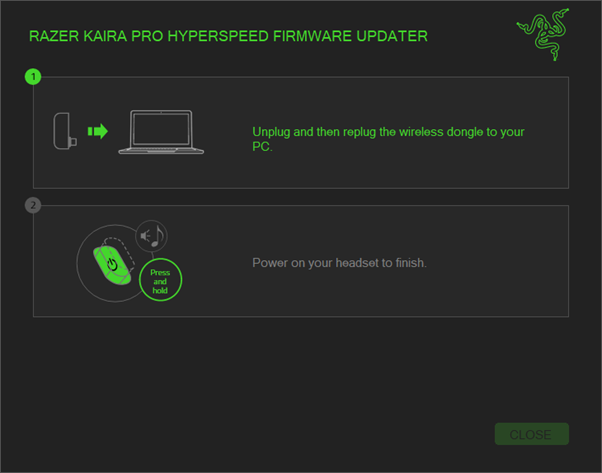
    Updater window showing the completion of the update process

  8. Power on your headset to finish the update.
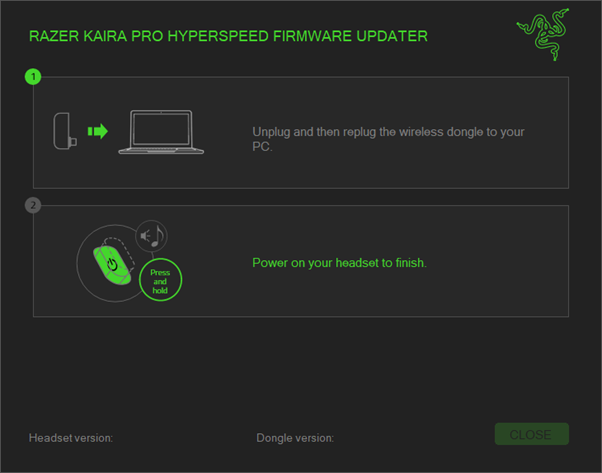
    Updater window showing the completion of the update process

  9. Click "CLOSE" once the update is complete.

    Updater window showing the completion of the update process

Is this answer helpful?