How to set up Routines for your home lightings in the Gamer Room App

| Answer ID: 14093
This answer shows you how to set up Routines for your home lightings in the Gamer Room App.

You can view the video below for instructions or review a copy of the video transcript.

  1. Open the Gamer Room app.
  2. Choose “Routines” and tap “CREATE A ROUTINE”.
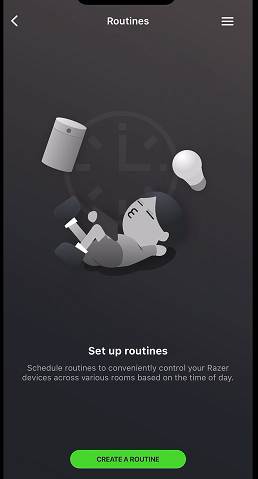
    app widow showing create a routine button

  3. Enter a name of the routine in the given field.
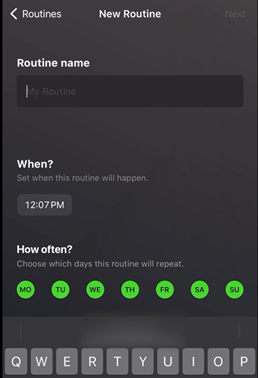
    app window showing routine name field

  4. Choose the time of the day for the routine to take effect.
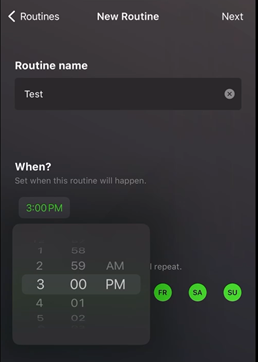
    app window showing options for time of the day to apply the routine

  5. Choose your preferred day(s) of the week then tap “Next”.
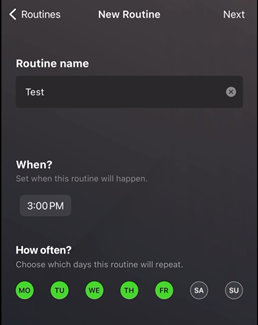
    app window showing the option for days of the week to apply the routine

  6. Select which device(s) you want the routine to apply to and tap “Create”.
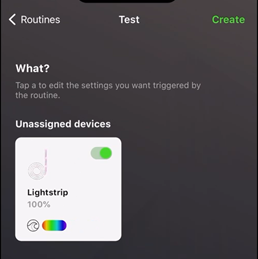
    app window showing the option for which devices to apply the routine to

  7. Wait while the routine is being created.
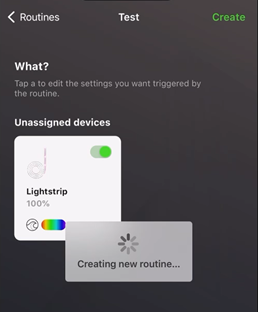
    app window showing the process in progress

Your newly created routine will now be visible.

Is this answer helpful?