You can connect your Razer Raiju Mobile | RZ06-02800 to your Android phone using the USB-C cable included in the package or wirelessly via Bluetooth.
Select preferred method
Connect using the USB-C cable
-
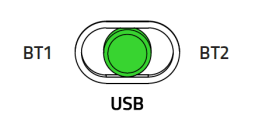
Set the Raiju Mobile mode to USB.
-
Place your phone in the phone grip and connect it to the Razer Raiju using the included cable.

-
Wait for the status indicator to turn green. The controller is now ready to use.
Connect wirelessly via Bluetooth
-
Set the Raiju Mobile mode to either BT1 or BT2.

-
Power ON the Raiju Mobile by pressing on the Home button until the status indicator starts to blink blue.

-
Press and hold both the HOME and START buttons until the status indicator starts to blink in white to activate pairing mode.

-
On your phone, open its Bluetooth settings, and select Razer Raiju Mobile from the list of available devices.

-
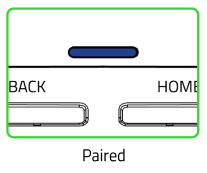
Wait until the status indicator becomes solid blue indicating that the pairing was successful. The controller is now ready to use.