
Select an action
Unsubscribe from your Razer ID account (For registered Razer ID users only):
-
Go to https://razerid.razer.com/.
-
Log in with your Razer ID credentials.
-
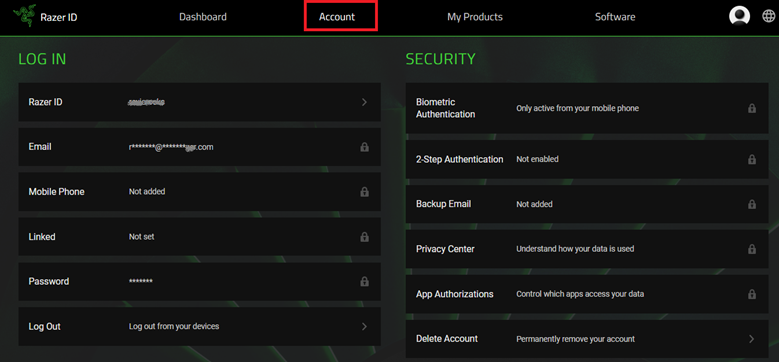
Go to “Account”.
-
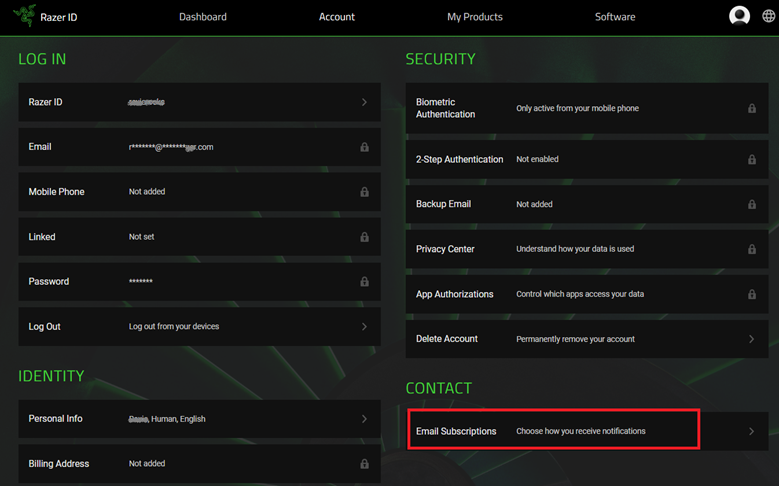
Click “Email Subscriptions” under “CONTACT”.
-
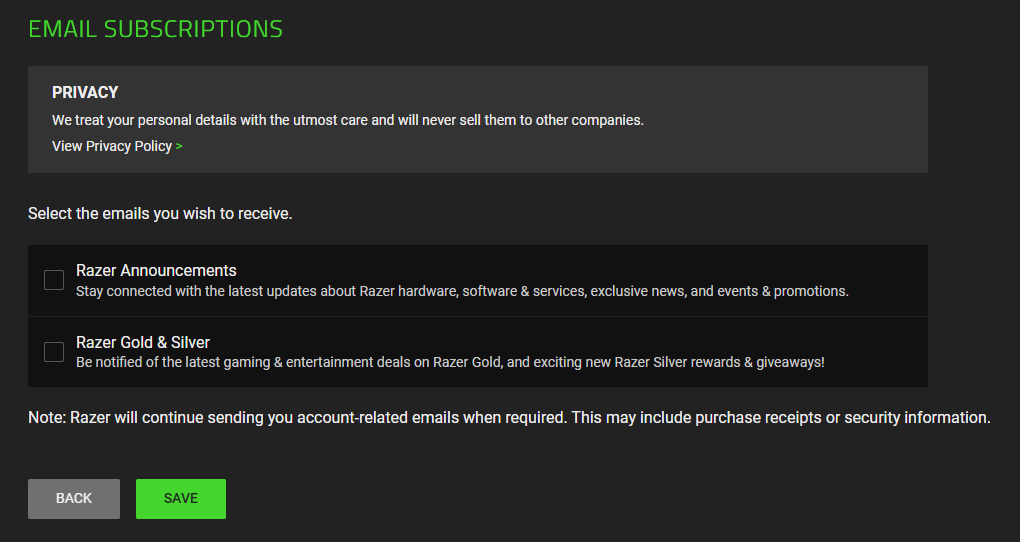
Uncheck any of the boxes according to your preference. You can choose to uncheck all the boxes if you wish to stop receiving any emails from Razer.
-
Click “SAVE”.
Note: Unsubscribing from Razer emails will take up to 5 days to completely clear the system.
Unsubscribe from the Razer email from your inbox (For non-registered Razer ID users)
-
Click on the “unsubscribe here” link within the body of the email that you received from Razer as shown below.
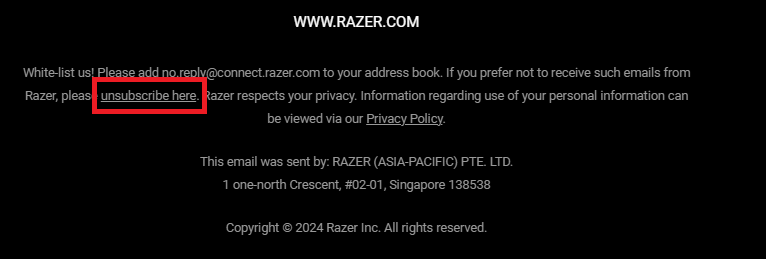
You will be redirected to your browser with the option to unsubscribe from all promotional emails from Razer.
-
If you wish to unsubscribe from all promotional emails from Razer, hit the "Unsubscribe From All" button.
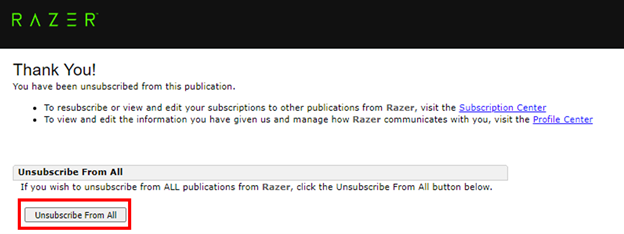
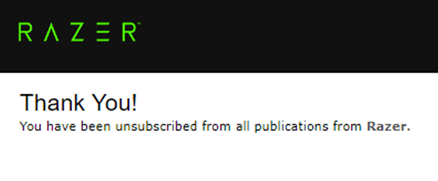
You will then be redirected to a confirmation page confirming you have unsubscribed from all emails from Razer.
Note: Unsubscribing from Razer emails will take up to 5 days to completely clear the system.

