Configuring the gaming cushion of your Razer Freyja and its haptic feedback settings through Razer Synapse ensures performance and an immersive experience.
Follow the detailed instructions below to customize your Razer Freyja gaming cushion’s haptics.
-
Set up the Razer Freyja gaming cushion. See How to set up and configure your Razer Freyja gaming cushion for instructions.
-
Install Razer Synapse on your PC.
-
Download the Razer Nexus Game Launcher app on your Android mobile device.
Select an action
Power On / Off
-
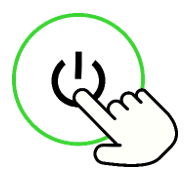
Press the Power button to power on the gaming cushion.
-
Press the Power button again to turn the gaming cushion off.
Adjust the Haptic Intensity
-
Turn on the gaming cushion.
-
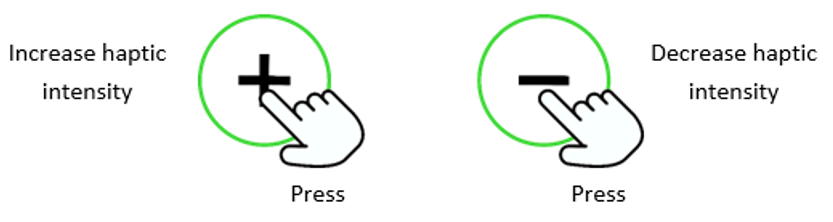
Press the Haptic level buttons to increase or decrease the gaming cushion’s haptic vibration.
Switch between sources
-
Turn on the gaming cushion.
-
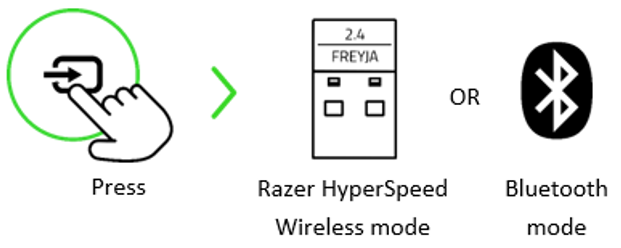
Press the Source button to switch between Razer HyperSpeed Wireless mode and Bluetooth mode.
Note: Using Bluetooth as an audio source will reconnect the gaming cushion to the last paired device after it has been powered on again. Pairing mode will be activated if no device is found.
Activate Bluetooth Pairing Mode (for new devices)
-
Turn on the gaming cushion.
-
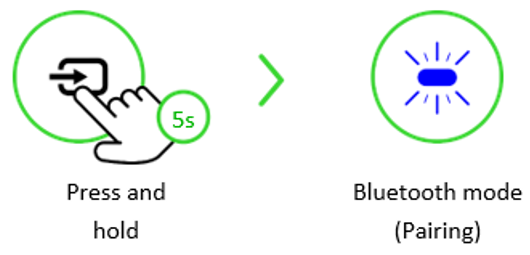
Press and hold the Source button for 5 seconds to reactivate Bluetooth pairing mode and connect the gaming cushion to a new Android device.