Turn on the mobile data to get internet access on your Razer Phone.
Step-by-step process:
-
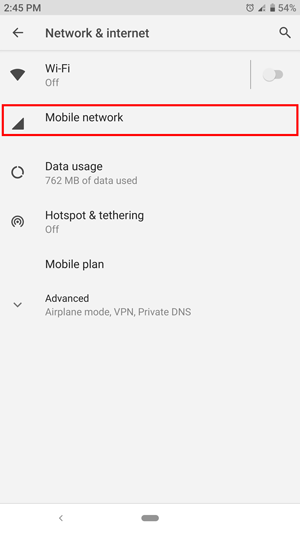
Go to Settings > Network & internet > Mobile network.

-
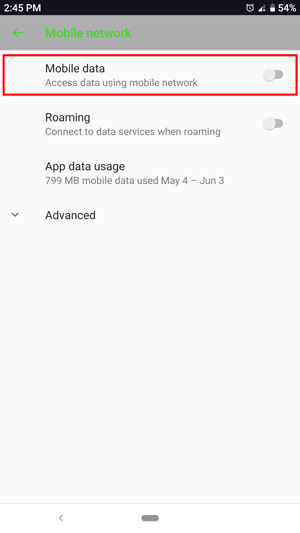
Tap the "Mobile data" toggle button to enable or disable your mobile data connection.

This answer provides information on how to turn mobile data on or off on the Razer Phone.
Turn on the mobile data to get internet access on your Razer Phone.
Step-by-step process:
Go to Settings > Network & internet > Mobile network.
Tap the "Mobile data" toggle button to enable or disable your mobile data connection.

