Follow the steps below to set up your Razer USB 4 Dock.
-
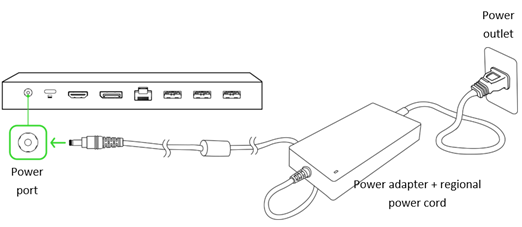
Connect the power cord attached to the power adapter.
Note: Use the appropriate power cord for your region.
-
Connect the power adapter to the dock’s Power port.
-
Plug the power adapter into a power outlet.
-
Connect your system to the USB 4 Type C port (upstream).
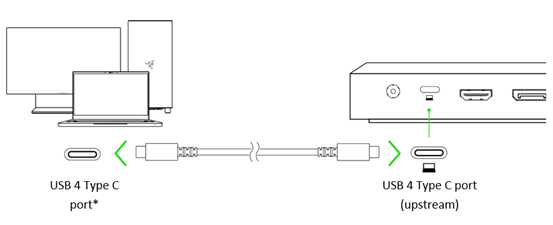
Note: Connecting the dock to a USB 4 Type C port is recommended for optimal performance.
-
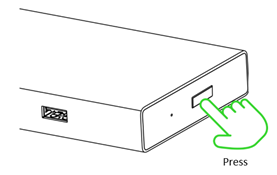
Press the Power button to power on the USB 4 Dock.