
Latest Lancehead Wireless Pairing Utility version:
- v1.00.00 r6
- https://rzr.to/SzwIU
- Now released in multi-language.
Previous Lancehead Wireless Pairing Utility version:
- v1.00.00 r4
- https://rzr.to/Lrjom
Note: Ensure you have already downloaded the latest utility version through the link above before proceeding.
Below are the steps in using the Razer Lancehead wireless pairing utility tool.
-
Run the “Lancehead Wireless_PairingUtility_vX.XX.XX_rX.exe” that you downloaded in your computer.

Note: Downloaded file location may vary, depending on which folder you selected.

-
You will be notified that all running Razer applications will be shut down. Click "NEXT".

-
Plug the USB Dongle into your PC then click "NEXT".

-
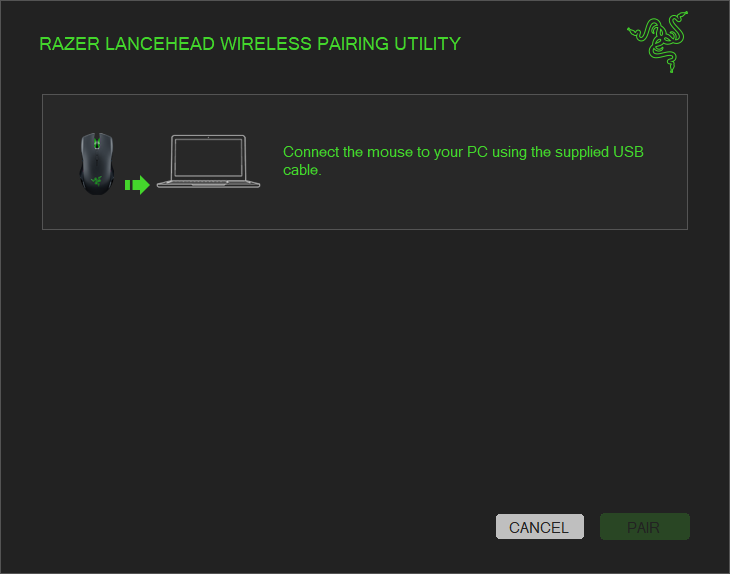
Connect the mouse to your PC using the supplied USB cable.
i
 g
g -
You will be notified that the device is paired successfully. Click “CLOSE” to end the process.


