
Follow these steps to uninstall Razer Synapse 4 from your Windows PC or laptop.
-
Close all Razer Synapse programs.
-
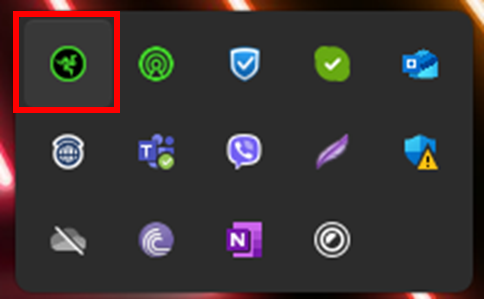
Right-click on the Razer Synapse 4 icon on the system tray.
-
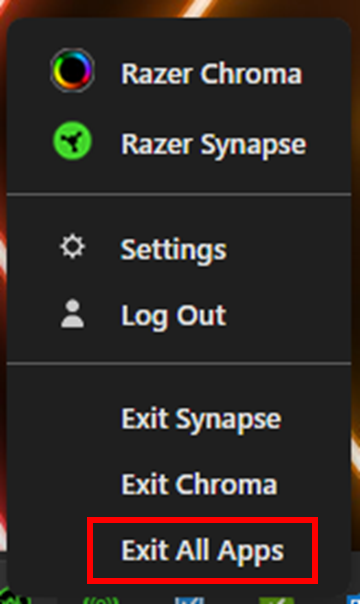
Select "Exit All Apps".
-
-
Open your PC or laptop’s "Settings”.
-
Go to "Apps" > "Installed apps".
-
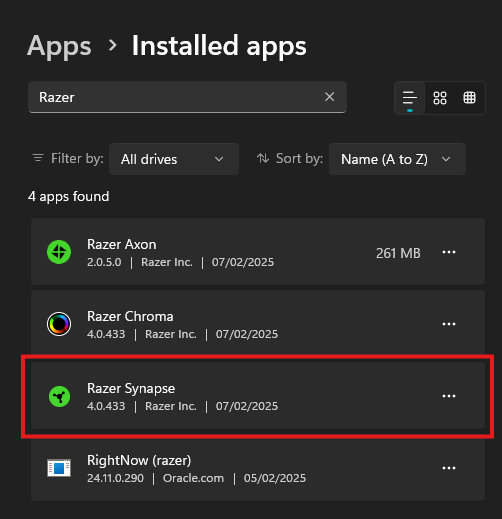
Search for “Razer” on the “Installed apps” page.
-
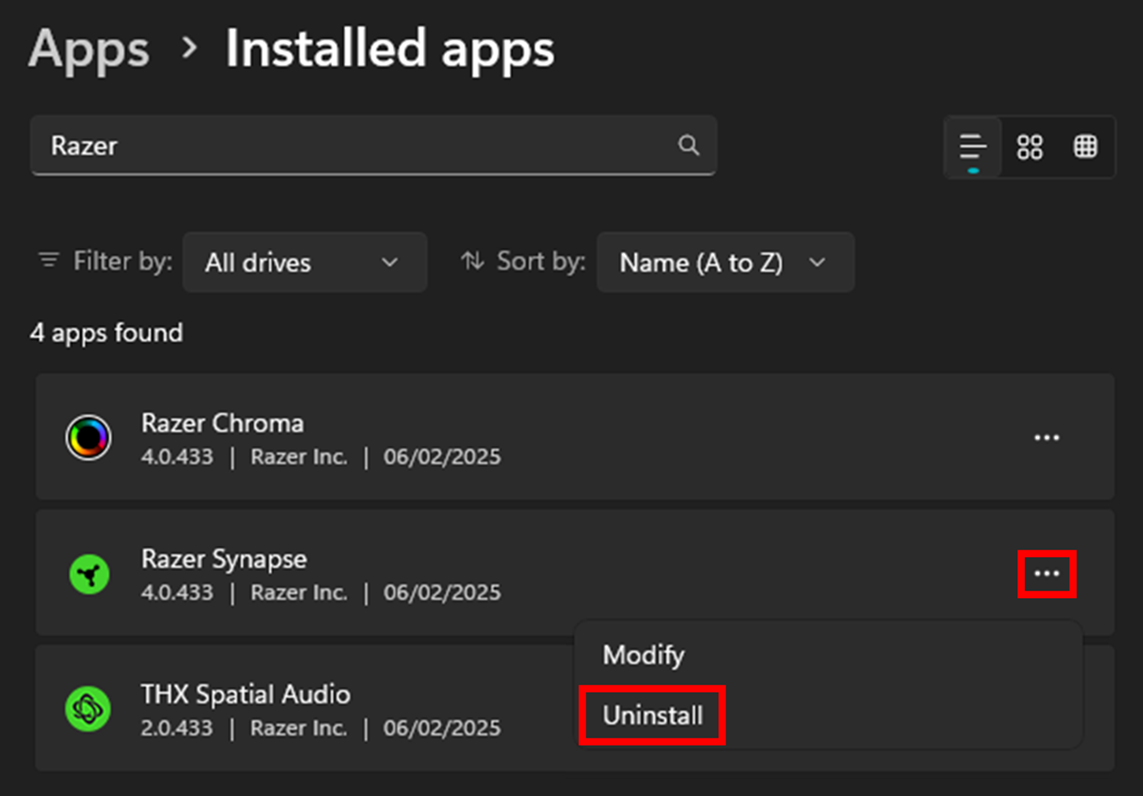
Click the ellipsis icon and select "Uninstall".
-
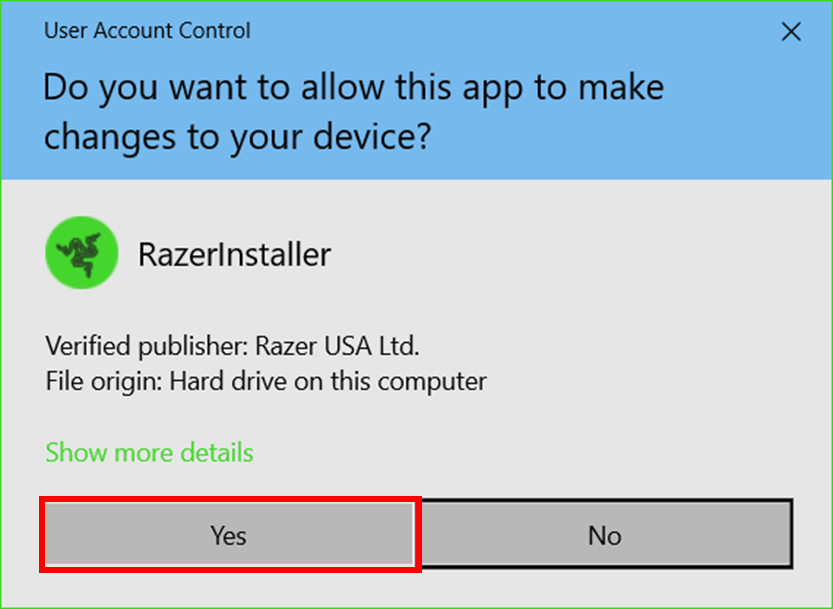
Click “Yes” once the Windows User Account Control prompts.
-
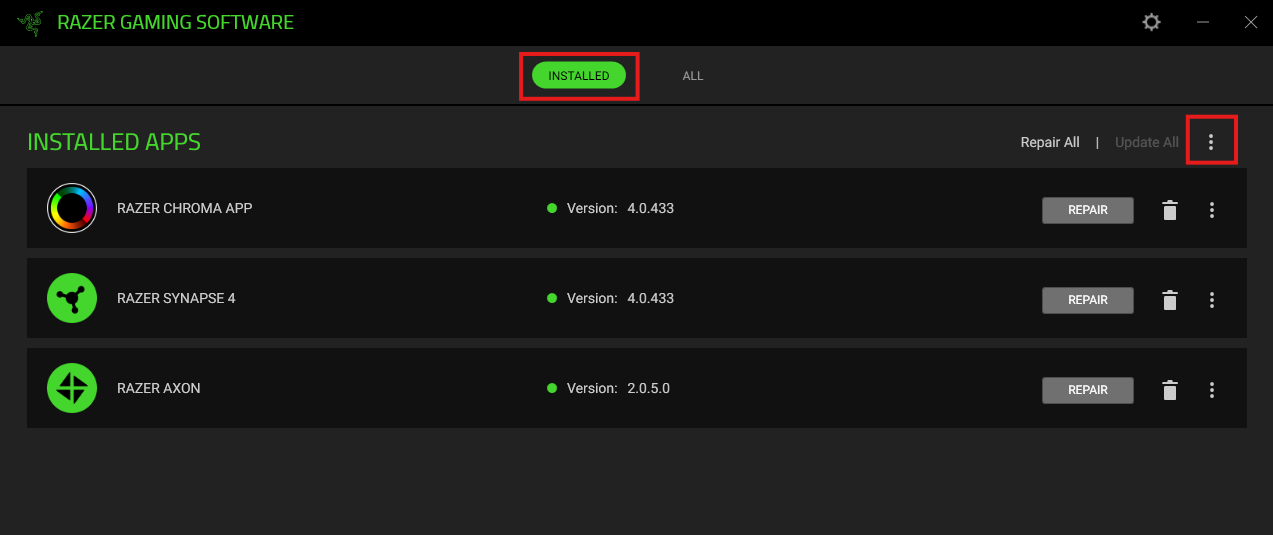
Click the ellipsis icon in the upper right corner of the “INSTALLED APPS” tab in the “RAZER GAMING SOFTWARE” window.
-
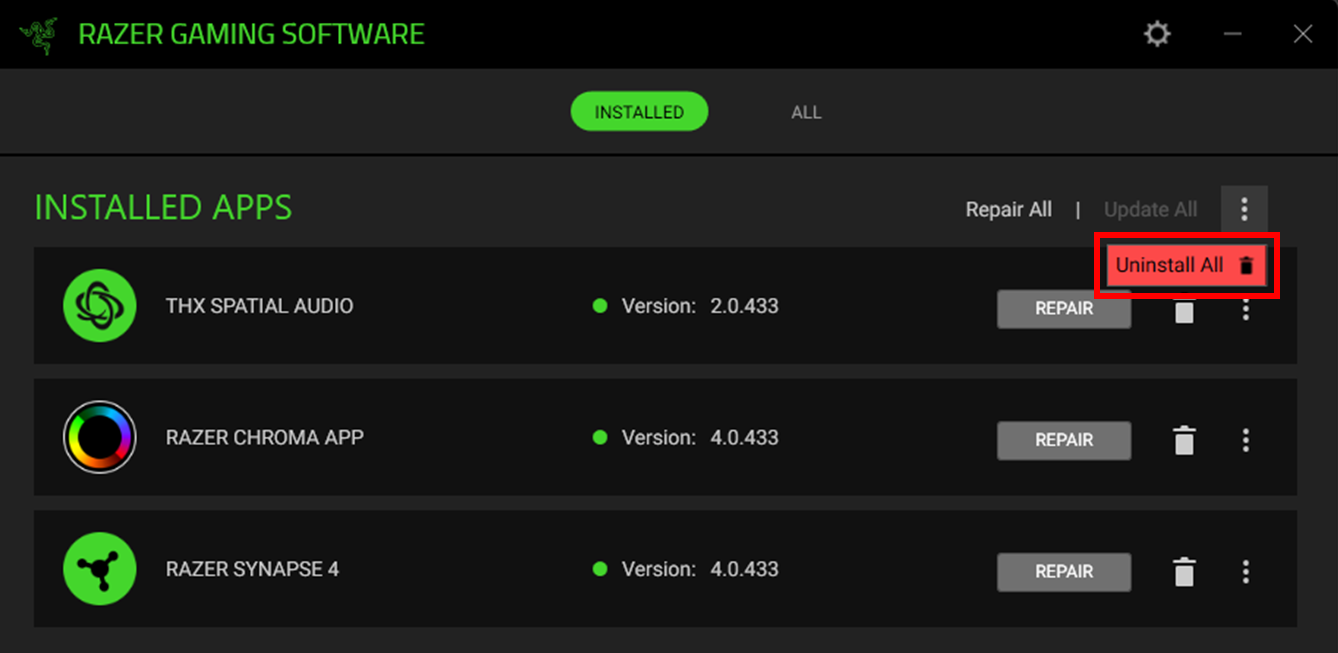
Click “Uninstall All”.
-
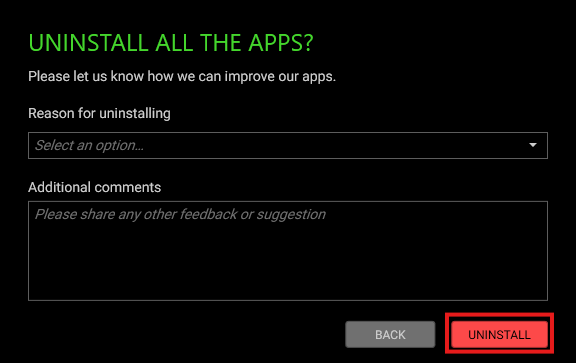
Click “UNINSTALL” in the uninstall confirmation window.
-
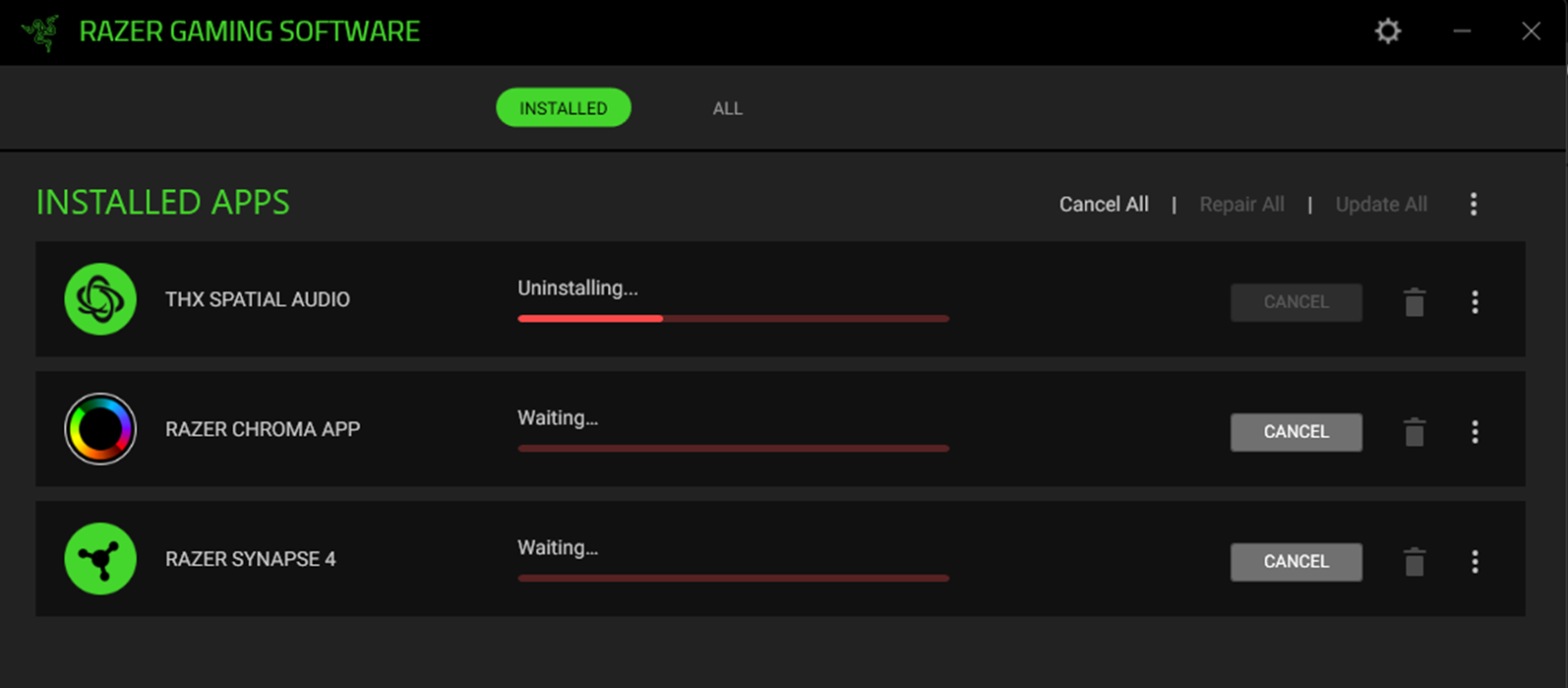
Wait for the uninstallation to complete.
-
Close the window once the uninstallation is complete.

