
Follow these steps to uninstall Razer Synapse for Mac.
-
Click on the “Finder” icon.
-
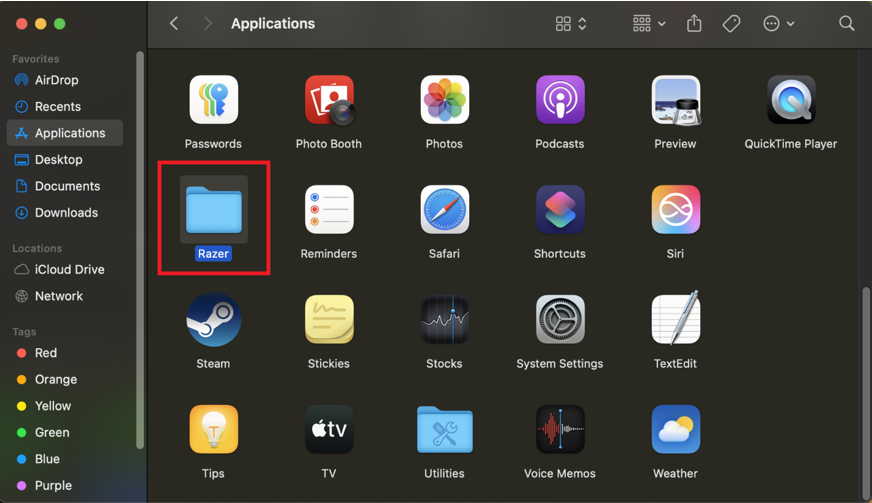
Click on the “Applications” folder and look for “Razer”.
-
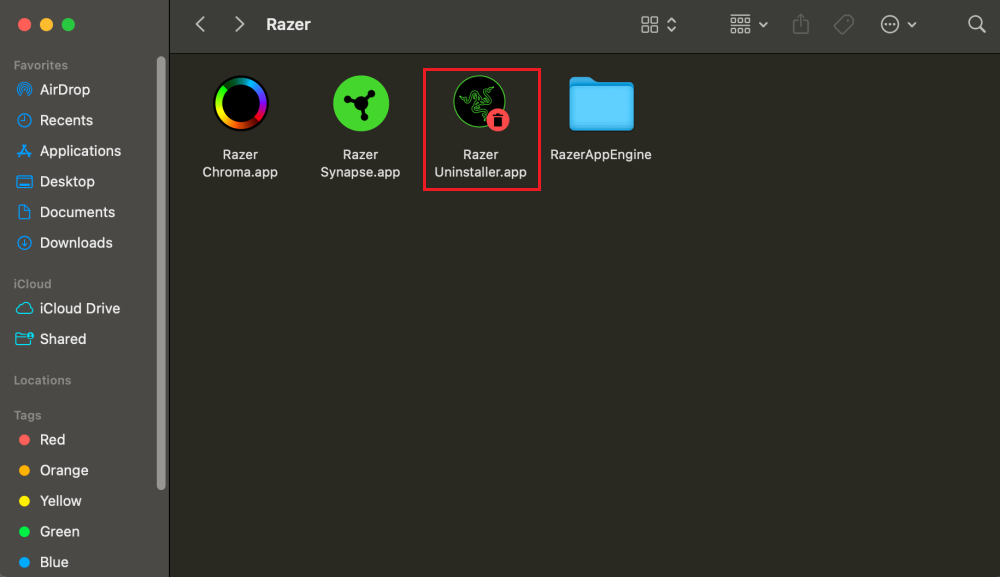
Click on the folder to open. Then, double-click on “Razer Uninstaller.app”.
-
Click on “uninstall” and follow the process when the dialog pops up.
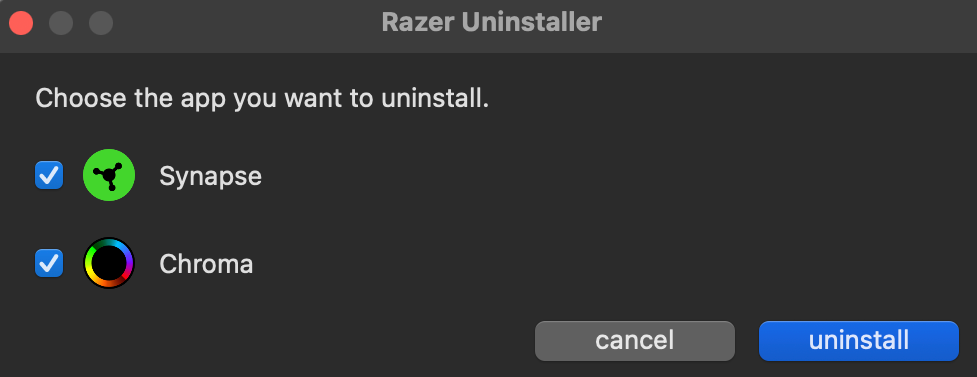
You have successfully uninstalled Razer Synapse for Mac or Razer Chroma.

