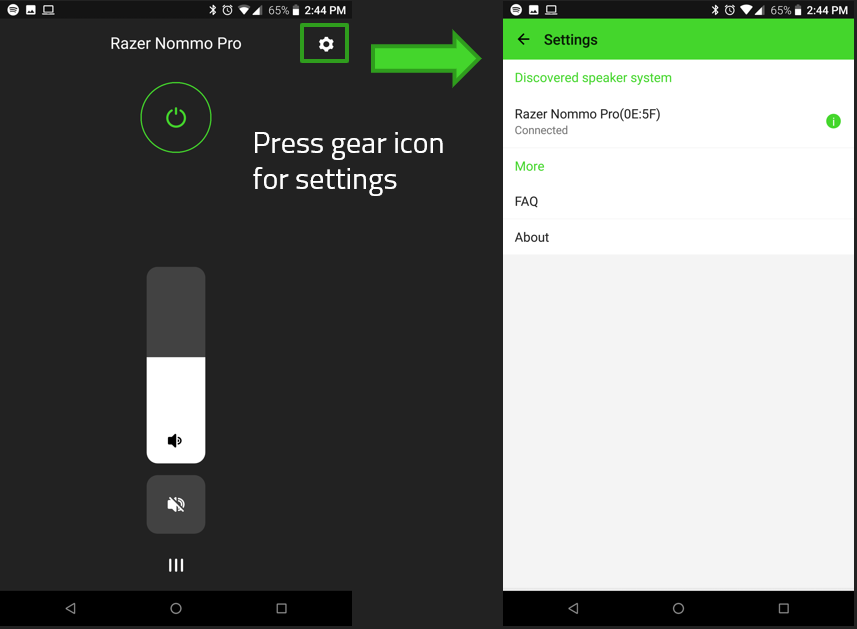
The Razer Nommo Pro App is a mobile app that is used to control different settings on the Razer Nommo Pro including power, volume, and Bass Boost.
Software Compatibility
-
Android OS version 4.4 and above (via Google Play)
-
Apple iOS (via Apple Store)
Features
-
Ability to turn the speaker on or off via mobile phone
-
Ability to increase or decrease speaker volume via mobile phone
-
Control the Bass Boost of the speaker system
-
Audio Enhancement - provides a selection audio frequency settings to change the overall tone of your audio output or create your own sound signature by using the equalizer option. You may also access the THX and Dolby settings here.
-
Input Source - enables you to select between USB, Bluetooth, AUX, and Optical sound sources.
-
Chroma Configuration - enables the ability to control the Chroma RGB configuration of the speaker system.
App Navigation
-
Enable Location to let the app locate the Razer Nommo Pro.

-
Tap "CONNECT" to pair your phone with the speaker system once the speaker system is detected.

-
You may now control the Razer Nommo Pro. Long press the Power Icon to turn the speaker system on.

-
You may select the Cog icon to access the other settings for your Razer Nommo Pro.