
Step-by-step process on how to properly install the batteries on the Razer Atheris
-
Remove the top cover of the Razer Atheris | RZ01-02170 by lifting the back of the cover then pull it out.
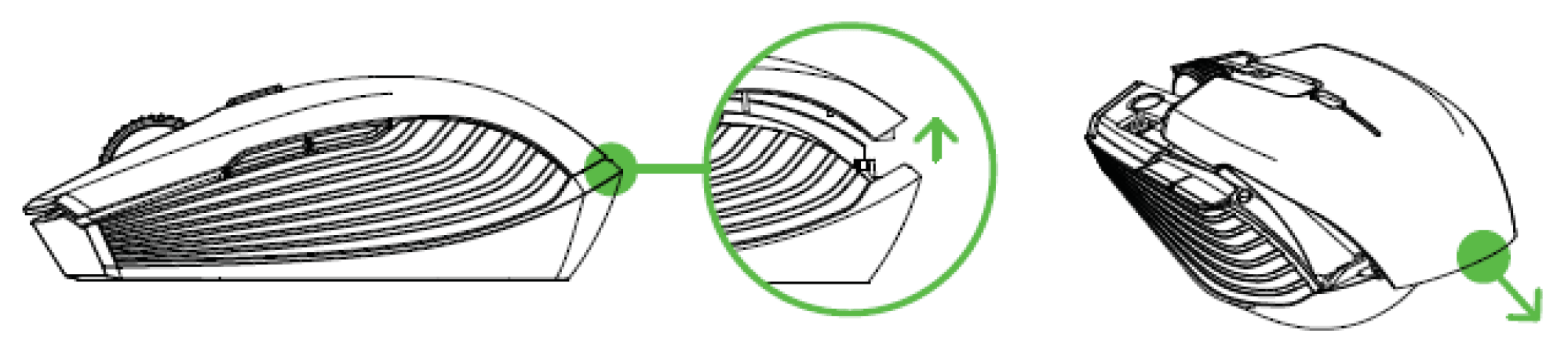
-
Insert the two included AA batteries into the Razer Atheris following the directions indicated on the battery compartment.
Note: The two included AA batteries are non-chargeable. Dispose of these batteries in accordance with your local environmental laws. For your safety, use only alkaline batteries and do not mix old batteries with new ones.

-
Reattach the top cover onto the Razer Atheris and make sure that it is tightly secured.
Note: Remove the batteries from the mouse if you are not intending to use it for a prolonged period of time.


