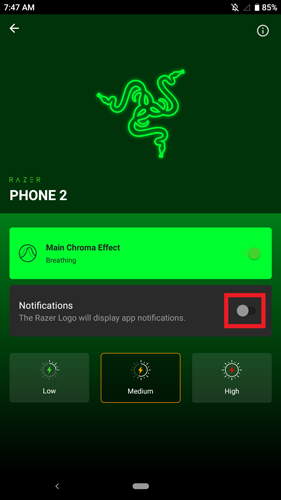
You can turn off all Chroma effects on your Razer Phone 2 by choosing Low setting with Notifications Off. Follow the steps below:
-
Open Chroma App.

-
Turn off the Chroma effect by selecting "Low" setting from the options on the screen.

-
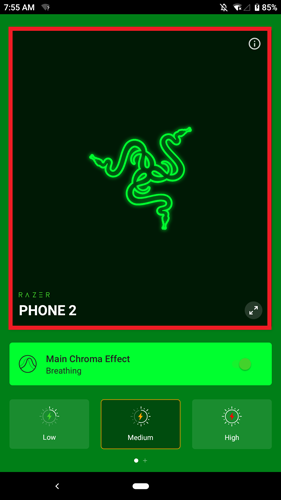
Go to the "Notifications" option by tapping the Razer logo or anywhere on the area near the Razer logo.
-
Turn off the "Notifications" by tapping on the slider.