
If you are a Verizon customer and you cannot receive a text message on the Razer Phone using your existing SIM card from a CDMA capable phone, you will need to have your network rules adjusted. Follow these steps to resolve this issue:
-
Log in to your MyVerizon account on the Verizon website, https://www.verizonwireless.com/my-verizon/.

-
Hover over the “My Devices” link at the top of the page.

-
Choose “Activate or Switch Device” from the available menu.
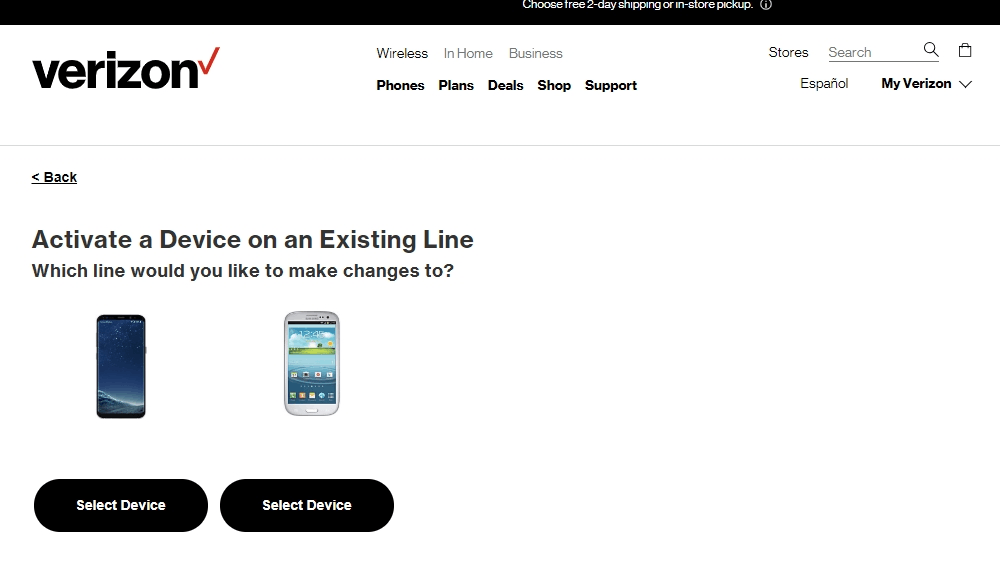
-
Select “Activate a device on an existing line”.

-
Follow the on-screen activation steps.

This will allow Verizon Network to recognize that your Razer Phone 2 is not a CDMA phone and they will apply the network rules appropriately. If you have problem or questions with activation, contact Verizon Support for further assistance https://www.verizonwireless.com/support/.

