Adjusting the time-out or sleep setting on the Razer Phone allows you to choose the duration of your phone's screen activity when it is idle. To do this, follow the steps below:
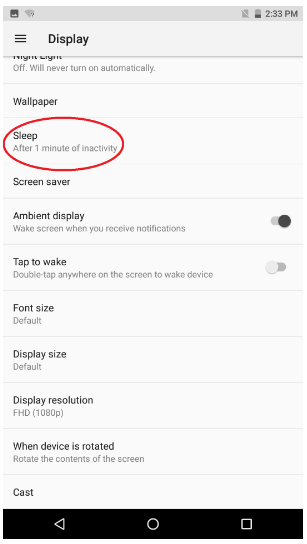
- Go to Settings > Display.

- Select "Sleep".
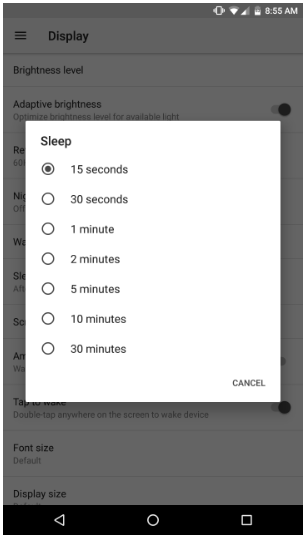
- Tap the time you wish to set.

Adjusting the time-out or sleep setting on the Razer Phone allows you to choose the duration of your phone's screen activity when it is idle. To do this, follow the steps below:

