Step-by-step process on how to adjust the display resolution on the Razer Phone
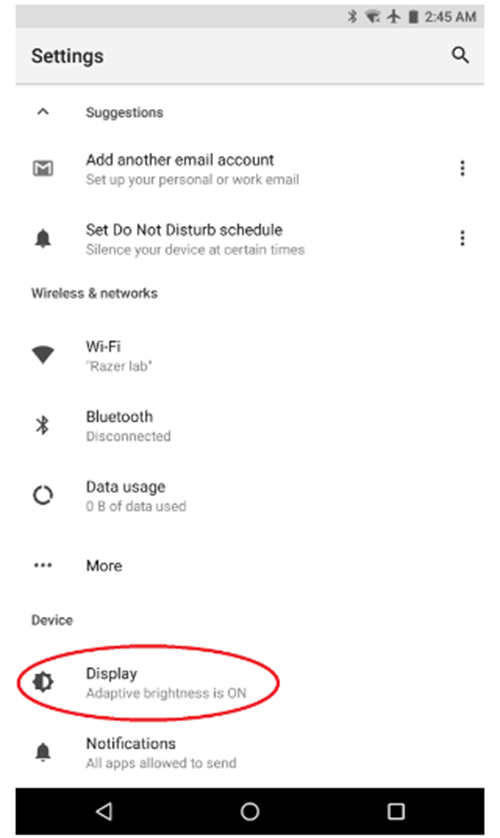
- Go to Settings > Display.
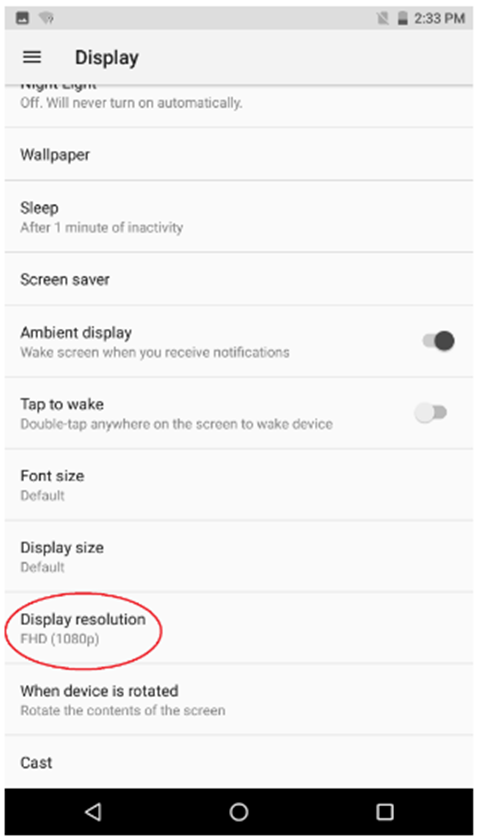
- Select "Display Resolution".
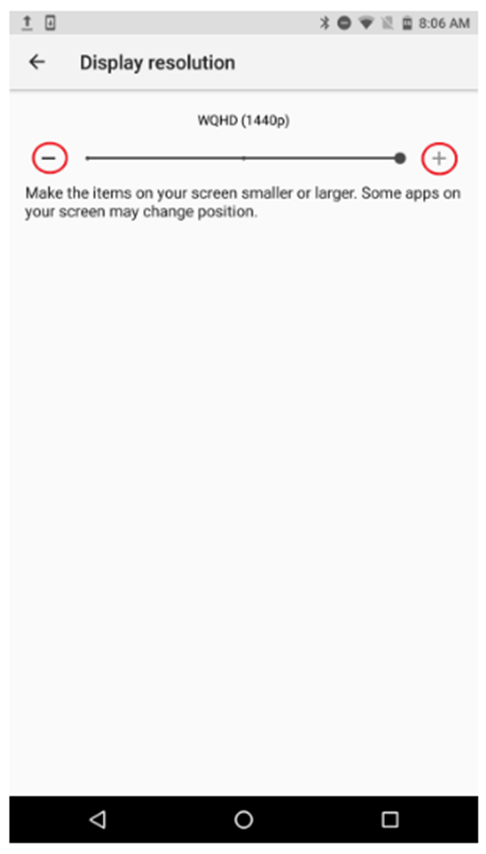
- Tap the + / - to adjust the screen resolution.

Step-by-step process on how to adjust the display resolution on the Razer Phone

