How to change the ringtone on the Razer Phone

| Answer ID: 1568

This answer will show you how to change the ringtone on the Razer Phone.


You can use the different ringtones available that come with the Razer Phone.

Step-by-step process:

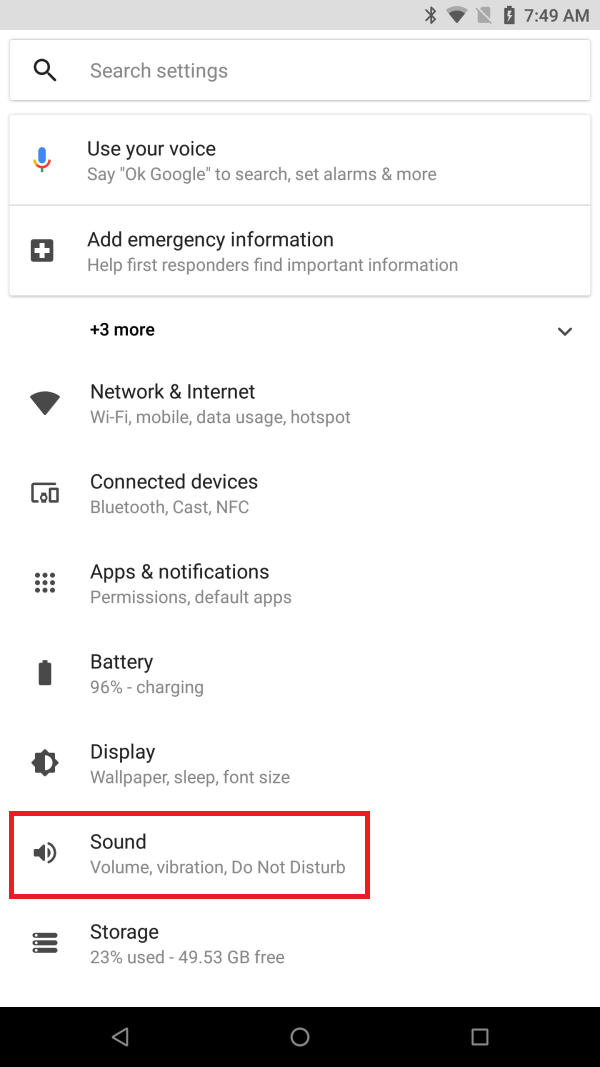
  1. Go to Settings > Sound.

    Select Sound under Settings

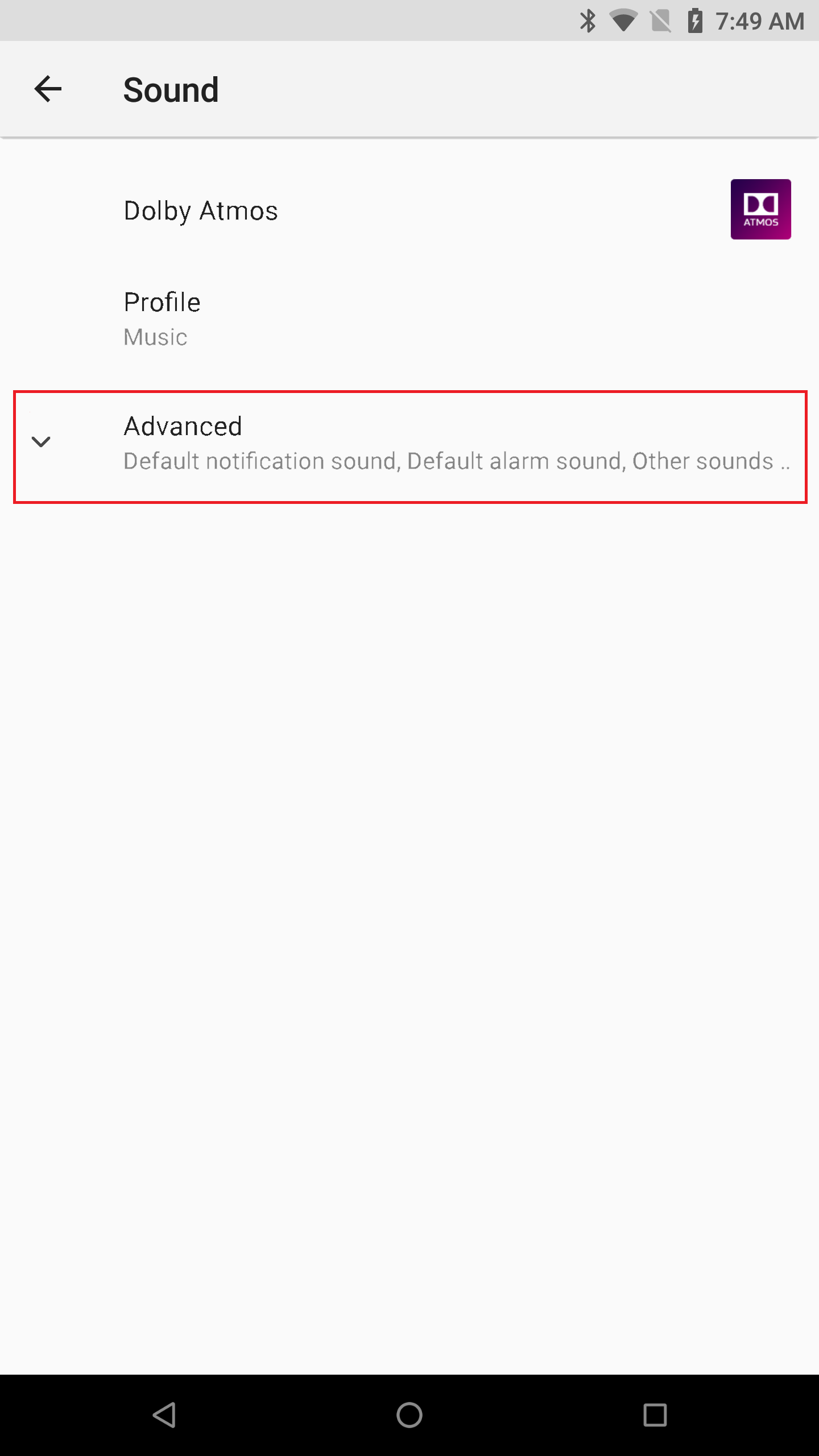
  2. Tap "Advanced".

    Tap Advanced under Sound

  3. Tap "Phone Ringtone".

    Select Phone ringtone under Sound

  4. Select the ringtone as desired. Tap on the ringtone to play a preview. If you've already selected your desired ringtone, tap "OK".

    Select the desired ringtone and tap OK

Is this answer helpful?