
If you experience issues on the Razer Phone restarting after a set timer ends, this issue occurs after the MR1 update. To resolve this, change the Timer tone from "Timer Expired" to a different Tone.
Note: Ensure that the Razer Phone is up to date. Refer to How to check for software updates on the Razer Phone.
Step-by-step process on how to change the Timer tone
-
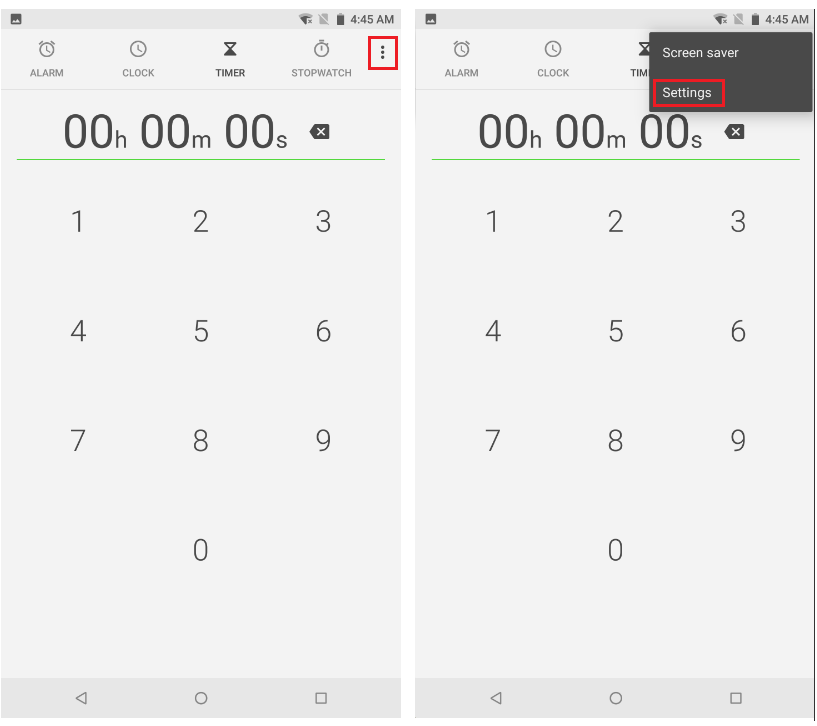
Open "Clock".

-
Tap the three vertical dots and select "Settings".
-
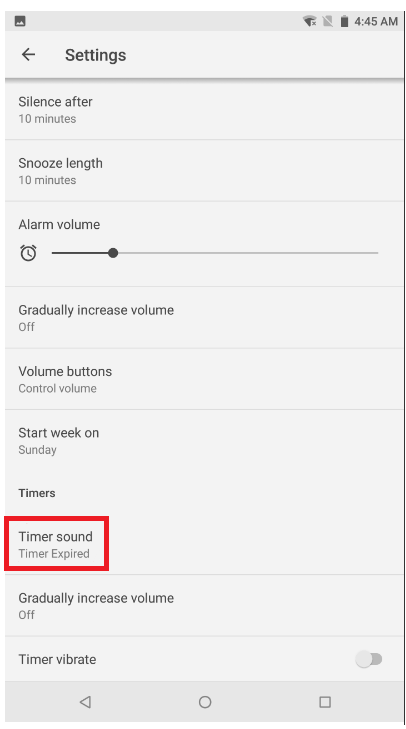
Scroll down and tap "Timer Sound".
-
Tap the tone you want to use. A preview will automatically play once you select a tone.

