
Step-by-step process on how to format an SD card as the internal storage on your Razer Phone
-
Open the app drawer and select "Settings".

-
Select "Storage".

-
Select "SD card".

-
Go to "Manage storage".

-
Go to "Storage settings".

-
Select "Format as internal".
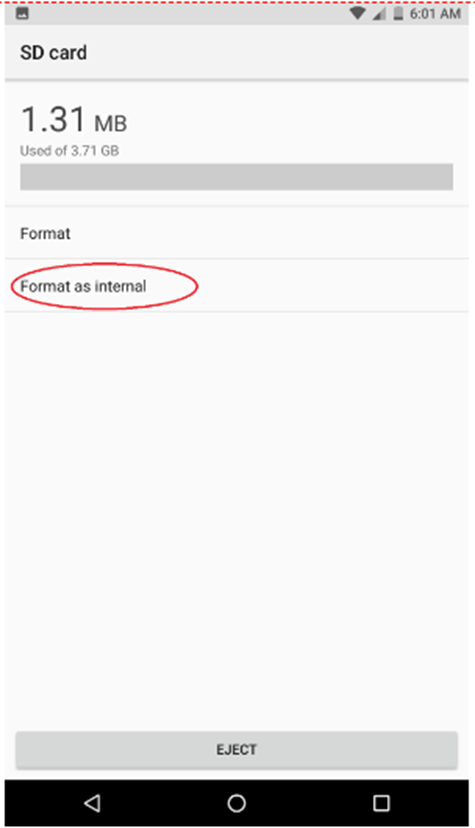
-
Tap on "ERASE & FORMAT".
Note: Performing this action will delete all data in the SD card.

-
Choose one option to copy files stored in the internal storage into the newly formatted SD card.

Once completed, you will receive a confirmation that the SD card is now ready.


