This article will guide you on how to change accessibility settings such as font size, display size, and color-blind settings.
-
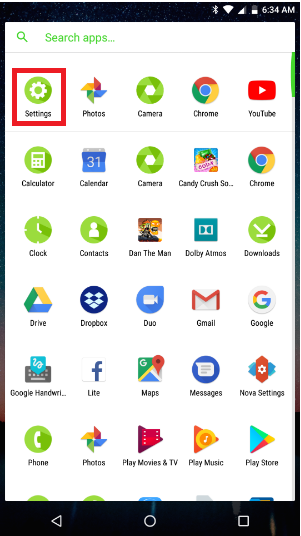
Open the app list and select "Settings".
-
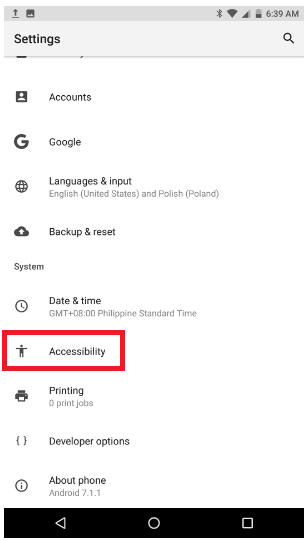
Select "Accessibility".
-
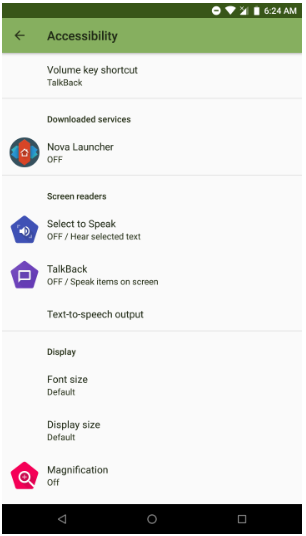
Adjust the Accessibility settings as desired.

This article will guide you on how to change accessibility settings such as font size, display size, and color-blind settings.
Open the app list and select "Settings".
Select "Accessibility".
Adjust the Accessibility settings as desired.

