
Choose colored lighting effects on your Razer device through Razer Chroma.
Step-by-step process
-
Open Razer Synapse 2.0.
-
Click on your mouse mat.

-
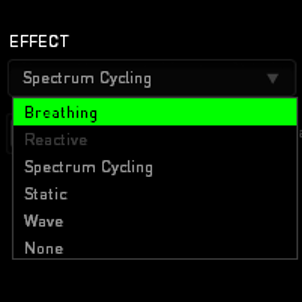
Click the EFFECT drop-down list.
-
Select your desired effect.
-
Select the colors you want to apply.


Changes apply right after the selection.

