
Razer Synapse software is designed to work without an Internet connection. If you are experiencing any network, server, Internet, or firewall issues on Razer Synapse, follow the troubleshooting steps outlined below:
-
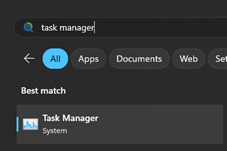
Search and select “Task Manager” from the Start menu.
-
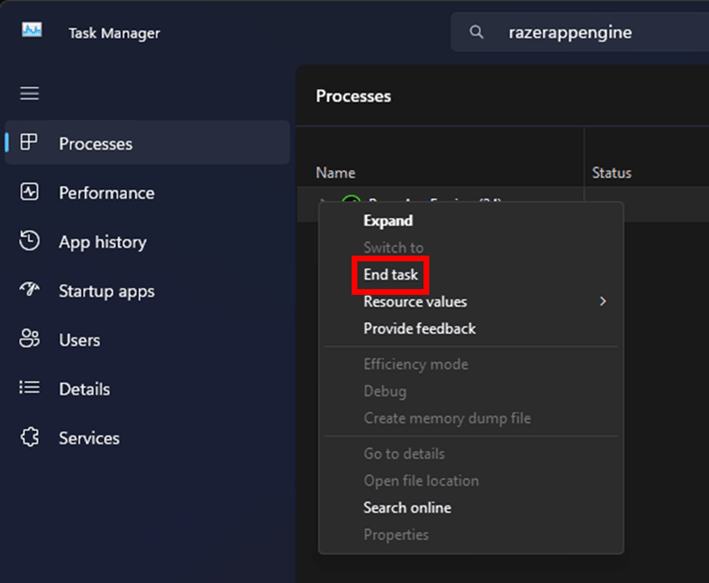
Locate “RazerAppEngine”.
-
Right-click the process and select “End Task”.
-
Disconnect the PC from the Internet.
-
Disconnect all Razer devices that are plugged into the PC.
-
Add “RazerAppEngine” to Windows Firewall exemptions.
-
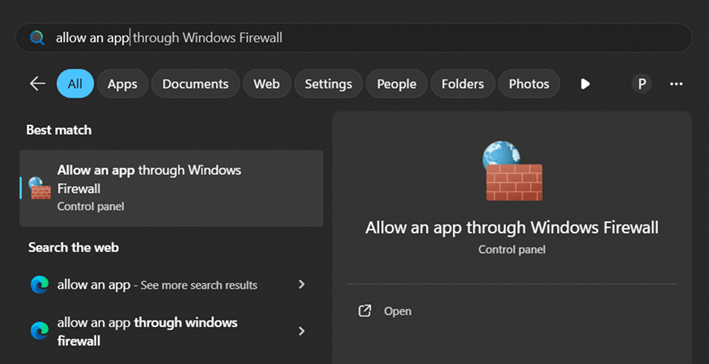
Search and select "Allow an app through Windows Firewall" from the Start menu.
-
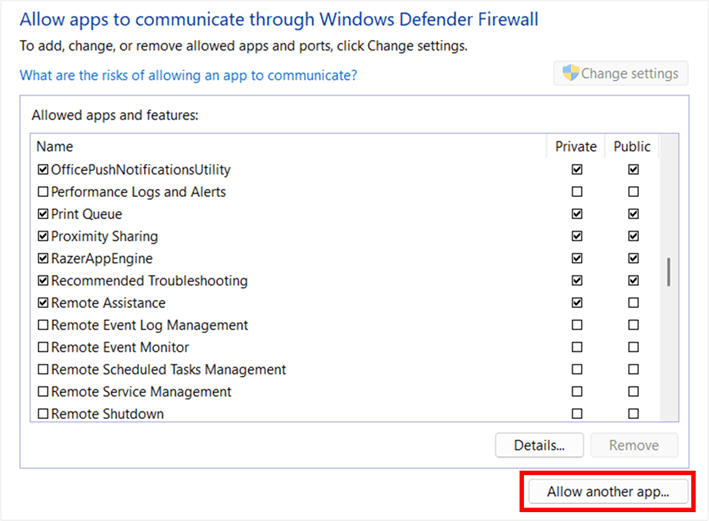
Click the "Allow another app..." button.
-
Locate or add “RazerAppEngine” to the exception list by checking both the “Private” and “Public” checkboxes.
-
Click "Okay" to close the window.
-
Save the changes.
-
-
Restart your modem or router to refresh the Internet connection to your PC.
-
Enable Razer Synapse again and reconnect all Razer devices.

