How to fix high pitch noise on the Razer Phone

| Answer ID: 1624

This answer will show you the steps to fix high pitch noise on the Razer Phone.


Below are the steps to resolve the issue.

  1. Upgrade the Android version of your phone.

  2. Disable "Volume Leveler" in Dobly Atmos if the issue persists.

    1. Open "Dolby Atmos".

    2. Double-tap "Voice" to open the settings.

      Voice settings in Dolby Atmos app

    3. Toggle the "Volume Leveler" switch off.
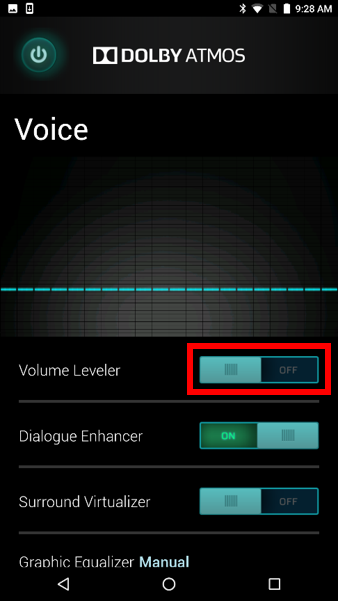
      Volume leveller toggle switch in Dolby Atmos app

Is this answer helpful?