How to clear data or cache of certain applications on the Razer Phone

| Answer ID: 1653
This answer will show you how to clear app data or cache on the Razer Phone.


Follow the steps below to clear cache and/or clear data on a specific application:

Note: Clear Data permanently deletes the app's data. These include files, settings, accounts, database, etc.

  1. Go to "Settings" > "Apps & Notifications".
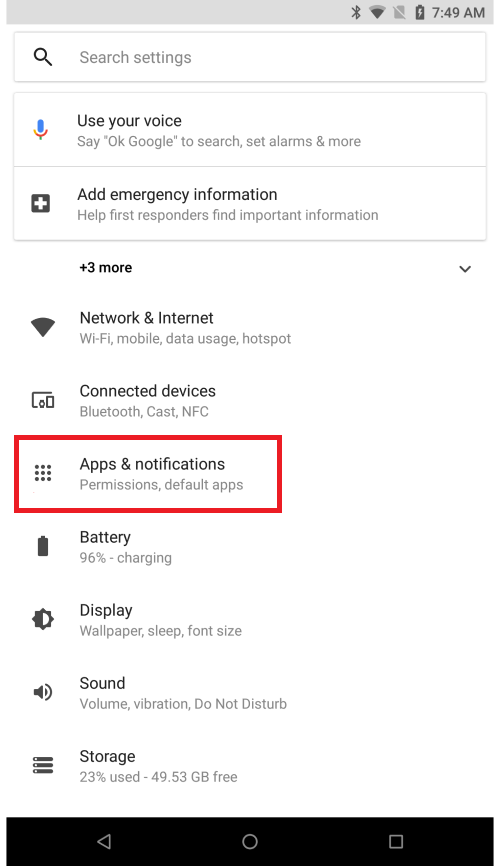
    Apps & notification option on the Settings page of the Razer Phone

  2. Tap "See All Apps".

    Apps & notification page highlighting the See all 38 apps option on the Razer Phone

  3. Tap the three vertical dots on the top-right corner.
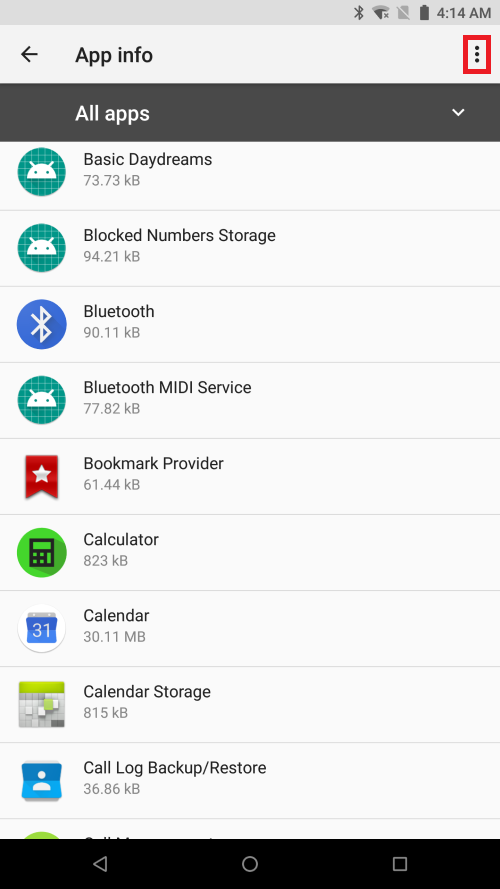
    App info page highlighting the 3 dots icon on the Razer Phone

  4. Select "Show System".

    App info page highlighting the Show system icon on the Razer Phone

  5. Search and select the app you wish to clear data/cache.
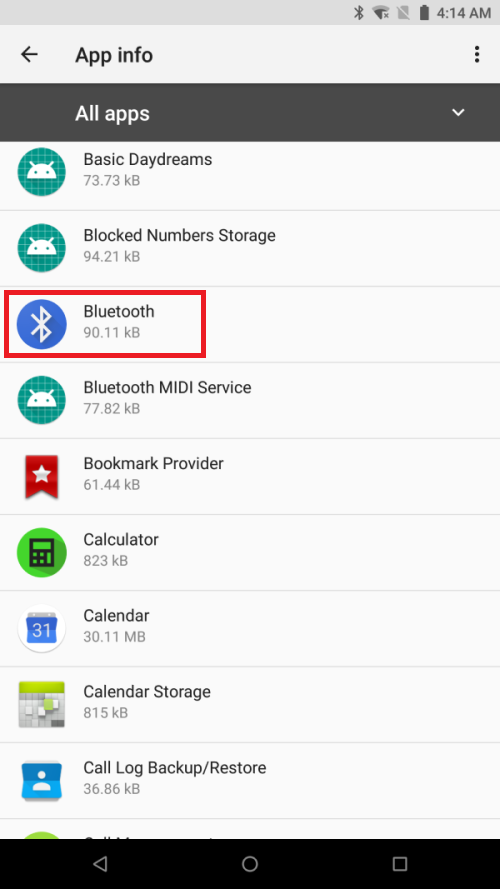
    App info page highlighting the Bluetooth option on the Razer Phone

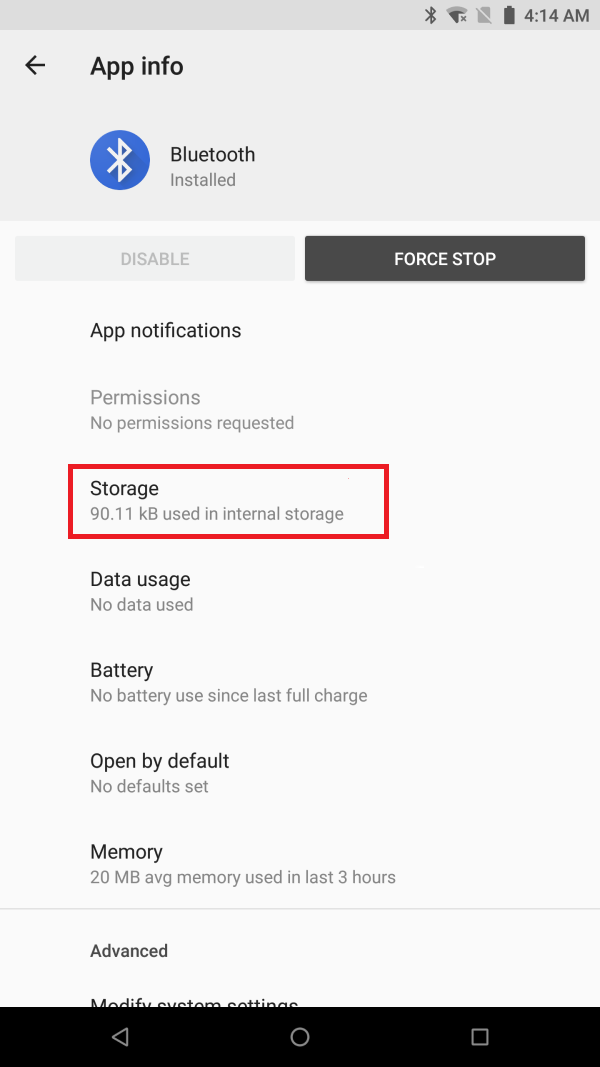
  6. Tap "Storage".

    App info page highlighting the Storage option on the Razer Phone

  7. Tap "CLEAR DATA" and/or "CLEAR CACHE".
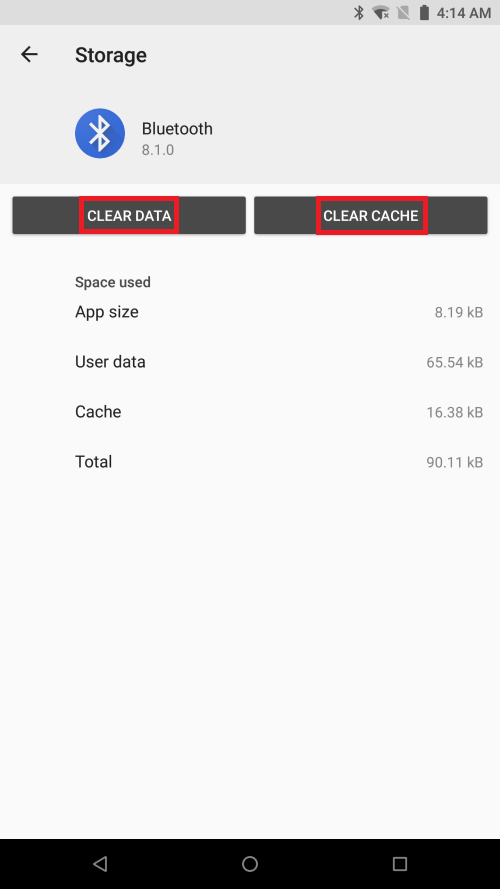
    Storage page highlighting the Clear data and clear cache buttons on the Razer Phone

Is this answer helpful?