Step-by-step process on how to uninstall an app from the Razer Phone
-
Go to "Settings" and select "Apps & notifications".

-
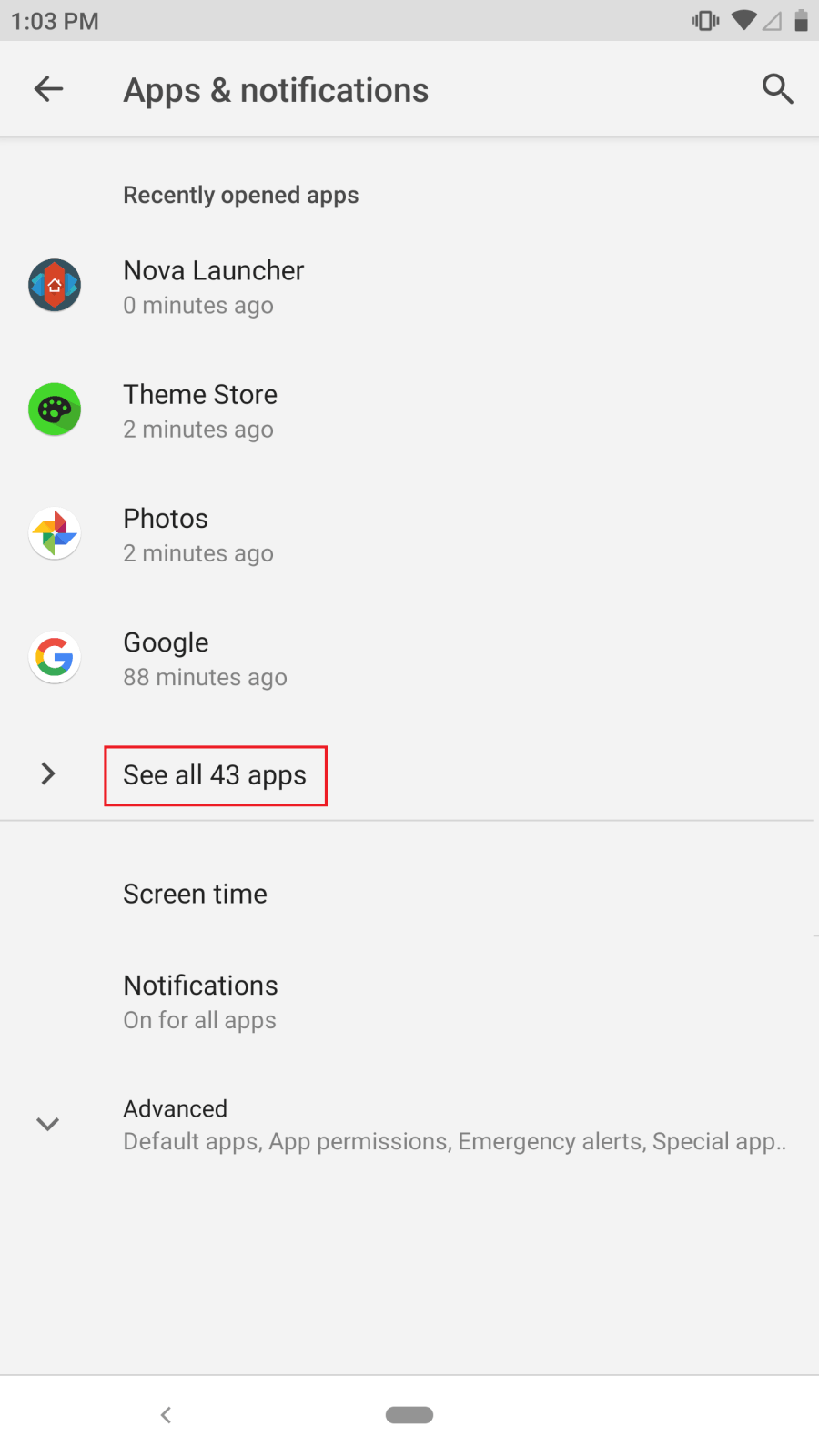
Select "See all apps"
-
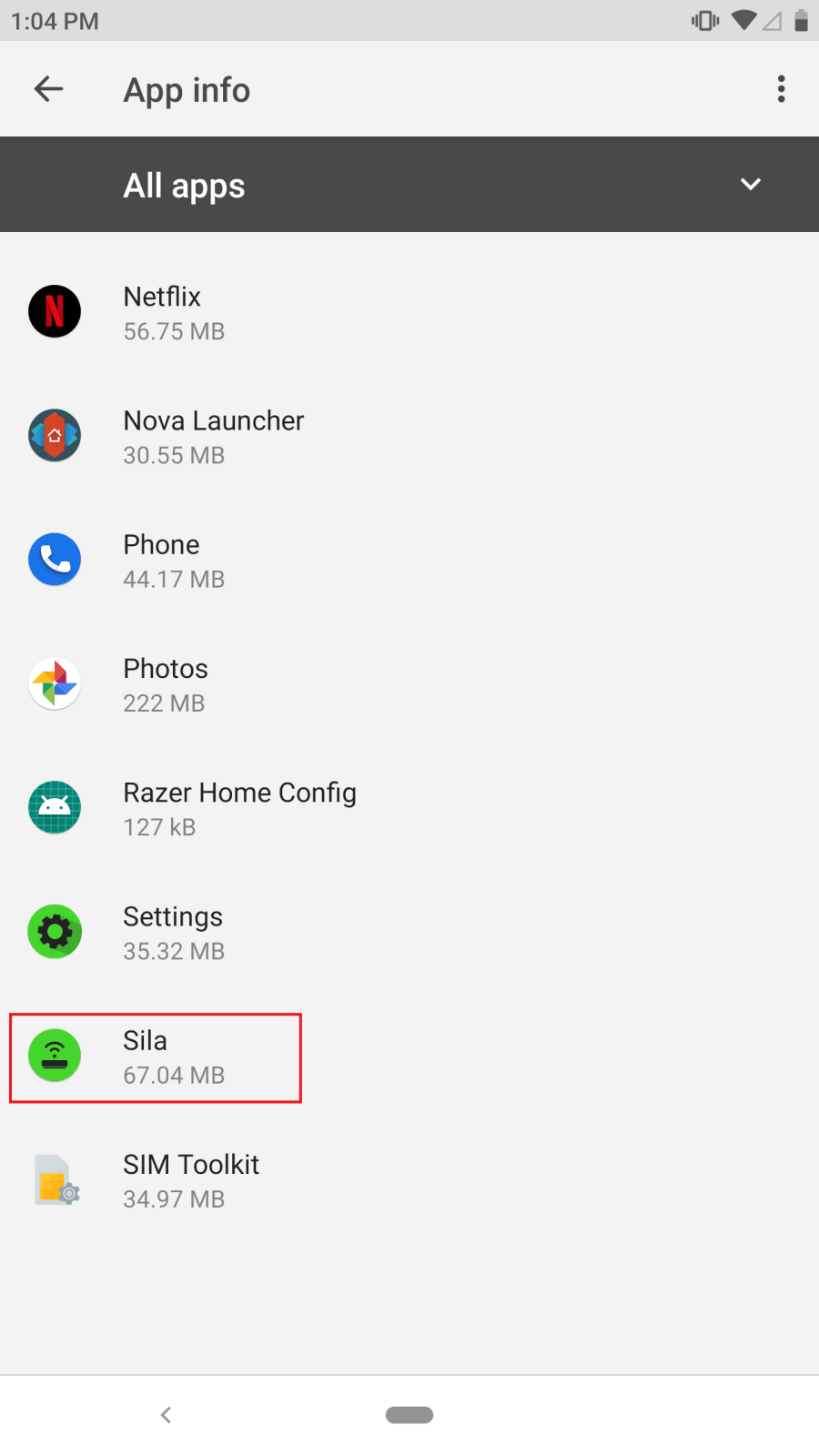
Tap on the app you wish to uninstall.
-
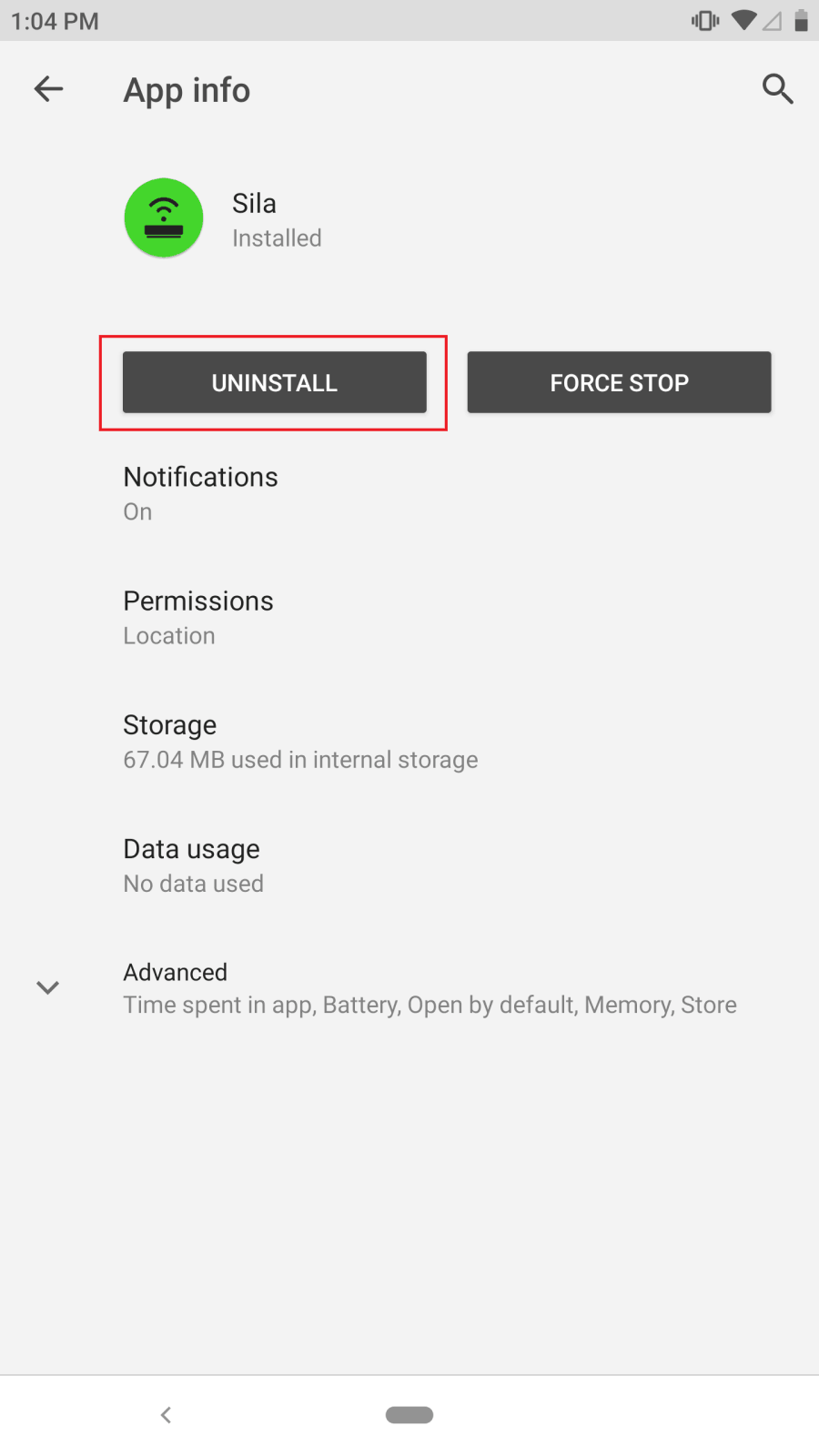
Select "Uninstall".

Step-by-step process on how to uninstall an app from the Razer Phone
Go to "Settings" and select "Apps & notifications".
Select "See all apps"
Tap on the app you wish to uninstall.
Select "Uninstall".

