A firmware updater is a tool that keeps your gaming gear running at its best. Installing the latest firmware can improve performance, fix known issues, and help devices work more smoothly and reliably.
Applicable models:
Firmware updater v1.06.00_r1
- https://rzr.to/hHxq6j | April 28, 2021
Release notes
- Optimize Bluetooth connectivity
- If the device existing FW is below v1.03.01, it will update to v1.03.01
- If the device existing FW is v1.03.01, there will not update
- If the device existing FW is v1.04.00 and above, it will update to v1.06.00
- If the controller is forced to enter bootloader mode by pressing the buttons, it will not be able to upgrade the firmware
- Once started, do not interrupt the update process.
Follow the detailed instructions below to run the updater on your device.
Step-by-step Process
-
Download the latest firmware updater.
-
Run the updater.
-
Close Razer Synapse before proceeding with the update.

- Connect the Razer Raiju Tournament Edition to your PC.
Note: You will need a Windows PC to install the update on your Razer Raiju Tournament Edition controller.
-
Click "UPDATE" to initiate the update process.

-
Wait for the update process to complete.

-
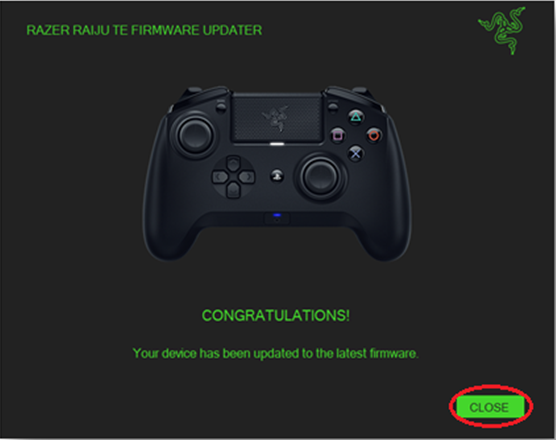
Click “CLOSE” once the update process is complete.