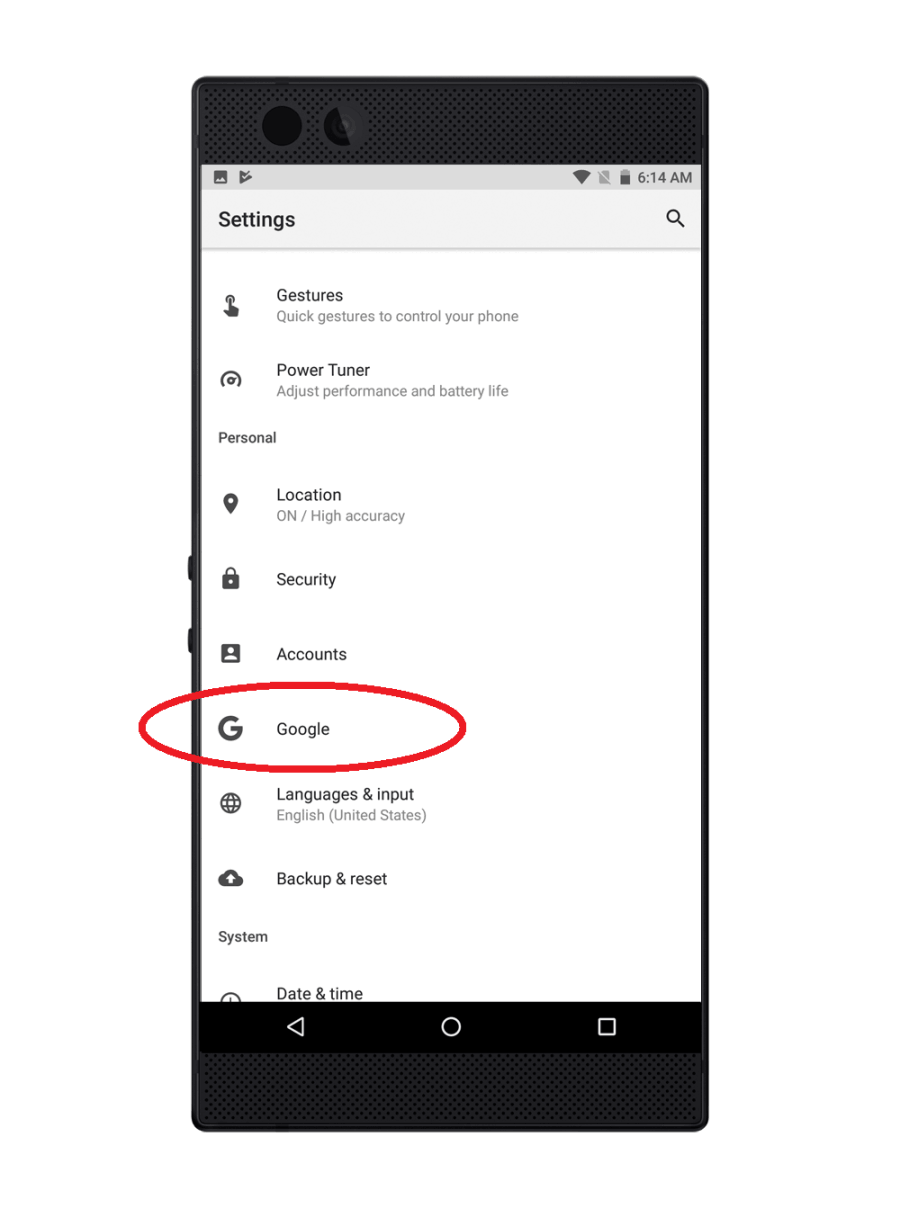
Setting up a Google account on your phone is helpful to allow you to access your google files wherever you are. This gives you the convenience and accessibility outside the office.
Step-by-step process on how to set up a Google account on your Razer Phone
-
Tap and select "Settings" from your phone's app list.

-
Tap "Accounts".

-
Tap "Add account".

-
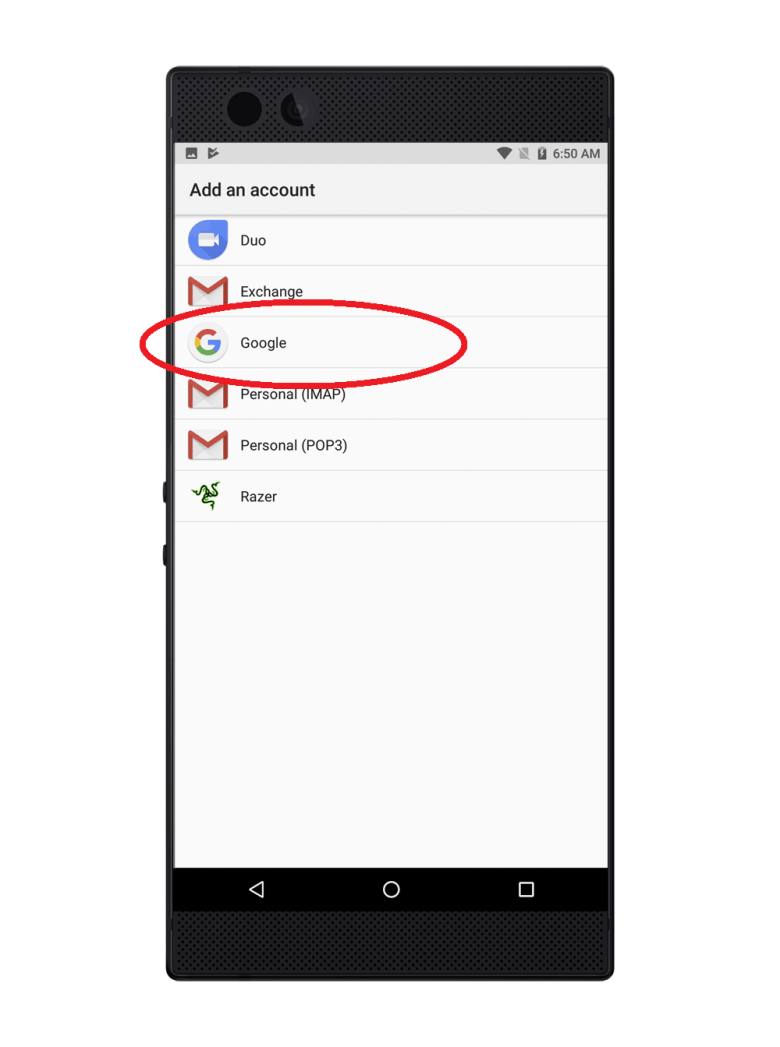
Select "Google".
-
Sign in with your Google account to complete the setup.

-
Once the account is set up, change your Google account settings under the "Google" tab under "Settings".