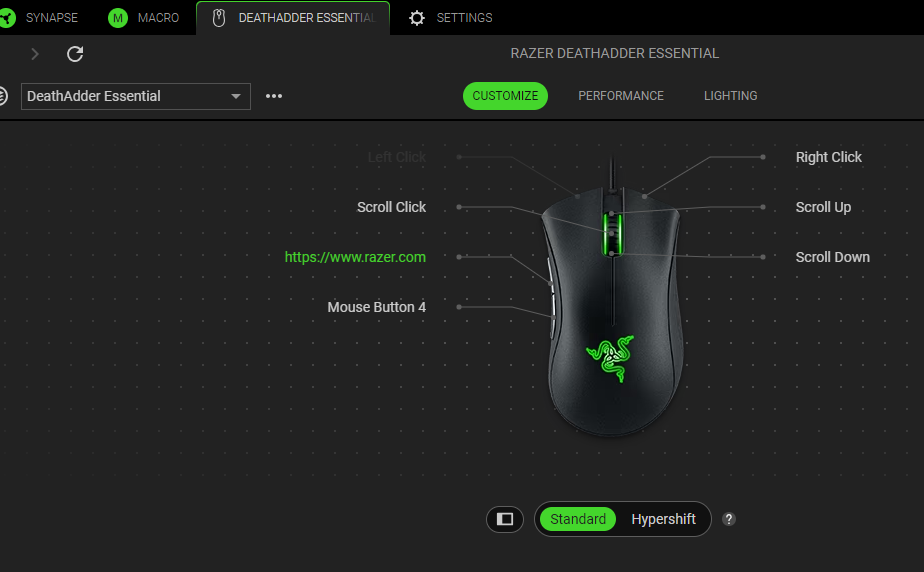
The Razer mouse has the capability to launch programs or websites with just a click of a button by mapping the function through Razer Synapse. If you have a program or website that you always go to daily, you can launch it in one click.
Follow the detailed instructions below to launch programs with a Razer mouse.
-
Launch Razer Synapse 4.
-
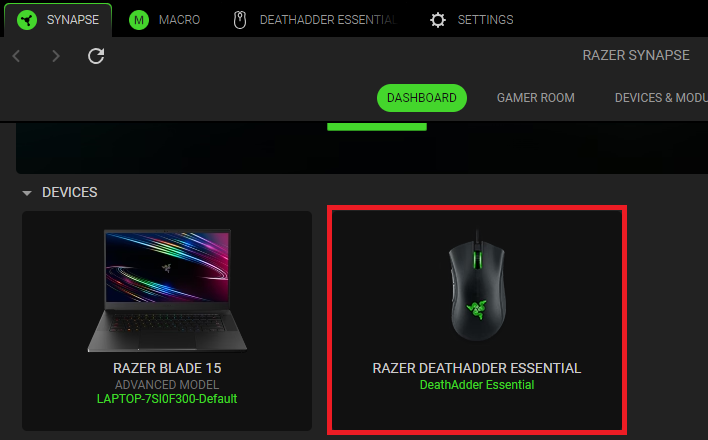
Select your mouse from the DASHBOARD.
-
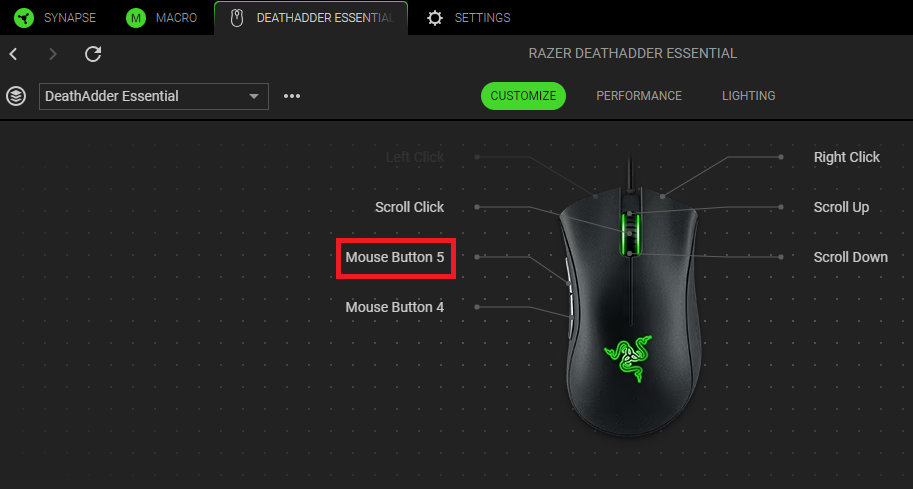
Select a button you want to customize.
-
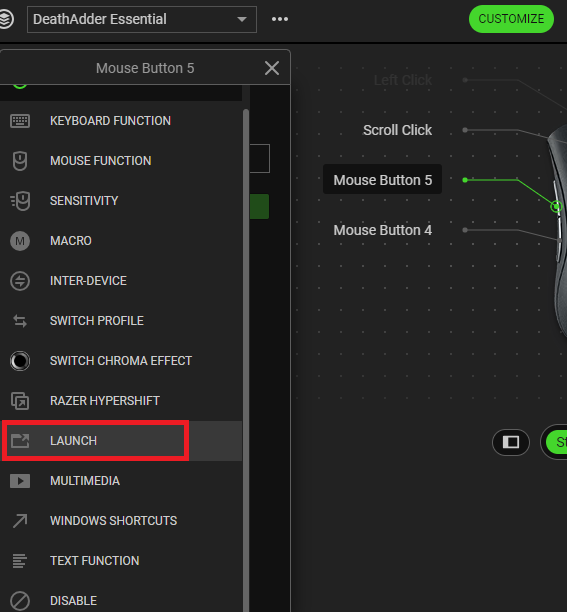
Click “LAUNCH”.
-
Open the dropdown box and select which control option you wish to program.
-
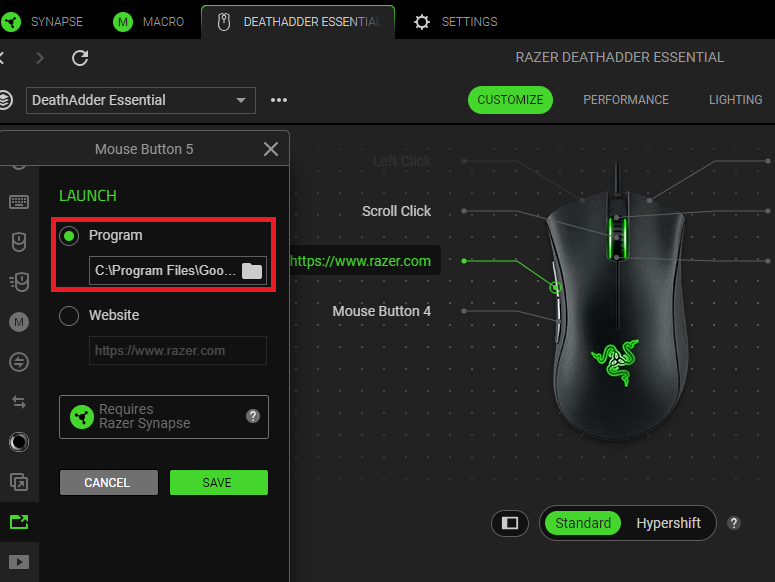
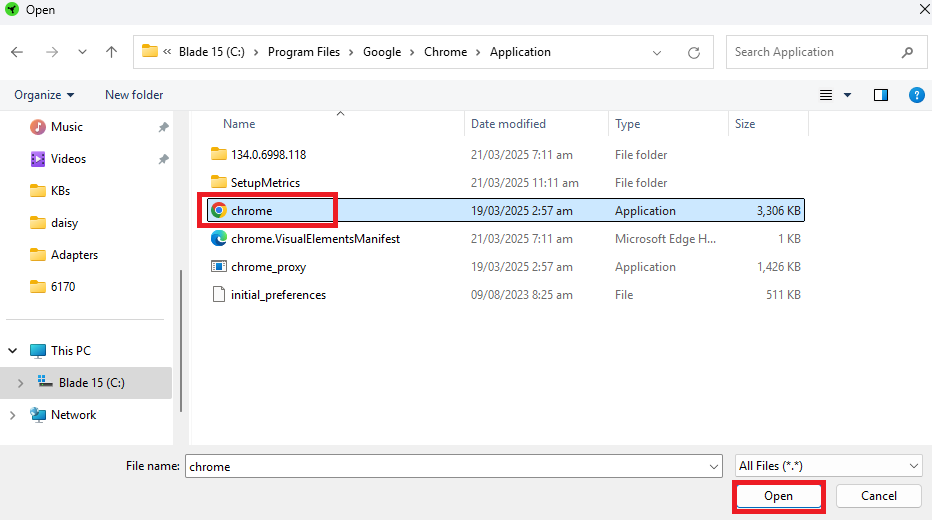
If you are programming to launch a program, click the “LAUNCH PROGRAM” radio button and browse to select the program.
-
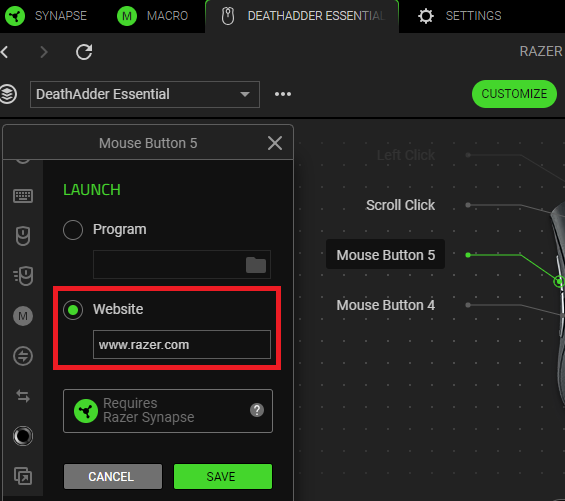
If you are programming to launch a website, click the “Website” radio button and type the URL in the text field provided.
-
-
Click “SAVE” to complete the process.
If you assigned a button to launch a program, the executable file's program location will be assigned on the device layout.
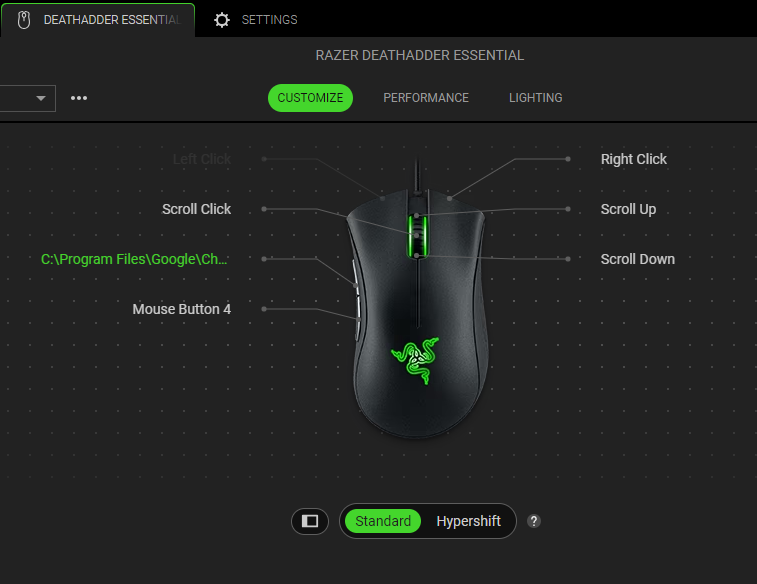
If you programmed a website, the button will be named after it on the device layout.