
The Razer Blade Laptops come with both USB-A and USB-C ports. The USB-A port provides connectivity to USB devices including external HDD, mice, and keyboards. It is compatible with USB-A 3.2 GEN 2 specification on some models.
Some Razer Blade models have more than one USB-C ports. While any of the USB-C ports on these Razer Blade models support connection to a USB-C equipped external monitor via DisplayPort Alternate Mode (DP Alt Mode), Thunderbolt 3 connectivity is limited. See model specification for USB-C Thunderbolt support.
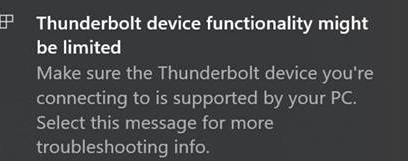
Unplug the Thunderbolt device and re-plug it to the other USB-C port if you are prompted with this message.
A Thunderbolt 3 adapter may be required if you experience issues connecting a Thunderbolt 1 or Thunderbolt 2 device using the native USB-C cable that was shipped with the device.

