A "macro" is an automated set of instructions (multiple keystrokes or mouse clicks) that can be performed using a simple action such as a single keystroke.
Below are the steps on how to assign macros on Razer Synapse-enabled products.
Step-by-step Process
-
Open Razer Synapse 4.
-
Select your device from the “DASHBOARD”.
-
Select a key or button to assign a macro to. Be aware that there are keys that you cannot remap or assign a macro to such as “Windows” and “FN”.

-
Select “MACRO” from the menu pane that appears.

-
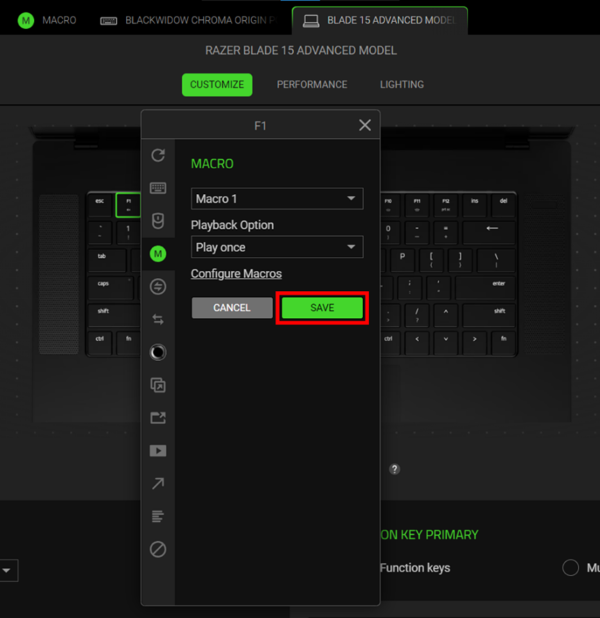
Click the macro dropdown list and select a macro.

-
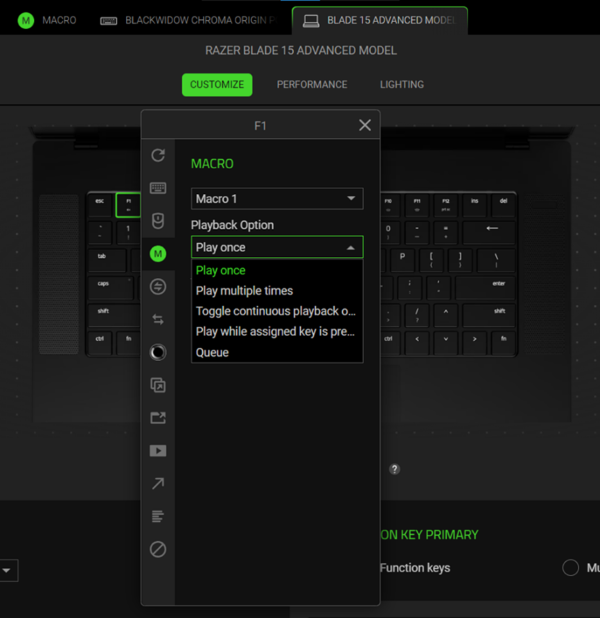
Select a playback option.
-
Click “SAVE”.