
Important: Make sure that the Razer Phone is up to date. Go to Settings > System > Advanced > System update > Check for update.
-
Turn on Bluetooth by swiping down the top of the screen to show the quick settings menu and tap the "Bluetooth" icon.

-
Go to “Settings” and tap on “Connected devices”.
-
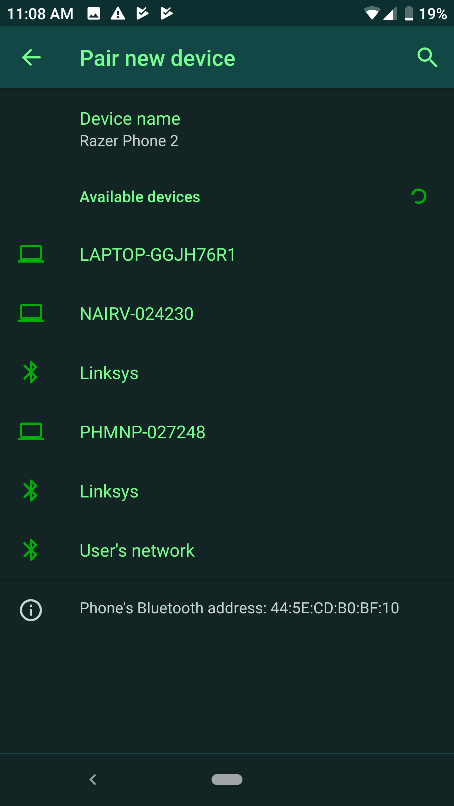
Select “Pair new device”.

-
Under “Available devices”, tap on the Bluetooth device you wish to pair with.
-
A pairing code will be displayed on both devices to confirm that you are connecting to the correct Bluetooth device. Tap on “PAIR”.


