
Customize the Razer Blade display according to your preferences.
Step-by-step process
-
Right-click on your desktop then select “Display settings”.

-
Adjust basic display settings under the "Display" section.

-
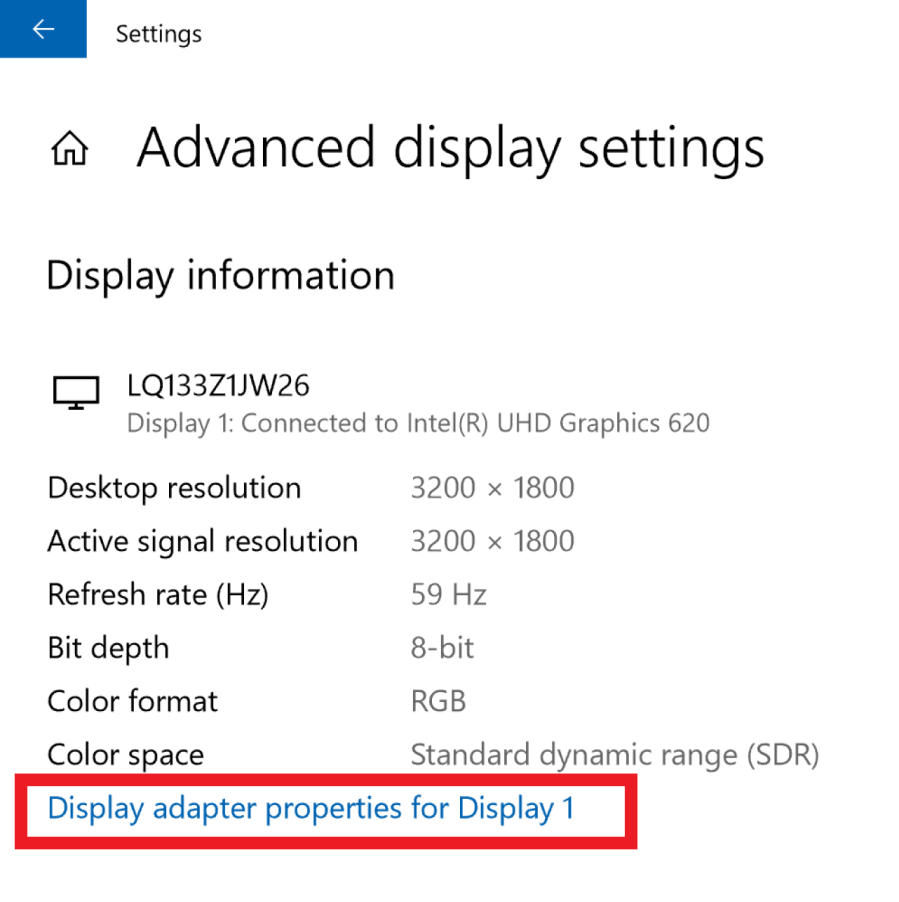
Scroll down and click “Advanced display settings”.
-
Click “Display adapter properties for Display 1”.
Note: If you are using multiple display monitors, choose the specific display that you want to calibrate.
-
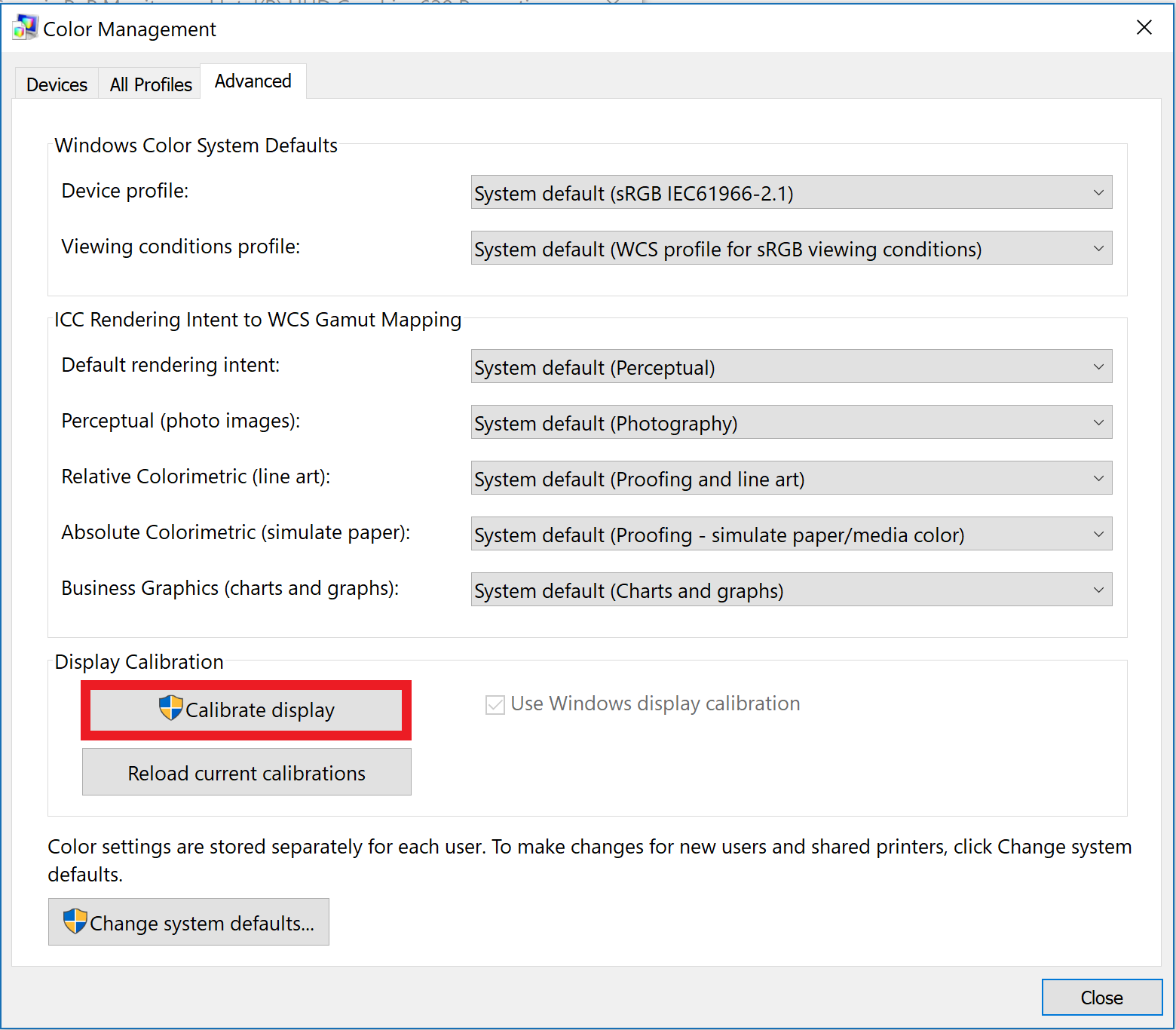
Click "Color Management" then click “Color Management...".

-
Go to “Advanced” tab then click “Calibrate display”.
-
Follow the onscreen calibration process to improve the image quality, color, and resolution on a Razer Blade display.

