
Applicable Model:
Firmware v1.02.00_r1
- Dock Firmware Updater: https://rzr.to/UgDbz
- Mouse Firmware Updater: https://rzr.to/GLmMv
- Performance enhancement
Note: This process is a 2-step process as you will have one updater for the mouse and one for the dock.
Follow the detailed instructions below to run the updater on your device.
Step-by-step Process
Update your Razer Lancehead Mouse
-
Download the latest mouse and dock firmware update.
-
Once you click on the file select "Run".

-
Please be sure to close Razer Synapse and other applications before proceeding. Click OK once you have closed all applications.

-
Connect your Razer Lancehead to your computer and click "UPDATE".

-
The software will automatically update your firmware.

-
Once you see the image below, your Lancehead mouse is now up to date. Please click "CLOSE" and move to Step 2 to update the Lancehead Dock.

Update your Razer Lancehead Dock
- Download the latest dock firmware update by opening the link found above.
- Once you click on the file, please select "Run".

-
Please be sure to close Razer Synapse and other applications before proceeding. Click "OK" once you have closed all applications.

-
Connect your Razer Lancehead Dock to your computer and click "UPDATE".

-
The software will automatically update your firmware.
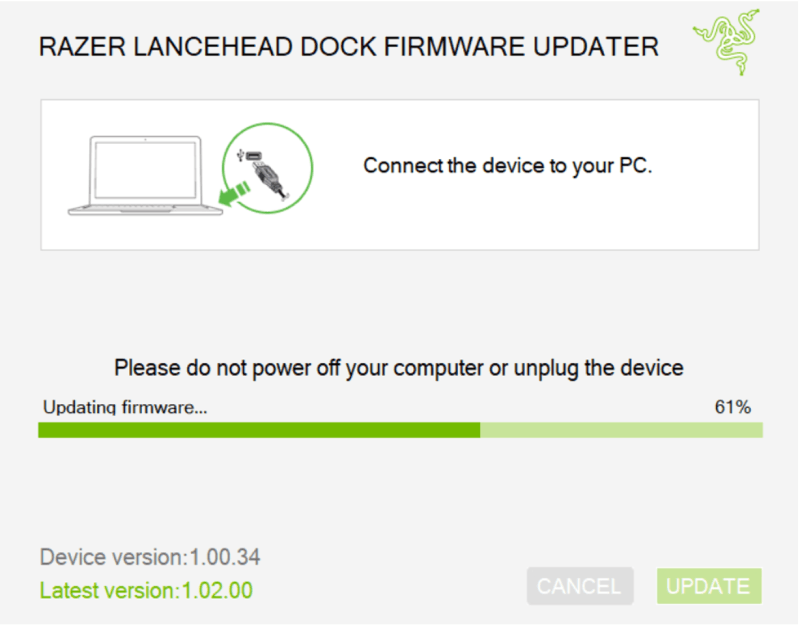
-
Once you see the image below, your Lancehead mouse is now up to date. Please click "CLOSE".


