
On-the-Fly (OTF) Sensitivity allows you to adjust the DPI level of your mouse instantly without opening Razer Synapse. You can adjust your DPI with a similar effect as a DPI slider, in which the DPI increases or decreases by increments of 50, instead of the normal increments per sensitivity stage.
Follow the detailed instructions below to enable On-the-Fly Sensitivity on a Razer mouse.
Select an action
Use Razer Synapse 4
-
Launch Razer Synapse 4.
-
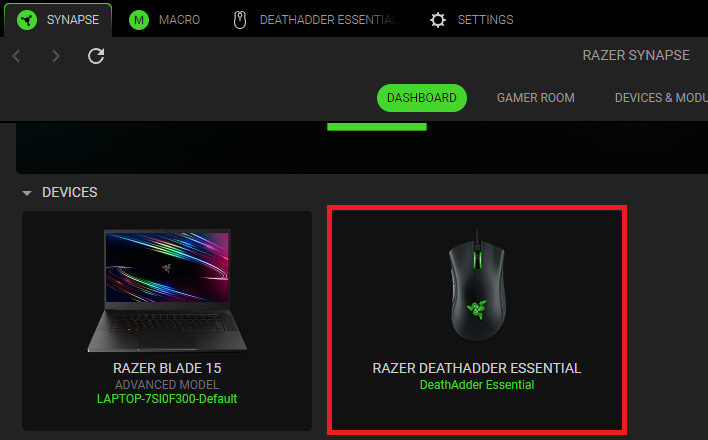
Select your mouse from the DASHBOARD.
-
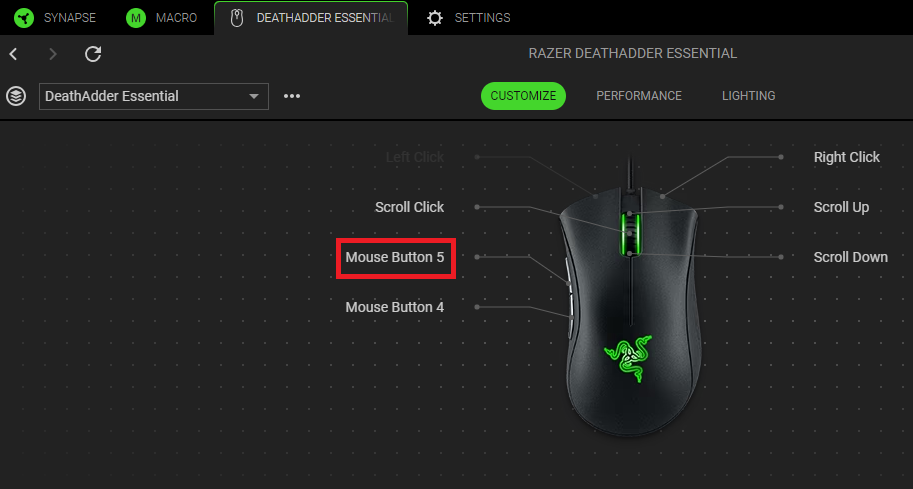
Select a button you want to customize.
-
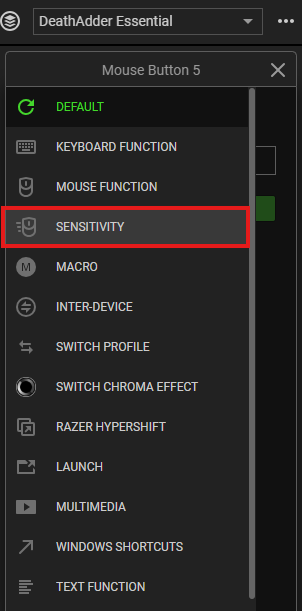
Click “SENSITIVITY”.
-
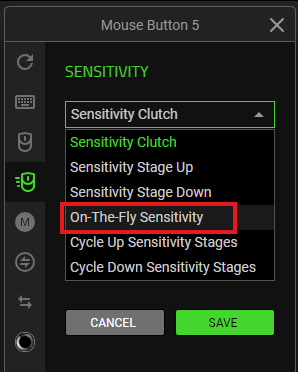
Select “On-The-Fly Sensitivity” from the SENSITIVITY dropdown list.
-
Click “SAVE” to complete the process.
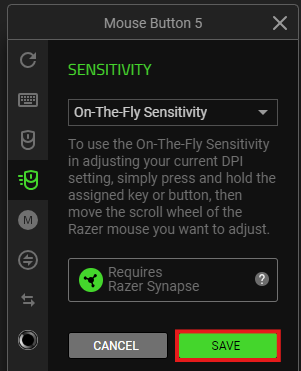
The device layout of your mouse now reflects the changes made.

Use On-The-Fly Sensitivity button
To use the On-The-Fly Sensitivity button, do the following:
-
Press and hold the button programmed for "On-The-Fly Sensitivity".
-
Roll the scroll wheel up to increase the DPI or down to decrease the DPI.
The adjustment will be locked where you released your programmed button.


