
Note: Live support for Razer Sila is no longer available. Please refer to our knowledge base or Insider Forum for support.
Beamforming allows the device to focus its wireless broadcast to a specific direction. When a router is powered on, it broadcasts its wireless signal in all directions, by default, spreading the data to all areas within its range. When beamforming is enabled, the router detects the wireless devices that have beamforming capabilities as well and focuses its broadcast to the direction of these devices, resulting in a fast and more stable connection.
Follow the steps below to enable beamforming:
- Access the web UI of the Razer Sila.
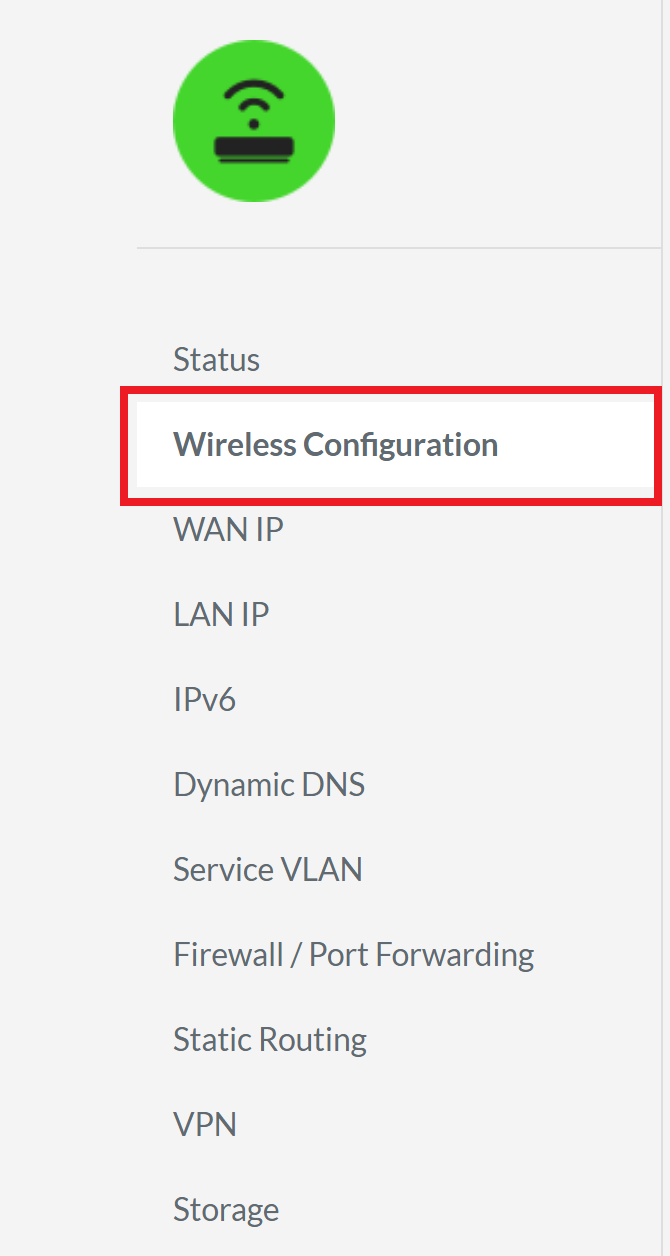
- Click “Wireless Configuration” in the left navigation panel.
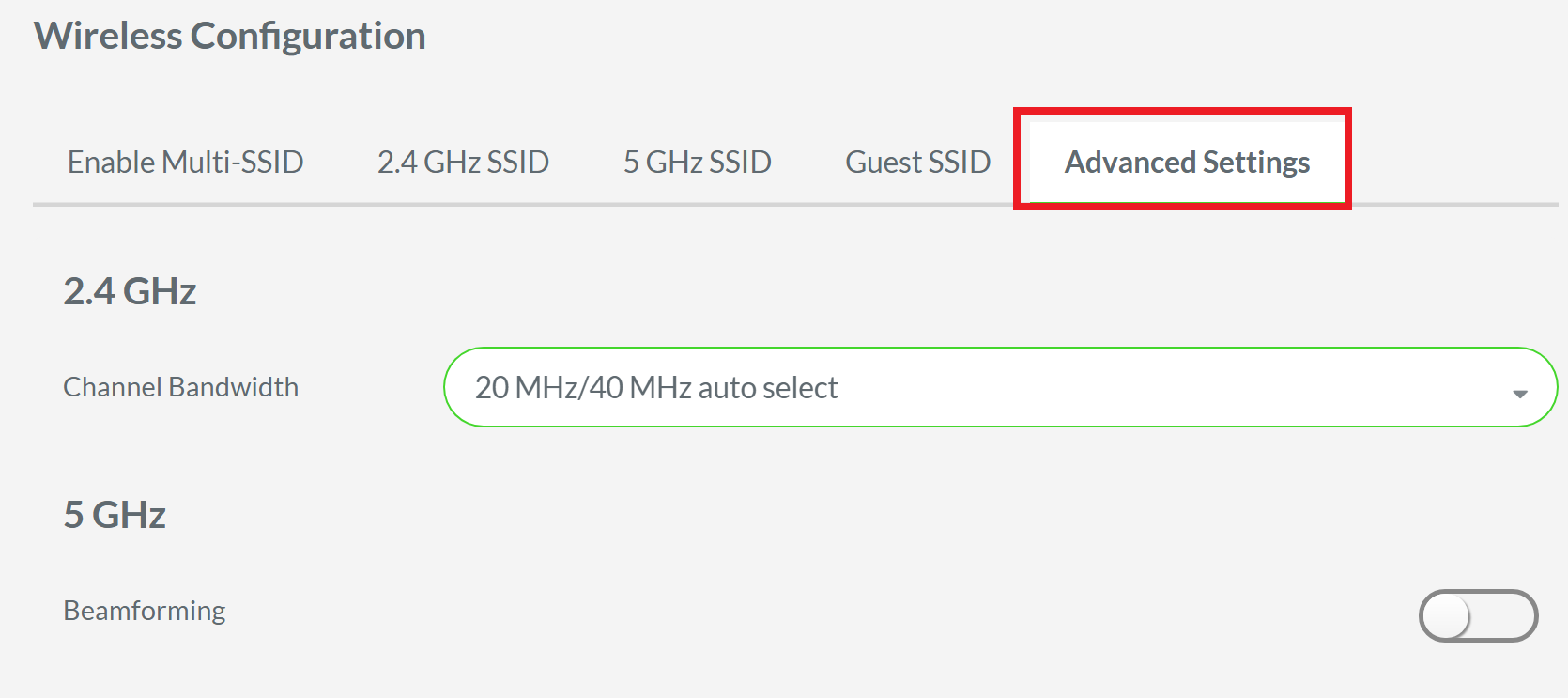
- Click “Advanced Settings”.
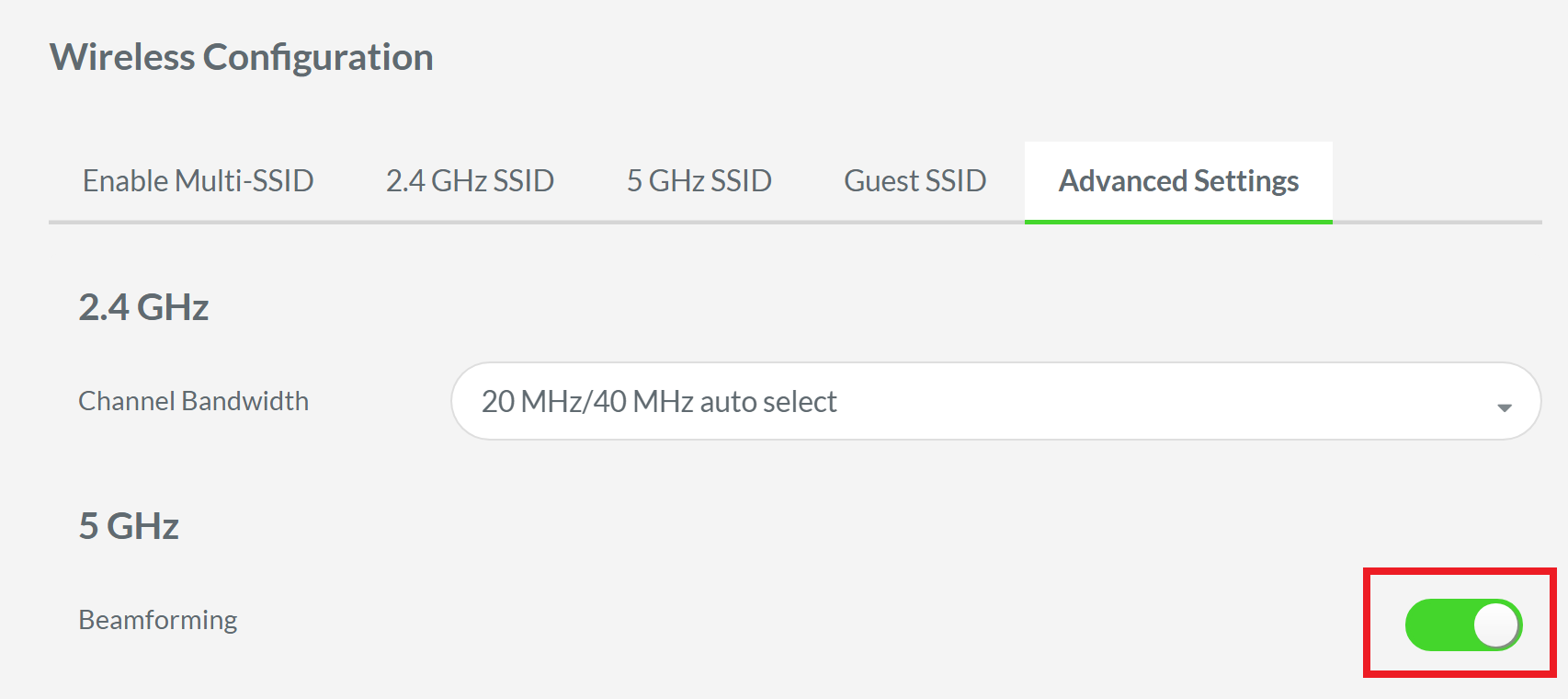
- Tap the “Beamforming” toggle switch under 5 GHz.
- Click “Apply.”
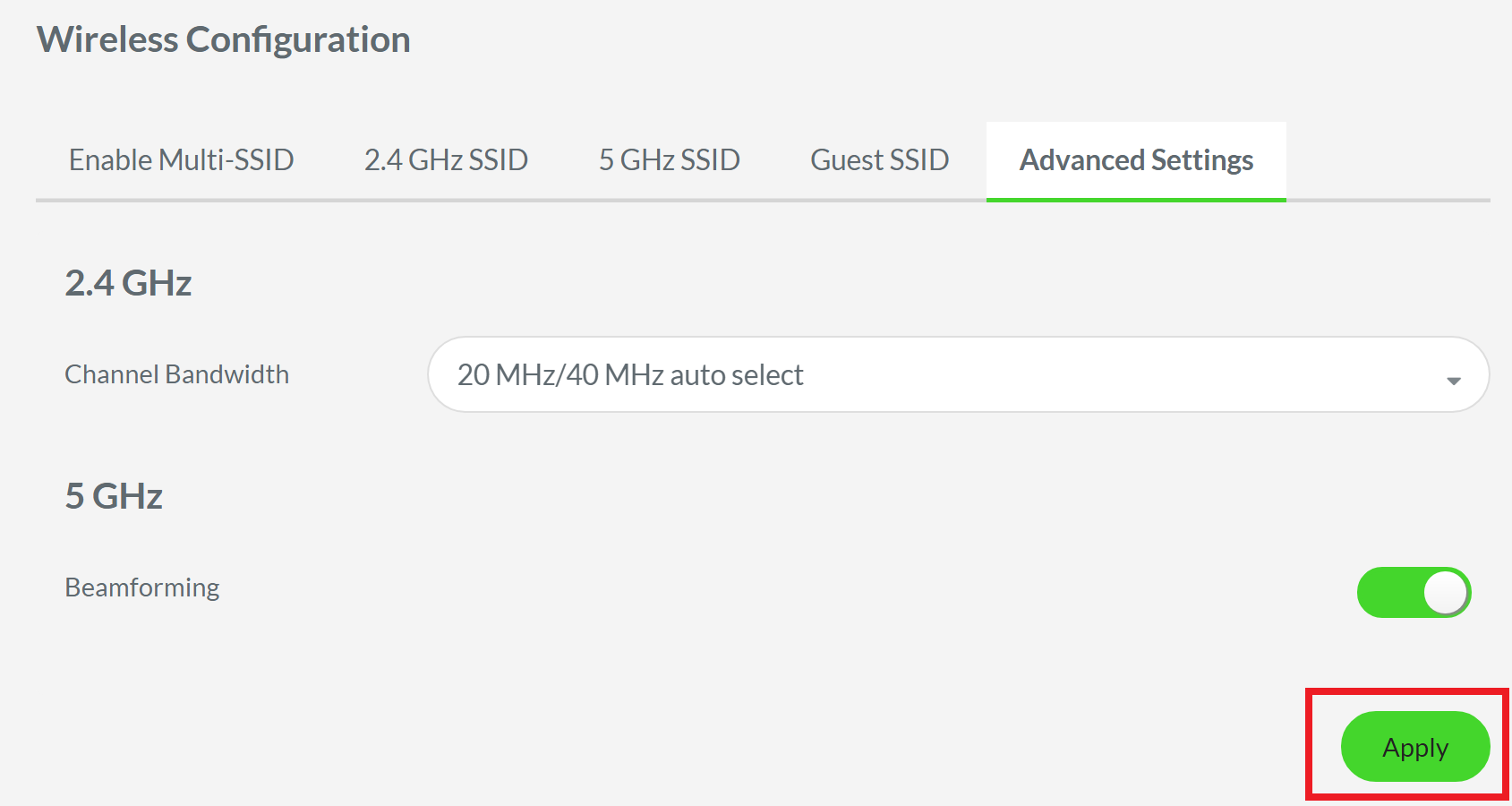
You should now have the beamforming enabled on your Razer Sila.

