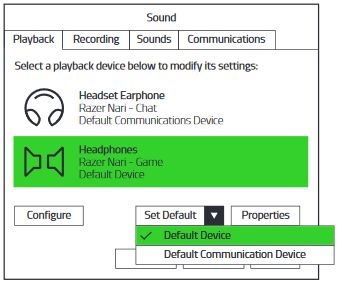
Ensure that the Razer Nari or Razer Nari Ultimate is set as the default playback device. This means that Nari – Game should be set as the “Default Device” and Nari – Chat as the “Default Communications Device” in your Sounds setting.
For some apps, you will need to select specific playback devices in the app settings. In this case, make sure the game app uses the Nari – Game as playback or audio device and the chat app uses the Nari – Chat as playback or audio device.
Step-by-step process:
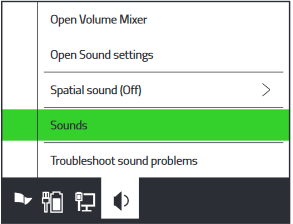
- Right-click on the sound icon on the system tray and select "Sounds".
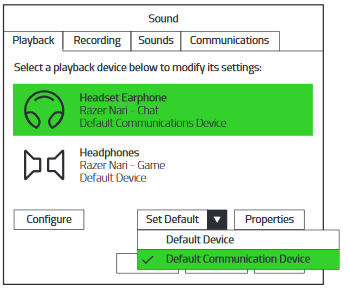
- On the Playback tab, select "Razer Nari - Chat" from the list, and then set it as the "Default Communication Device".
- On the Playback tab, select "Razer Nari - Game" from the list, and then set it as the "Default Device".