
Below are the steps to configure the internet connection on your Razer Sila using the username and password given to you by your ISP.
Note: Before you proceed, ensure your PC is directly connected to the Razer Sila using an ethernet cable.
-
Access the web UI of the Razer Sila.
-
Click on “WAN IP”.

-
Toggle “Get Dynamic IP Address” on.

-
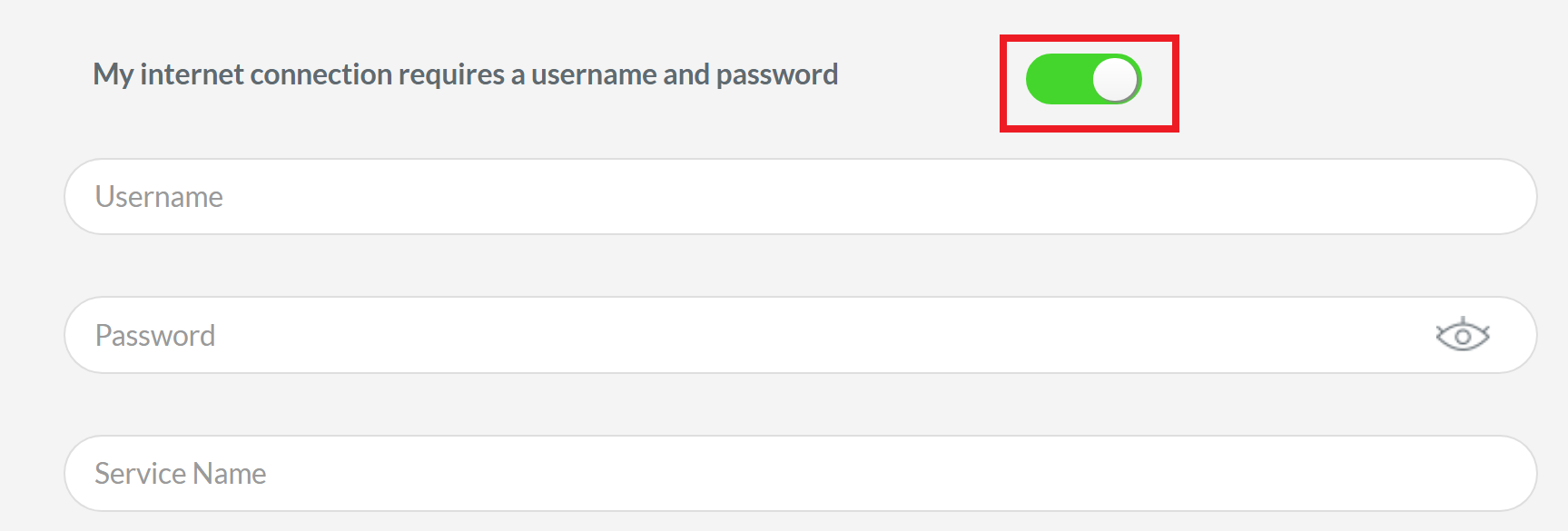
Toggle “My internet connection requires a username and password” on.
-
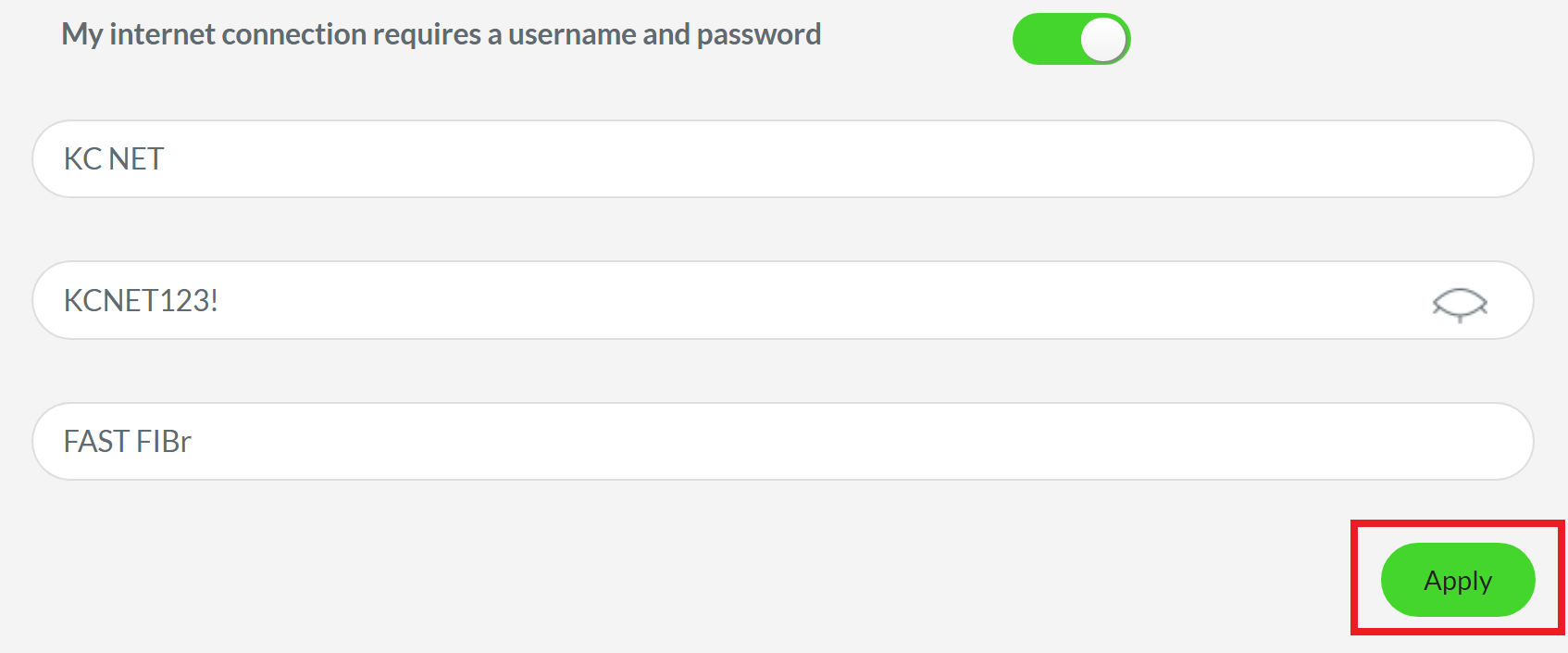
Enter the username and password provided by your ISP, and then the service name.
Note: When typing the password, you can click the “eye” icon to make sure that you have typed the correct password.
-
Click “Apply”.
-
Connect your Razer Sila to the modem and check the internet connection.
You should now have set up the internet connection on the Razer Sila using the username and password from your ISP.

