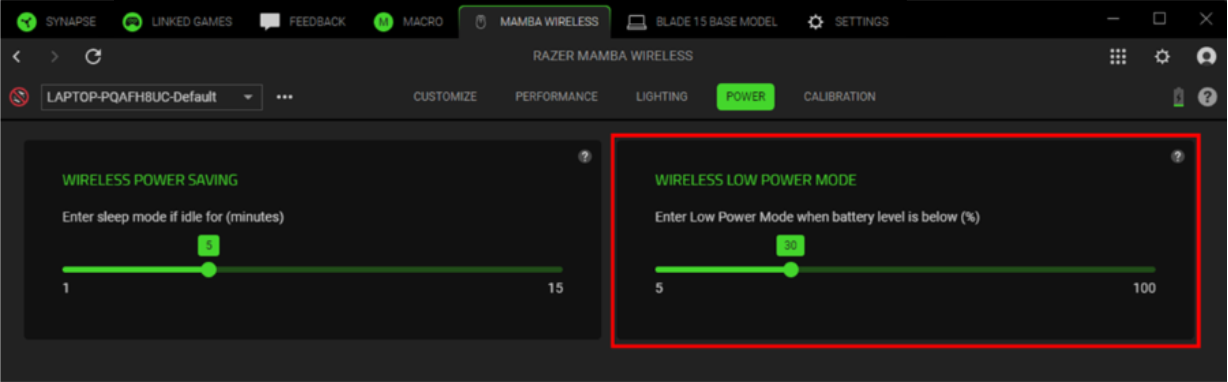
In Low Power mode, your Razer mouse reduces tracking speed and sensor acceleration to save on power. When the battery life goes below the preset battery level, “Low Power” mode will automatically kick in.
Below are the steps on how to set up Low Power mode for Razer mice.
-
Open Razer Synapse 4.
-
Select your mouse from the “DASHBOARD”.
-
Go to the “POWER” tab.
-
Set the battery level you want the “Low Power” mode to activate.