The Razer Sila is a wireless dual-band router that can connect multiple devices but still able to provide excellent speed and remarkable performance on your network, especially for gaming and streaming.
Unlike the usual routers, the Razer Sila can access unused bandwidth frequencies, avoiding congested networks and traffic interference.
While Razer Sila has this excellent security, capability compared to other routers in the market today, it is expected that potentially unwanted wireless devices within its range would want to connect to its network and take advantage of this amazing feature.
It is important to inspect which devices are connected to your network through the Razer Sila from time to time. This way, you will be able to identify each device right away and prevent unauthorized access.
Step-by-step process
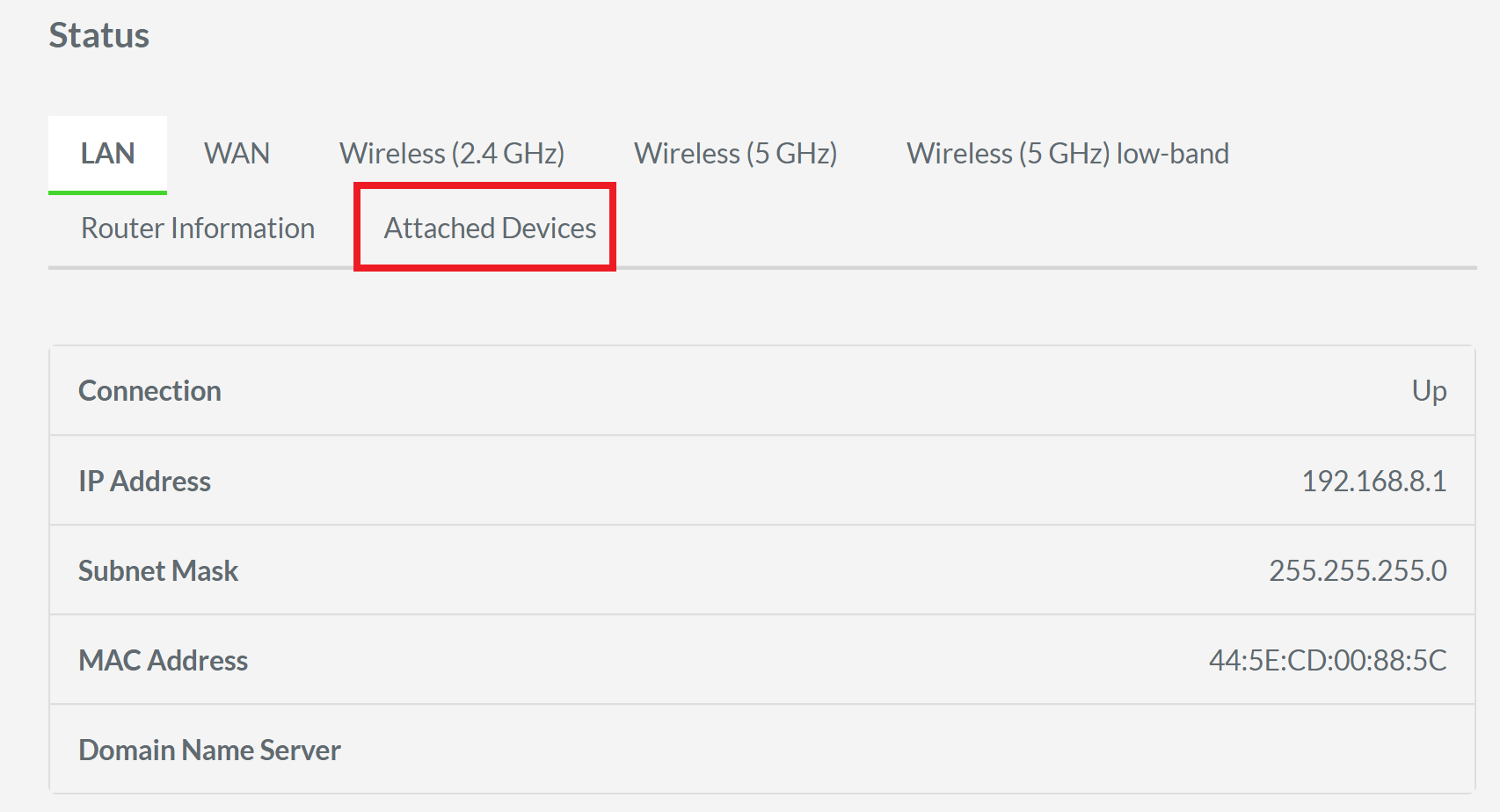
- Access the web UI of the Razer Sila and go to “Status”.

- Click “Attached Devices”.
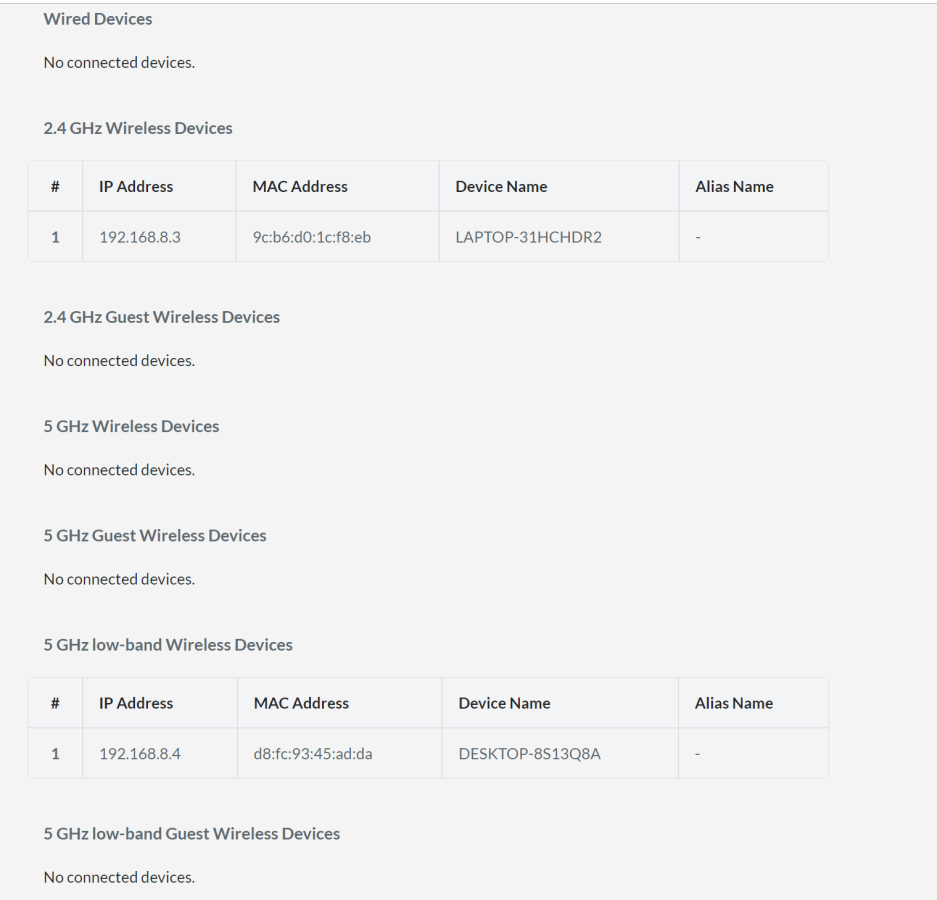
The page will then display all connected devices to all the networks that are being broadcast by the Razer Sila. This includes wired devices, wireless devices connected to the 2.4 GHz network and its guest network, wireless devices connected to the 5 GHz network and its guest network, and the low-band 5GHz wireless network and its guest network.
In this example, it is showing that there are two devices connected to the Razer Sila. One is a laptop connected via a 2.4 GHz wireless connection, and a desktop connected via a 5 GHz low-band wireless connection.