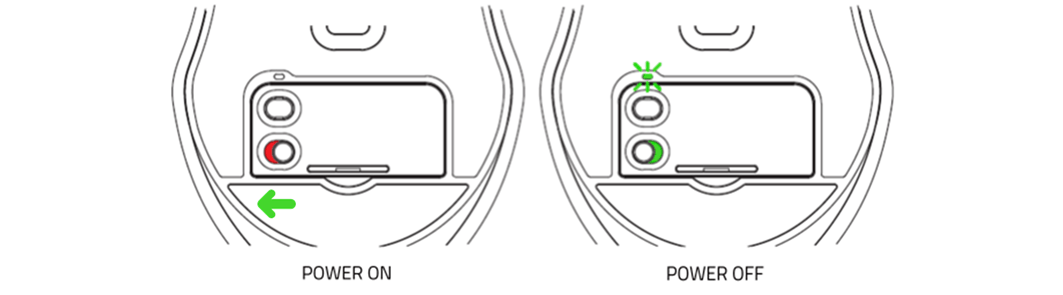
The Razer Lancehead | RZ01-02120 is a dual-type mouse that can be used both wired and wireless.
Below are the steps to set up your Razer Lancehead to wired mode:
- Connect your Razer Lancehead to the PC using its USB to Micro-USB cable included in the package. The USB goes to the computer, and the Micro-USB goes to the mouse.

- Switch the wireless mode off by sliding the switch to the “OFF” position.

- Check the power indicator on the mouse’s scroll to see if connecting the mouse is successful.

- Test the mouse.
The Razer Lancehead can also be set-up through a USB Dongle found underneath.
Below are the steps to start this set-up:
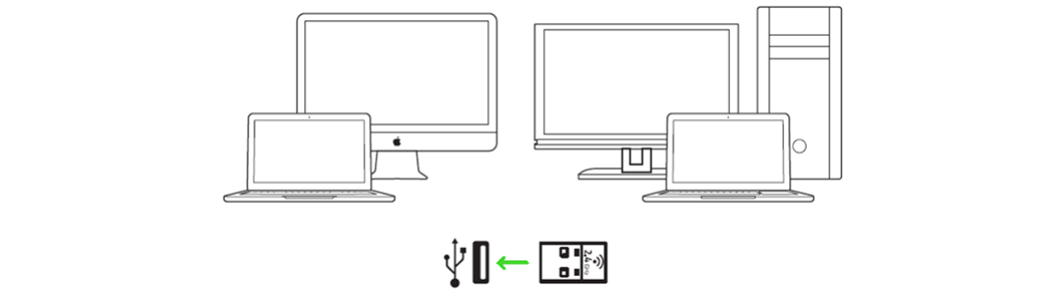
- Get the USB dongle under the Razer Lancehead.
- Directly connect the USB dongle to any USB port on your PC.
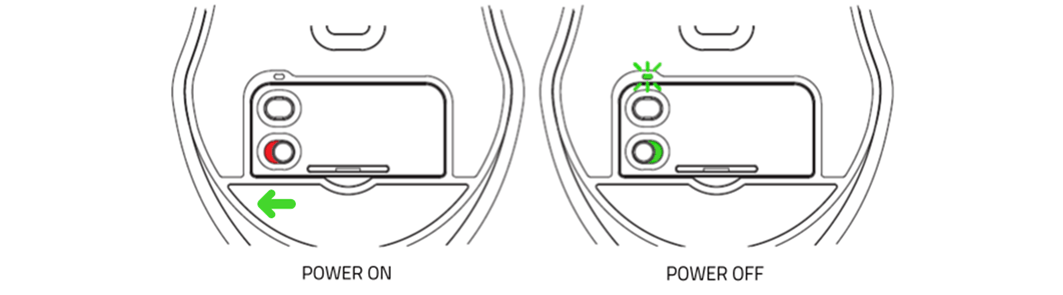
- Switch your Razer Lancehead on.
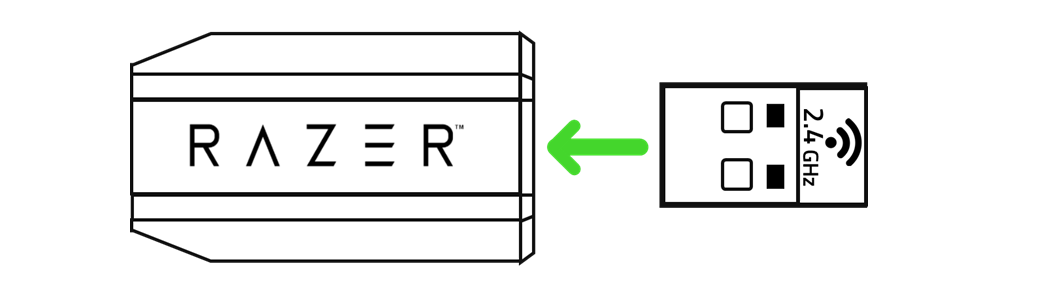
The USB dongle adapter is an accessory included in your Razer Lancehead package that enables you to have easy access to your dongle and to extend its reach.
Below are the steps:
- Connect your USB to Micro-USB cable to your computer.
- Connect your USB dongle adapter to the Micro USB end of the cable.
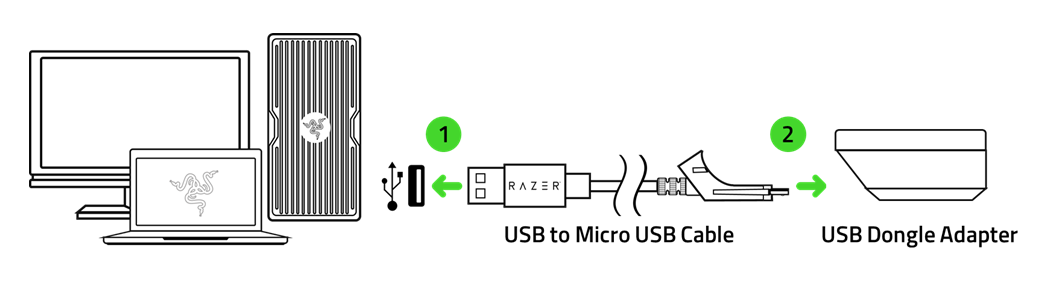
- Connect your USB dongle to the USB dongle adapter.
- Switch your Razer Lancehead on.