The brightness on my Raptor monitor cannot be adjusted upon exiting from hibernate or sleep mode

| Answer ID: 1928

Adjust the brightness by using the on-screen display (OSD) controls.

This article provides instructions on how to troubleshoot the brightness on the Raptor monitor that cannot be adjusted upon exiting from hibernate or sleep mode.

Step-by-step process

  1. Press the 5-way menu joystick at the back of the lower-right side of the monitor.
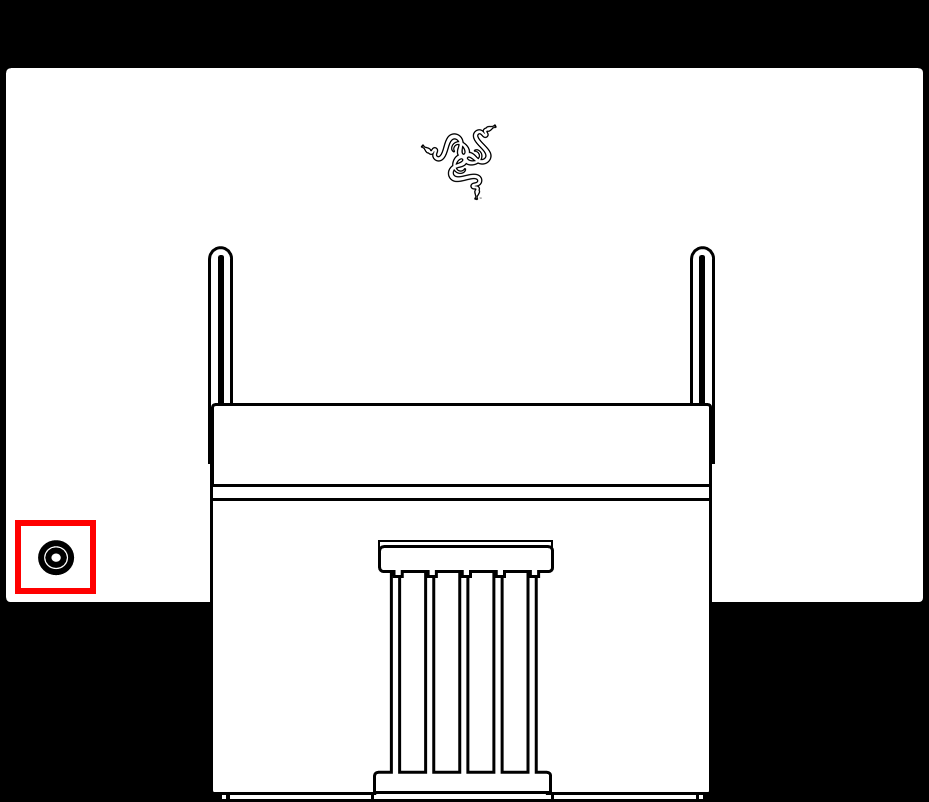
    Press the 5-way menu joystick

    The OSD will appear on the lower right corner of your monitor.

  2. Tilt the joystick upward to open “Brightness/Contrast”.
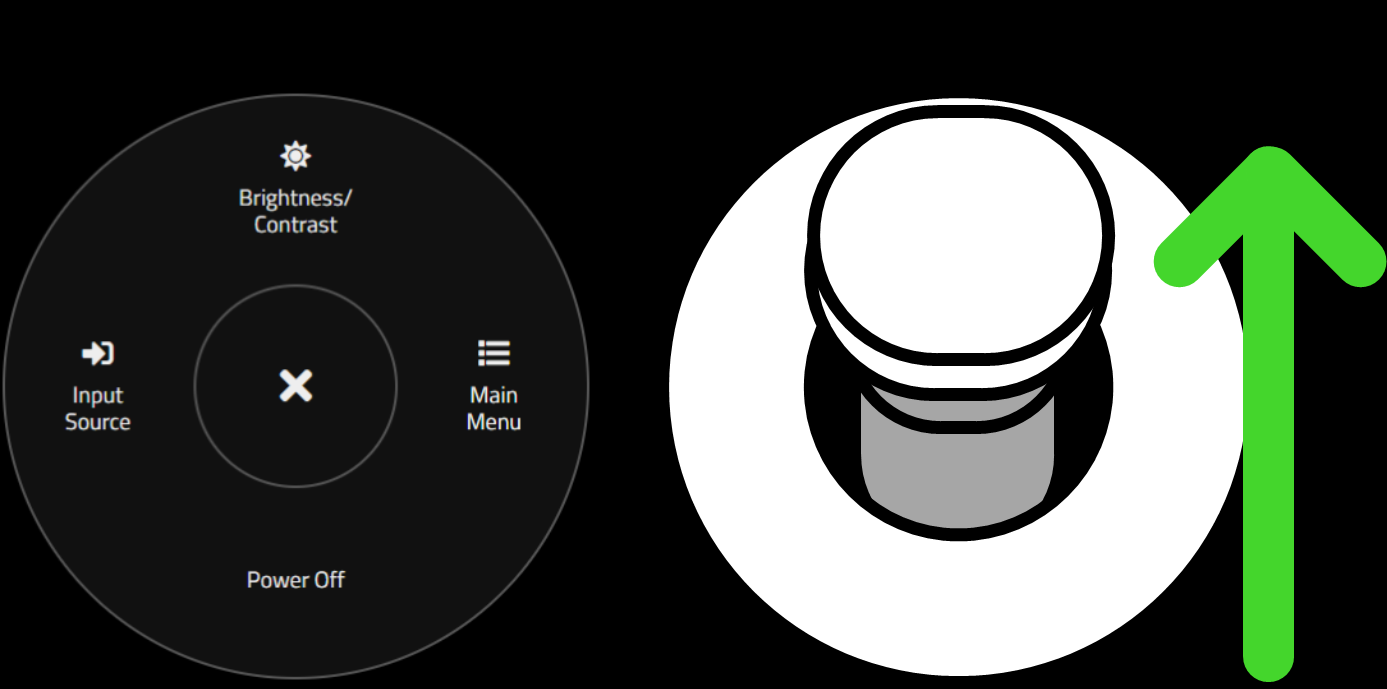
    Tilt the joystick upward to open Brightness/Contrast

  3. Move the sliders up and down to pick your desired level of brightness.
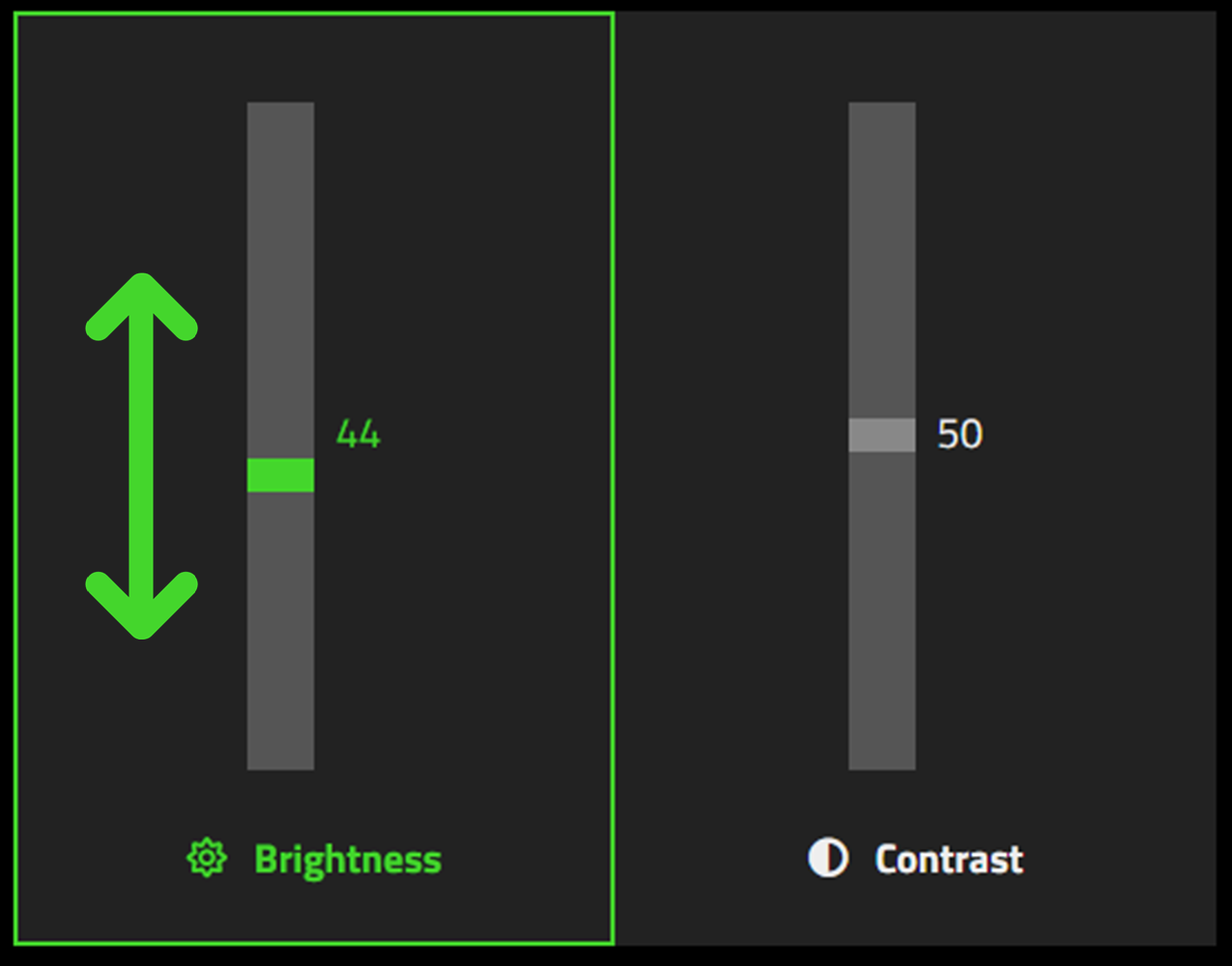
    Move the sliders up and down

  4. Release the joystick to finish the process.

Is this answer helpful?