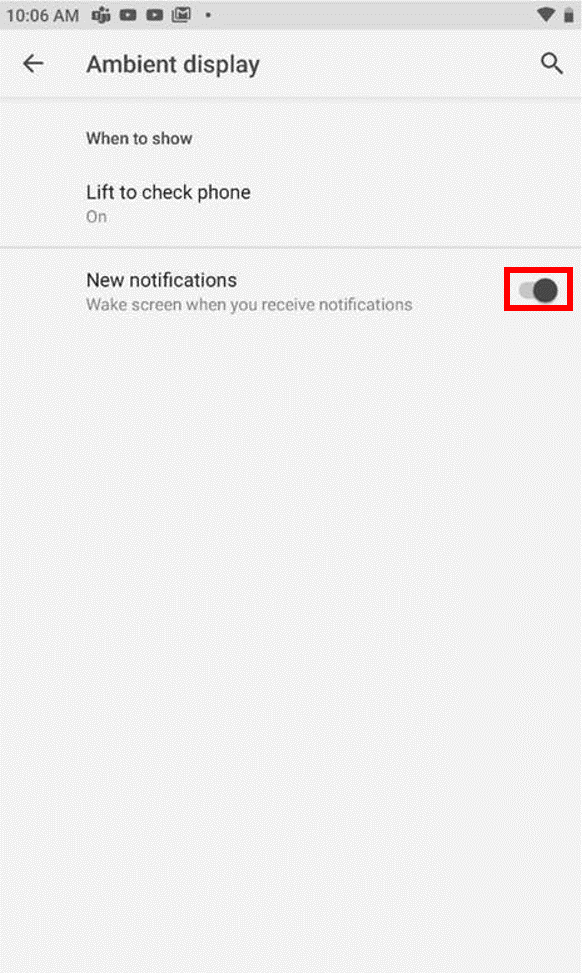
Ambient display is a feature that enables you to see notifications without powering your phone’s display. This should not be confused with Adaptive Brightness, which is the phone’s brightness adjusting to your surrounding’s lighting. There are two options you can choose from when the feature activates:
Note: You can choose to activate both or just one option at a time.
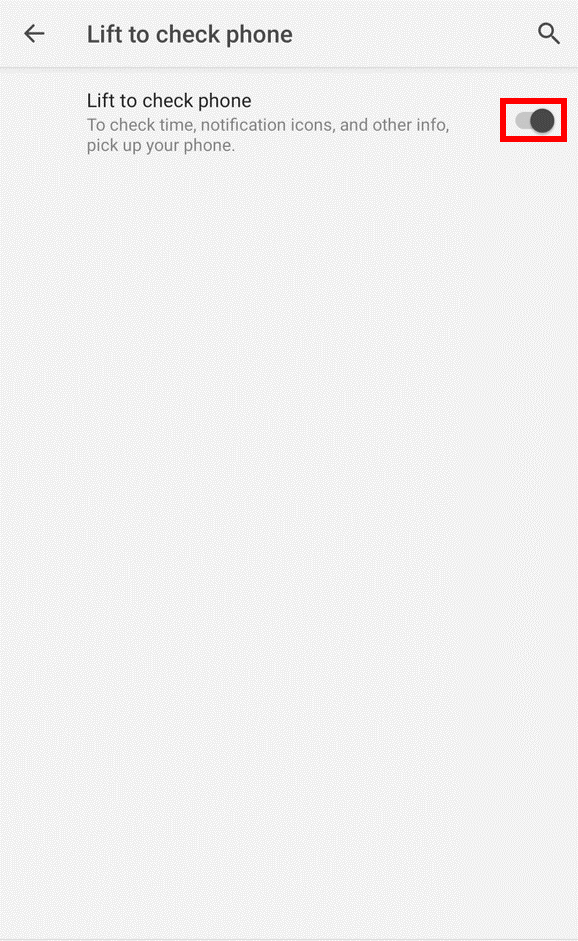
- Lift to check phone – activates each time you pick up your phone.
- New notifications – activates each time you receive a notification.
Step-by-step process:
-
Go to Settings > Display > Advanced > Ambient display.

-
Tap “Lift to check phone”.

-
Toggle the switch to on position.
-
Toggle “New notifications” switch to on position.