
This error can be caused by the following:
- Website has an expired or invalid SSL certificate
- Website has no SSL at all
This error message does not always mean that a website is infected with malware. However, the information that you share while logging in or making purchases with the website is not being protected.

Try replacing “http” with “https” and check to see if it works.
If the issue persists, refrain from accessing this website. However, if you own the website or trust the source, bypass this warning by following the steps below.
-
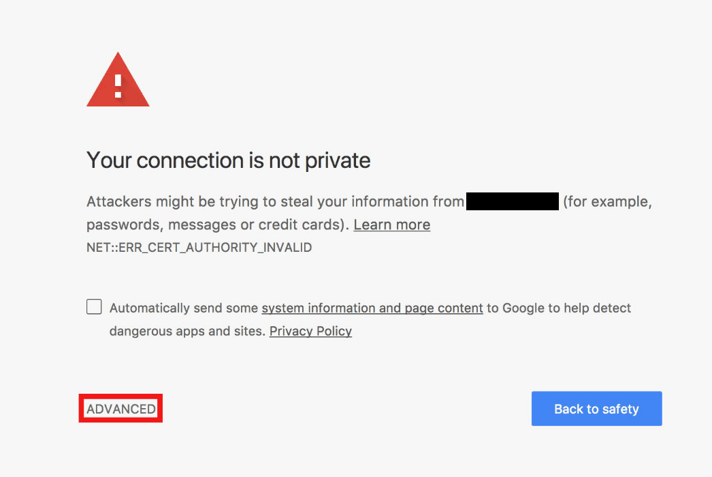
Click on “ADVANCED”
-
Click on “Proceed to…” to enter website.
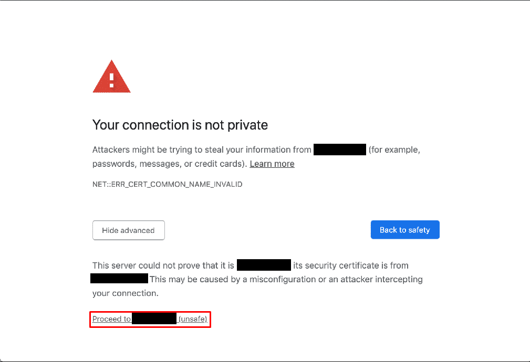
Note: Sometimes, browsers such as Google Chrome may classify a website as dangerous, in which case the option to proceed may not be available. For more information, Google Chrome Help.

