
Polling rate is the measure of how many times your mouse reports its position to your computer. If the polling rate of your mouse is set to 100 Hz, it means it is reporting its position to your computer at 100 times per 1 second, or every 10 milliseconds.
See the step-by-step instructions below on how to adjust the polling rate on a Razer mouse.
-
Launch Razer Synapse 4.
-
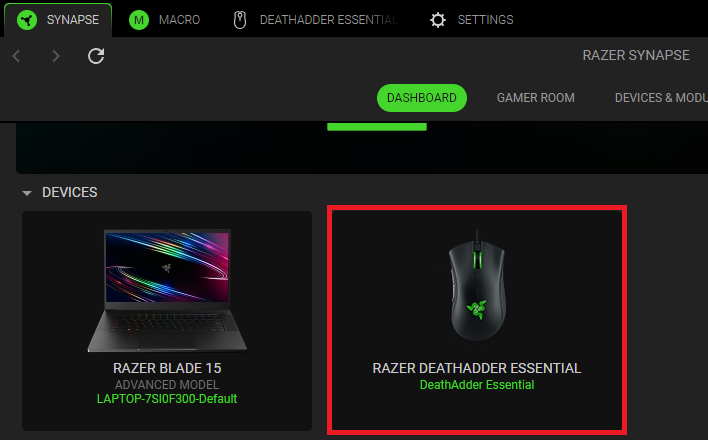
Select your mouse from the DASHBOARD.
-
Click “PERFORMANCE”.

-
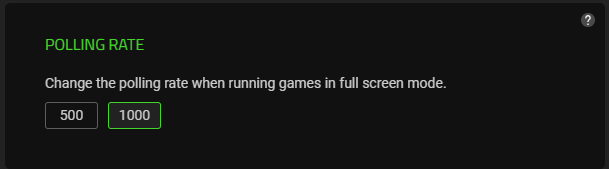
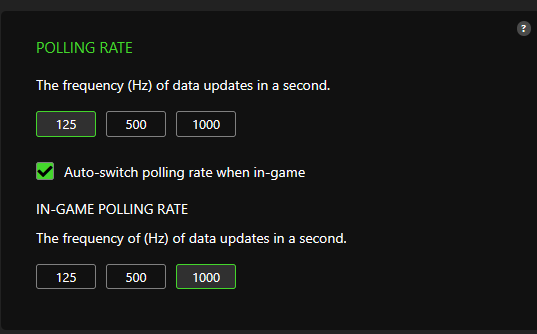
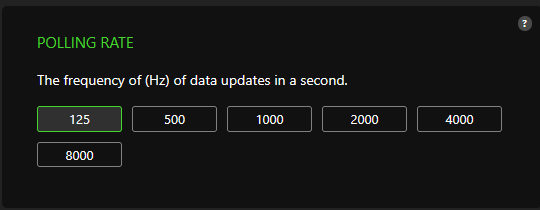
Select the preferred polling rate from the given presets.
Note: The POLLING RATE options vary depending on the mouse. Some mice have more polling rate presets and options to choose from.
The polling rate on your mouse is now adjusted.

