
You can utilize the "MOUSE USE" feature in Razer Synapse to alternate between left-handed and right-handed modes.
Follow the detailed instructions below to set your Razer mouse to left-handed mode.
-
Launch Razer Synapse.
-
Select your mouse from the DASHBOARD.
-
Scroll down to see the MOUSE USE section.
-
Click the “Left-handed” radio button to set the mouse to left-handed mode.
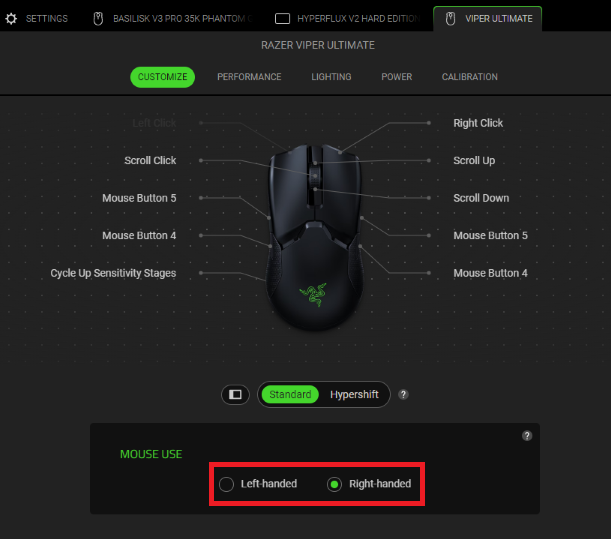
Note: If this section does not appear in Razer Synapse, it indicates that your device does not support this feature.
Your mouse will apply your chosen mode immediately.

